
7 Nights to survive
Another zombie survival but for creators and a surprising twist
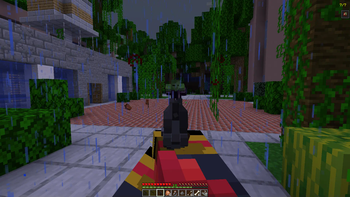
Screenshots
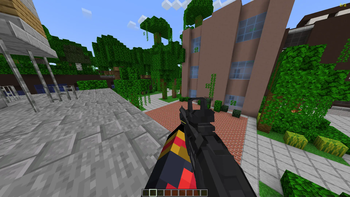
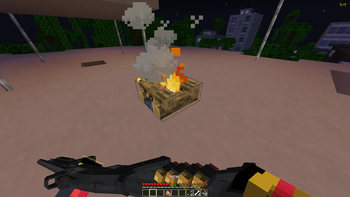
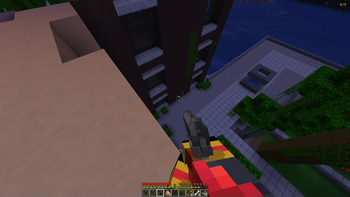
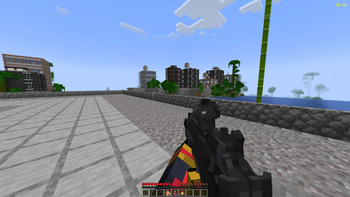

Über dieses Modpack
Hello and thanks for choosing 7 Nights to survive!
(point blank must be manually downloaded)
This mod is meant for content creators but anyone is welcome to use it
what do i do in this mod?:
I will hav rules set below for multiplayer and singleplayer so you know your objective
(scroll all the way to the bottem to see points system)
RULES AND START:
Start: when starting a world you may choose a role
Singleplayer: 1 pistol, 1 shotgun, 1 machine gun, 1 sniper, 64 cooked chicken, 3 health II potions and 18 stacks of creative ammo
Multiplayer:(only 1 player can choose a class no more that 2 people can be in the same class)
Gunner: 1 Machine gun, 1 pistol, 5 stacks of creative ammo, 20 cooked chicken
Sniper: 1 Sniper rifle, 1 pistol, 2 stacks of creative ammo, 15 cooked chicken
Medic: 1 pistol, 10 Potions of healing II, 40 cooked chicken, 3 stacks of creative ammo, 3 campfires
Supplier: 1 Shotgun, 1 pistol, 20 cooked chicken, 18 Stacks of creative ammo, 1 campfire
(NOTE: all players start off with a walkie talkie this allows players with voice chat to talk from far away)
RULES:
No killing your fellow players this is cheating
No creative unless its to get your kit
No trapping yourself in an area for all 7 days
Must you voice chat (multiplayer only)
All players must record there prespective
What do some of the mods do?:
Well most of the mods are to make the game more emmersive but wont really effect your gameplay the ones listed below are the ones to look out for
When killings a mob you will see red orbs, dont worry these red orbs heal you when killing hostile mobs (blue orbs give speed)
When your fellow player is down you can revive him before he dies...
POINTS SYSTEM:
Killing a player: -1
Surviving a night: +1
Reviving a player: +1
Getting infected: -1
dying: -1
camping in one spot the whole game: -7
the player with the most points at the end of day 7 wins!!!!


Verfügbare Versionen
7 Nights to survive Server einrichten
Server bestellen
Wähle mindestens 6 GB RAM (8 GB empfohlen für 7 Nights to survive). Je nach Spieleranzahl: +1 GB pro 5 Spieler.
Modpack im Dashboard installieren
Öffne den Modpack-Browser im Dashboard, suche nach "7 Nights to survive" und klicke "Installieren". Der neoforge-Loader und Minecraft 1.20.1 werden automatisch konfiguriert.
Server starten & spielen
Starte den Server – alle Mods werden automatisch geladen. Teile die Server-IP mit Freunden und spielt zusammen!
Häufige Fragen
7 Nights to survive Server crasht oder startet nicht – was tun?
Häufigste Ursachen: zu wenig RAM oder falscher neoforge-Loader. Prüfe latest.log auf "OutOfMemoryError" → erhöhe RAM auf mindestens 8 GB. Bei "Mixin" oder "ClassNotFoundException": Modpack-Version und Loader stimmen nicht überein. Bei Mado Hosting werden Loader und Minecraft-Version beim Modpack-Install automatisch konfiguriert – das verhindert die meisten Startprobleme.
Wie viel RAM braucht ein 7 Nights to survive Server wirklich?
Minimum 6 GB, empfohlen 8 GB für stabile Performance. +1 GB pro 5 Spieler. Wichtig: Minecraft-Modpacks brauchen mehr RAM als Vanilla – plane pro zusätzlichem Spieler extra ein. Bei Mado Hosting kannst du den RAM jederzeit live hochskalieren, ohne Datenverlust (ab €7.800000000000001/Monat).
Kann ich eigene Mods zu 7 Nights to survive hinzufügen, ohne Konflikte?
Ja, aber achte auf die Kompatibilität: Nutze nur Mods für den gleichen Loader (neoforge) und die gleiche Minecraft-Version (1.20.1). Häufige Probleme: ID-Konflikte bei Rezept-Mods und inkompatible Coremod-Versionen. Im Mado Dashboard zeigt der Mod-Browser nur kompatible Mods an und warnt bei bekannten Konflikten.
7 Nights to survive Server laggt – Performance-Tipps
1) RAM auf 8 GB+ erhöhen. 2) Server-View-Distance auf 8 reduzieren (server.properties). 3) Pre-Generiere Chunks mit dem "Chunky" Plugin. 4) Prüfe mit /spark profiler welche Mods die meiste Tick-Time verbrauchen. Bei Mado Hosting laufen alle Server auf NVMe-SSDs mit dedizierten CPU-Kernen – das eliminiert Hardware als Engpass.
Ähnliche Modpacks
![Cobblemon Official Modpack [Fabric]](https://cdn.modrinth.com/data/5FFgwNNP/e7f9ee2e9d361623847853fe2ddce42f519ee64f.png)
![COBBLEVERSE - Pokemon Adventure [Cobblemon]](https://cdn.modrinth.com/data/Jkb29YJU/581ecf54530972afb18a04660afd820f2f24f6c7.png)
![Better MC [FABRIC] - BMC2](https://cdn.modrinth.com/data/shFhR8Vx/a19c2bcb51d38f32f138d3607e91cb2b7b8e387f_96.webp)


![Better MC [FORGE] - BMC4](https://cdn.modrinth.com/data/4BV47HRn/7f5ef7cc61b2593609aabef3ed07a866a4f11b73_96.webp)
7 Nights to survive Server mieten
Starte deinen eigenen Server mit automatischer Modpack-Installation.
Details
- Lizenz
- LicenseRef-All-Rights-Reserved
- Server-seitig
- Erforderlich
- Client-seitig
- Erforderlich
Unterstützte Versionen
Starte deinen 7 Nights to survive Server jetzt
Ab €7.80/Monat; für die beste Performance werden 8 GB RAM empfohlen.
Server konfigurieren →