
Arcadia Create S2
Arcadia Create S2 is a magic and Create modpack that blends mystical powers with mechanical engineering, letting players use spells alongside complex machines for a creative and dynamic gameplay experience.
Screenshots
Über dieses Modpack
What is this modpack about?
This modpack is based on the amazing factory mod,✨ Create ✨! The modpack is based of Create as you know, but we also wanted to bring a touch of roleplay into it so we added mods like Simple Voice Chat and Incapacitated which brings talking in game and a reviving system to Minecraft.
Season 2
This modpack is the second edition of Arcadia Create, but it represents much more than just a follow-up. We've rebuilt this modpack entirely from the ground up, with a fresh vision and new ideas. Our goal was to create something truly our own, rather than simply relying on a pre-existing modpack made by someone else.
Exploring the world
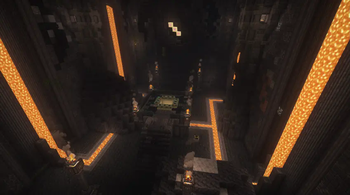
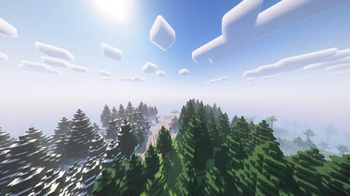
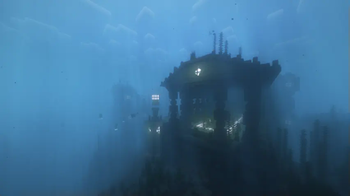
We added some mods that make exploration more fun! Much cooler world generation and structures that you can walk through, it gets me excited just thinking about it!
Thanks to mods like Biomes O' Plenty and Terralith makes this generation so cool! And then, many of the Yung's mods that changes the structures so it looks so... WOW! It changes the vanilla structures in a way that I LOVE!
Food
What would a modpack be without some better food than the normal, boring minecraft food? Answer: A modpack without Farmer's Delight or just a boring modpack where you would starve to death because you don't wanna eat something boring again and again and again... But we don't want the players to starve to death, we want them to have fun cooking a good meal, maybe some pasta with meatballs or a fish stew! But we didn't stop there, we added Some Assembly Required, the mod where you can make sandwiches and have like anything edible, a tomato with golden apple sandwich, make it! Then we also added Create Central Kitchen, the mod when you don't wanna cook so you make a automatic factory just because your lazy. Are you really that lazy that you don't cook your own food, but you make a whole factory so that the food is made? Just saying, makeing your own food is a lot more lazy than making a automatic factory
Create-mod
What was this modpack about again? You're right, Create! But why did I just talk about exploration and food? I don't know! And what would a create modpack be without create? You're right, a non-create modpack!
I can tell you little short about Create because everyone that has been on the modded side of minecraft would know about the great Create. Create is a mod that adds a lot of machinery. It's full of cogwheels, drills, saws, trains and much more!
Credits
Special thanks to Sillen for making such a detailed description. We are also incredibly grateful to GabGabbe for their hard work in developing the modpack, which brings all of these ideas to life in such a seamless and engaging way.
Verfügbare Versionen
Arcadia Create S2 Server einrichten
Server bestellen
Wähle mindestens 6 GB RAM (10 GB empfohlen für Arcadia Create S2). Je nach Spieleranzahl: +1 GB pro 4 Spieler.
Modpack im Dashboard installieren
Öffne den Modpack-Browser im Dashboard, suche nach "Arcadia Create S2" und klicke "Installieren". Der forge-Loader und Minecraft 1.19.2 werden automatisch konfiguriert.
Server starten & spielen
Starte den Server – alle Mods werden automatisch geladen. Teile die Server-IP mit Freunden und spielt zusammen!
Häufige Fragen
Arcadia Create S2 Server crasht oder startet nicht – was tun?
Häufigste Ursachen: zu wenig RAM oder falscher forge-Loader. Prüfe latest.log auf "OutOfMemoryError" → erhöhe RAM auf mindestens 10 GB. Bei "Mixin" oder "ClassNotFoundException": Modpack-Version und Loader stimmen nicht überein. Bei Mado Hosting werden Loader und Minecraft-Version beim Modpack-Install automatisch konfiguriert – das verhindert die meisten Startprobleme.
Wie viel RAM braucht ein Arcadia Create S2 Server wirklich?
Minimum 6 GB, empfohlen 10 GB für stabile Performance. +1 GB pro 4 Spieler. Wichtig: Minecraft-Modpacks brauchen mehr RAM als Vanilla – plane pro zusätzlichem Spieler extra ein. Bei Mado Hosting kannst du den RAM jederzeit live hochskalieren, ohne Datenverlust (ab €7.800000000000001/Monat).
Kann ich eigene Mods zu Arcadia Create S2 hinzufügen, ohne Konflikte?
Ja, aber achte auf die Kompatibilität: Nutze nur Mods für den gleichen Loader (forge) und die gleiche Minecraft-Version (1.19.2). Häufige Probleme: ID-Konflikte bei Rezept-Mods und inkompatible Coremod-Versionen. Im Mado Dashboard zeigt der Mod-Browser nur kompatible Mods an und warnt bei bekannten Konflikten.
Arcadia Create S2 Server laggt – Performance-Tipps
1) RAM auf 10 GB+ erhöhen. 2) Server-View-Distance auf 8 reduzieren (server.properties). 3) Pre-Generiere Chunks mit dem "Chunky" Plugin. 4) Prüfe mit /spark profiler welche Mods die meiste Tick-Time verbrauchen. Bei Mado Hosting laufen alle Server auf NVMe-SSDs mit dedizierten CPU-Kernen – das eliminiert Hardware als Engpass.
Ähnliche Modpacks
![Cobblemon Official Modpack [Fabric]](https://cdn.modrinth.com/data/5FFgwNNP/e7f9ee2e9d361623847853fe2ddce42f519ee64f.png)
![COBBLEVERSE - Pokemon Adventure [Cobblemon]](https://cdn.modrinth.com/data/Jkb29YJU/581ecf54530972afb18a04660afd820f2f24f6c7.png)
![Better MC [FABRIC] - BMC2](https://cdn.modrinth.com/data/shFhR8Vx/a19c2bcb51d38f32f138d3607e91cb2b7b8e387f_96.webp)


![Better MC [FORGE] - BMC4](https://cdn.modrinth.com/data/4BV47HRn/7f5ef7cc61b2593609aabef3ed07a866a4f11b73_96.webp)
Arcadia Create S2 Server mieten
Starte deinen eigenen Server mit automatischer Modpack-Installation.
Details
- Lizenz
- LicenseRef-All-Rights-Reserved
- Server-seitig
- Erforderlich
- Client-seitig
- Erforderlich
Unterstützte Versionen
Starte deinen Arcadia Create S2 Server jetzt
Ab €7.80/Monat; für die beste Performance werden 10 GB RAM empfohlen.
Server konfigurieren →