
Beta Renewed
Beta Renewed brings Beta 1.7.3 to modern Minecraft, restoring old features like no hunger, retro textures, and classic world gen. Relive 2011—download now!
Screenshots
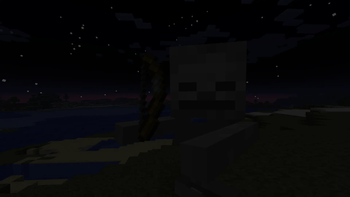
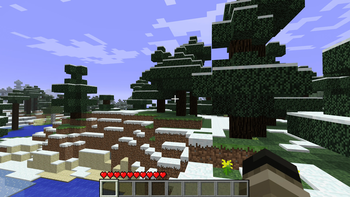
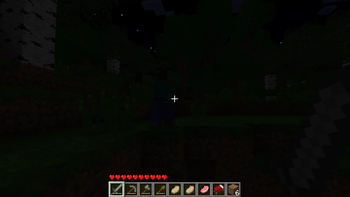
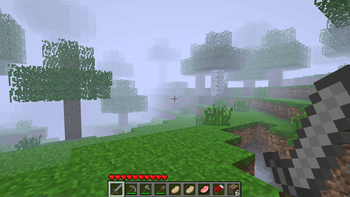
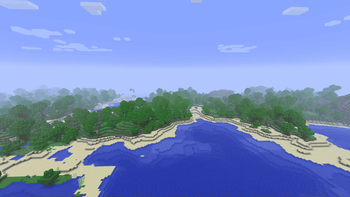
Über dieses Modpack
Beta Renewed: Relive the Golden Age of Minecraft
What it is
Beta Renewed is a complete “port” of Minecraft Beta 1.7.3 to the current 1.20.1 & 1.21.1 releases (Fabric & Forge & NeoForge). Every block, item, mob, tool, armor, texture, crafting recipe and world‑generation rule that existed in the original beta has been recreated – and stripped out the modern additions that would break the vibe.
Key features
- Exact crafting & combat – all beta recipes, sword damage, attack cooldowns, sprinting and walking speed are reproduced with 99.8 % accuracy.
- True beta terrain – surface generation, caves, villages and biomes behave exactly like they did in Beta 1.7.3 (no 1.2x‑era structures).
- Minimalist creative inventory – only the blocks and items that were present in the beta are offered, keeping the UI clean and nostalgic.
- Original textures & skin – classic block/item textures are used; the default Steve skin has been swapped for the beta version (still being polished).
- Re‑made Nether – the Nether has been rebuilt to match its beta layout, with the same ores, lava seas and limited structures.
- Structures – every generated structure has been removed except for the classic Dungeon, preserving the “empty‑world” feel of the early game.
- Render Distance - you can change the render distance in the options, or just by pressing F key as it was back then.
What version to choose?
There are four main versions: 1.20.1 Forge & Fabric, 1.21.1 NeoForge & Fabric.
1.20.1 is the oldest version currently available, but it is still one of the best. It contains all game features and almost completely recreates the 1.7.3 beta. However, if you want the purest gaming experience, we recommend choosing the Fabric version. The Forge version is designed for those who want to play with mods only available on the Forge platform.
1.21.1 is the newest and most optimized version of this modpack. Fabric is the best choice for the ultimate gaming experience. It contains ALL the features presented in this modpack. The Fabric version most accurately recreates the spirit of Beta 1.7.3. Like version 1.20.1, NeoForge for this version is designed for those who want to play with mods. This is done for compatibility.
Conclusion: If you want the purest Minecraft beta experience, choose 1.21.1 Fabric. If you want to play with mods like The Broken Script, Aether, Create, and others, choose NeoForge. Or you can choose any version of 1.20.1.
How to enable “Old‑School Fast Mode”
If you want the game to run exactly like the old beta, apply these three graphics settings:
- Fast Mode – set Graphics → Fast.
- Fast Clouds – enable Clouds → Fast.
- Disable Smooth Lighting – turn Smooth Lighting → Off.
By pressing F while playing you can toggle the classic beta fog (that “hazy” view). This keybinding works regardless of the loader you’re using.
Known Issues (as of v0.1.0)
- The classic Steve skin is still being refined; the current texture is a placeholder.
- Some mobs drop items that is not belong to them.
- Crouching remains functional.
- Old‑style tree are not present.
- A handful of recipes are still broken or missing.
You can try to fix some issues yourself, but that's not recommended. Instead, message me on Discord and we can discuss a solution. Or, if I already created a Discord server, you can reach out to the community.
Enjoy the trip back to Minecraft’s beginnings!
Beta Renewed is a labor of love—hundreds of hours went into recreating every detail. Thank you for giving this nostalgic slice of history a chance to live on in the modern era. Feel free to leave feedback, report bugs, or suggest improvements on the Modrinth page. Happy mining!
Verfügbare Versionen
Beta Renewed Server einrichten
Server bestellen
Wähle mindestens 6 GB RAM (8 GB empfohlen für Beta Renewed). Je nach Spieleranzahl: +1 GB pro 5 Spieler.
Modpack im Dashboard installieren
Öffne den Modpack-Browser im Dashboard, suche nach "Beta Renewed" und klicke "Installieren". Der forge-Loader und Minecraft 1.21.1 werden automatisch konfiguriert.
Server starten & spielen
Starte den Server – alle Mods werden automatisch geladen. Teile die Server-IP mit Freunden und spielt zusammen!
Häufige Fragen
Beta Renewed Server crasht oder startet nicht – was tun?
Häufigste Ursachen: zu wenig RAM oder falscher forge-Loader. Prüfe latest.log auf "OutOfMemoryError" → erhöhe RAM auf mindestens 8 GB. Bei "Mixin" oder "ClassNotFoundException": Modpack-Version und Loader stimmen nicht überein. Bei Mado Hosting werden Loader und Minecraft-Version beim Modpack-Install automatisch konfiguriert – das verhindert die meisten Startprobleme.
Wie viel RAM braucht ein Beta Renewed Server wirklich?
Minimum 6 GB, empfohlen 8 GB für stabile Performance. +1 GB pro 5 Spieler. Wichtig: Minecraft-Modpacks brauchen mehr RAM als Vanilla – plane pro zusätzlichem Spieler extra ein. Bei Mado Hosting kannst du den RAM jederzeit live hochskalieren, ohne Datenverlust (ab €7.800000000000001/Monat).
Kann ich eigene Mods zu Beta Renewed hinzufügen, ohne Konflikte?
Ja, aber achte auf die Kompatibilität: Nutze nur Mods für den gleichen Loader (forge) und die gleiche Minecraft-Version (1.21.1). Häufige Probleme: ID-Konflikte bei Rezept-Mods und inkompatible Coremod-Versionen. Im Mado Dashboard zeigt der Mod-Browser nur kompatible Mods an und warnt bei bekannten Konflikten.
Beta Renewed Server laggt – Performance-Tipps
1) RAM auf 8 GB+ erhöhen. 2) Server-View-Distance auf 8 reduzieren (server.properties). 3) Pre-Generiere Chunks mit dem "Chunky" Plugin. 4) Prüfe mit /spark profiler welche Mods die meiste Tick-Time verbrauchen. Bei Mado Hosting laufen alle Server auf NVMe-SSDs mit dedizierten CPU-Kernen – das eliminiert Hardware als Engpass.
Ähnliche Modpacks
![Cobblemon Official Modpack [Fabric]](https://cdn.modrinth.com/data/5FFgwNNP/e7f9ee2e9d361623847853fe2ddce42f519ee64f.png)
![COBBLEVERSE - Pokemon Adventure [Cobblemon]](https://cdn.modrinth.com/data/Jkb29YJU/581ecf54530972afb18a04660afd820f2f24f6c7.png)
![Better MC [FABRIC] - BMC2](https://cdn.modrinth.com/data/shFhR8Vx/a19c2bcb51d38f32f138d3607e91cb2b7b8e387f_96.webp)


![Better MC [FORGE] - BMC4](https://cdn.modrinth.com/data/4BV47HRn/7f5ef7cc61b2593609aabef3ed07a866a4f11b73_96.webp)
Beta Renewed Server mieten
Starte deinen eigenen Server mit automatischer Modpack-Installation.
Unterstützte Versionen
Starte deinen Beta Renewed Server jetzt
Ab €7.80/Monat; für die beste Performance werden 8 GB RAM empfohlen.
Server konfigurieren →