
Blue Lotus: Classic
A modpack focused on exploration while keeping Minecraft's classic style.
Screenshots


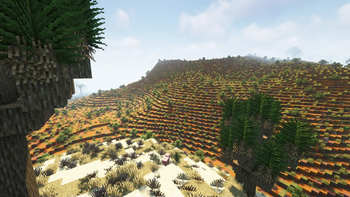


Über dieses Modpack

My new modpack, Blue Lotus : Beyond is now available on modrinth!

Classic
Blue Lotus is a modpack focused on adventure and exproration while keeping minecraft's iconic style and feel.
Im the biggest fan of blue lotus - ant
🗺️ Improved world generation
Blue Lotus brings many improvements to Minecraft's boring world. Including better terrain with Tectonic, many new biomes added by Regions Unexplored and the countless structure mods such as Towns and Towers , Repurposed Structures and Yung's Better Structures.
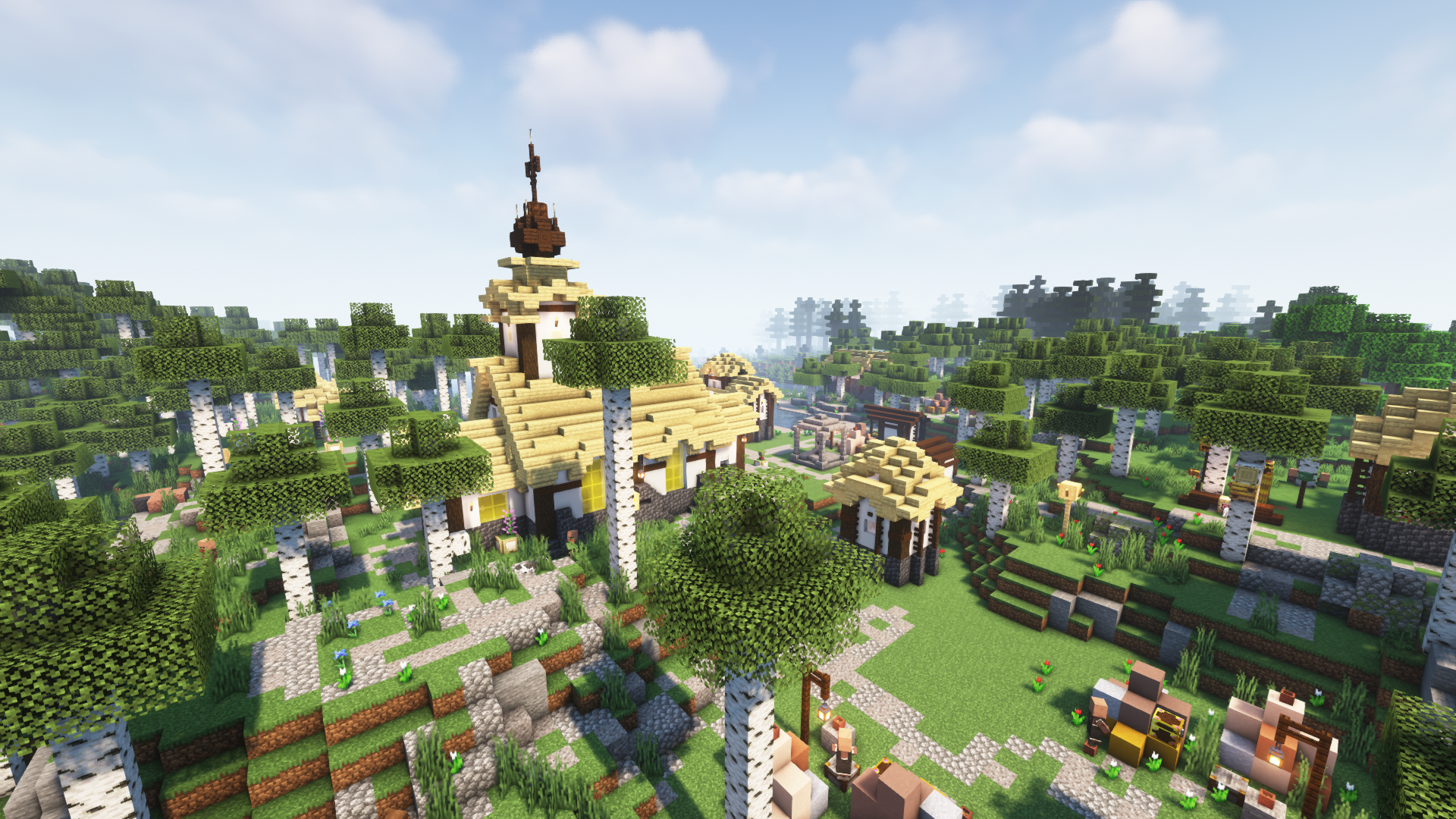
📦 New Content
Blue Lotus has some of the best and most vanilla feeling content mods.
Some of these mods include Botania, Create and Mythical Metals.
- Utilize the natural technology with Botania!
- Discover new ores, smelt and mix them to make the most Mythical Metals!
- Fight the unique enemies of Rotten Creatures and Creeper Overhaul!
- Construct amazing machines with Create!

🏖️ Quality of Life
This modpack also features many QoL Improvents like the cool items by Supplementaries, more immersive experience with Ambient Sounds + Dynamic Sound Filters , and other mods such as:
- Universal Enchants
- Horse Buff
- Double Doors
- Easy Magic
- Right Click Harvest
- Snow Under Trees
- And many, many more...

🚀 Made for multiplayer
Blue Lotus has amazing performance thanks to being based on the 💉Adrenaline optimization pack.
- Many optimization mods for a speedy performance
- Every player has their own loot in chests (MyLoot)
- Only half of the players need to sleep to pass the night (Server Sleep)
- Server side skin system (Fabric Tailor)
- Create parties and claim your chunks

❓ Frequently Asked Questions :
❓ FAQ :
🔄 Verisoning :
Since 2.0.0 the modpack uses a new version system: Major.Minor.Patch
- Major : A new version of minecraft or a big modpack change, these updates are not backwards compatible.
- Minor : New mods might have been added or removed, read the changelogs to see if it's backwards compatible.
- Patch : Updated mods, safe to update worlds.
⁉️ What happened to 1.x.x ? :
Changed too many things too fast. The lack of tesing made the file sizes bloated and added unnecessarily mods. Terralith was also removed because of the high system requirements.
🟪 Why Quilt? :
They have a better website.
💻 Minimum system requirements:
With these specs I was able to achive an average of 60 fps.
- CPU > Dual core 2.4GHz
- RAM > 2 GB (given to minecraft)
- GPU > Integrated Graphics with 2 GB of VRAM
📄 Other stuff included :
🔥 Contains these mods from curseforge :
 |
SpoornPacks |
 |
Dynamic Sound Filters |
⚠️ Older versions include :
⚔️ MC Dungeons Armor/Weapons Mods :
Disclaimer : I was given permission by the developers to include these mods in the modpack as jar files.
 |
MC Dungeons Armor |
 |
MC Dungeons Weapons |
 |
MC Dungeons Artifacts |
- myLoot
- Forgotten Graves
- Open loader
- BCLib
- No fade
- Smooth Boot
- Sound Physics Remastered
- Stoneholm
- Xaero's Minimap
- Xaero's World Map
- Peeping Creepers
- DeathCompass
- YUNG's Better Mines/Ocean Temples/Strongholds/WitchHuts
Verfügbare Versionen
Blue Lotus: Classic Server einrichten
Server bestellen
Wähle mindestens 6 GB RAM (8 GB empfohlen für Blue Lotus: Classic). Je nach Spieleranzahl: +1 GB pro 5 Spieler.
Modpack im Dashboard installieren
Öffne den Modpack-Browser im Dashboard, suche nach "Blue Lotus: Classic" und klicke "Installieren". Der quilt-Loader und Minecraft 1.19.2 werden automatisch konfiguriert.
Server starten & spielen
Starte den Server – alle Mods werden automatisch geladen. Teile die Server-IP mit Freunden und spielt zusammen!
Häufige Fragen
Blue Lotus: Classic Server crasht oder startet nicht – was tun?
Häufigste Ursachen: zu wenig RAM oder falscher quilt-Loader. Prüfe latest.log auf "OutOfMemoryError" → erhöhe RAM auf mindestens 8 GB. Bei "Mixin" oder "ClassNotFoundException": Modpack-Version und Loader stimmen nicht überein. Bei Mado Hosting werden Loader und Minecraft-Version beim Modpack-Install automatisch konfiguriert – das verhindert die meisten Startprobleme.
Wie viel RAM braucht ein Blue Lotus: Classic Server wirklich?
Minimum 6 GB, empfohlen 8 GB für stabile Performance. +1 GB pro 5 Spieler. Wichtig: Minecraft-Modpacks brauchen mehr RAM als Vanilla – plane pro zusätzlichem Spieler extra ein. Bei Mado Hosting kannst du den RAM jederzeit live hochskalieren, ohne Datenverlust (ab €7.800000000000001/Monat).
Kann ich eigene Mods zu Blue Lotus: Classic hinzufügen, ohne Konflikte?
Ja, aber achte auf die Kompatibilität: Nutze nur Mods für den gleichen Loader (quilt) und die gleiche Minecraft-Version (1.19.2). Häufige Probleme: ID-Konflikte bei Rezept-Mods und inkompatible Coremod-Versionen. Im Mado Dashboard zeigt der Mod-Browser nur kompatible Mods an und warnt bei bekannten Konflikten.
Blue Lotus: Classic Server laggt – Performance-Tipps
1) RAM auf 8 GB+ erhöhen. 2) Server-View-Distance auf 8 reduzieren (server.properties). 3) Pre-Generiere Chunks mit dem "Chunky" Plugin. 4) Prüfe mit /spark profiler welche Mods die meiste Tick-Time verbrauchen. Bei Mado Hosting laufen alle Server auf NVMe-SSDs mit dedizierten CPU-Kernen – das eliminiert Hardware als Engpass.
Ähnliche Modpacks
![Cobblemon Official Modpack [Fabric]](https://cdn.modrinth.com/data/5FFgwNNP/e7f9ee2e9d361623847853fe2ddce42f519ee64f.png)
![COBBLEVERSE - Pokemon Adventure [Cobblemon]](https://cdn.modrinth.com/data/Jkb29YJU/581ecf54530972afb18a04660afd820f2f24f6c7.png)
![Better MC [FABRIC] - BMC2](https://cdn.modrinth.com/data/shFhR8Vx/a19c2bcb51d38f32f138d3607e91cb2b7b8e387f_96.webp)


![Better MC [FORGE] - BMC4](https://cdn.modrinth.com/data/4BV47HRn/7f5ef7cc61b2593609aabef3ed07a866a4f11b73_96.webp)
Blue Lotus: Classic Server mieten
Starte deinen eigenen Server mit automatischer Modpack-Installation.
Details
- Lizenz
- BSD 3-Clause "New" or "Revised" License
- Server-seitig
- Erforderlich
- Client-seitig
- Erforderlich
Unterstützte Versionen
Starte deinen Blue Lotus: Classic Server jetzt
Ab €7.80/Monat; für die beste Performance werden 8 GB RAM empfohlen.
Server konfigurieren →