
Caravel(a)
A modpack made to Caravel(A) project. A smp focused on making a bridge between cultures
Screenshots
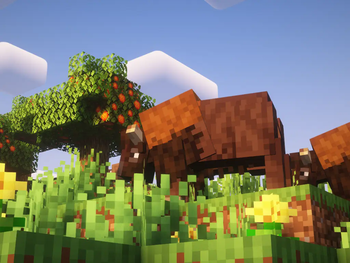
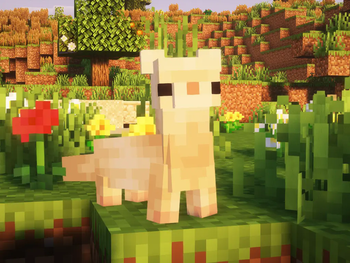

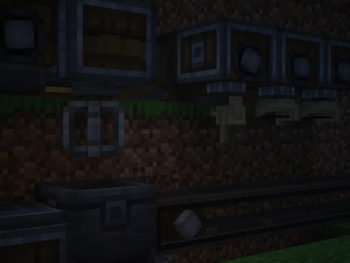
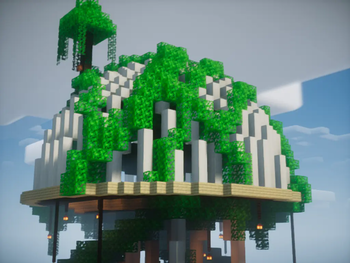
Über dieses Modpack
This is Caravel(A) a modpack made by brazilians to the world.
It's carries a significant amount of tecnology and adventure mods such as ''Create'' and ''When Dungeons Arise''.
It's meant to be a multiplayer modpack, but, it still works very well in a singleplayer map.
Also it has many small mods that can make the game more instering by adding small stuff that can change the way you play the game - example: ''Relics''
There's also mods focused on food like ''Farmers Delight''
Need a hosting server?
We were struggling with bad hosting services, poor ping and even service closing before the payment deadline. First we were a little bit scared due to it's low price - by the time we're renting a VPS for 44$ a month for 32gb on this modpack for 30-50 active players. We we're having TPS problems, lag spikes, render distance issues and honestly, we were going crazy. We thought all of the experience we had setting up servers, creating modpacks was nothing and it was the modpack the fault. We removed a bunch of mods, tried changing the server location and nothing seemed to work. Kinetic offered us a 16gb to test and and with this ammount of ram suddenly, 99% of our problems were gone. The TPS stayed consistent in 17-20, the render issue was COMPLETELY fixed and our players stopped having crazy lag spikes. Kinetic is LIFE-SAVING.
https://billing.kinetichosting.com/aff.php?aff=1343 please consider trying then!!
OBS: only use the oculus mod that comes in the modpack
Verfügbare Versionen
Caravel(a) Server einrichten
Server bestellen
Wähle mindestens 6 GB RAM (8 GB empfohlen für Caravel(a)). Je nach Spieleranzahl: +1 GB pro 5 Spieler.
Modpack im Dashboard installieren
Öffne den Modpack-Browser im Dashboard, suche nach "Caravel(a)" und klicke "Installieren". Der fabric-Loader und Minecraft 1.19.2 werden automatisch konfiguriert.
Server starten & spielen
Starte den Server – alle Mods werden automatisch geladen. Teile die Server-IP mit Freunden und spielt zusammen!
Häufige Fragen
Caravel(a) Server crasht oder startet nicht – was tun?
Häufigste Ursachen: zu wenig RAM oder falscher fabric-Loader. Prüfe latest.log auf "OutOfMemoryError" → erhöhe RAM auf mindestens 8 GB. Bei "Mixin" oder "ClassNotFoundException": Modpack-Version und Loader stimmen nicht überein. Bei Mado Hosting werden Loader und Minecraft-Version beim Modpack-Install automatisch konfiguriert – das verhindert die meisten Startprobleme.
Wie viel RAM braucht ein Caravel(a) Server wirklich?
Minimum 6 GB, empfohlen 8 GB für stabile Performance. +1 GB pro 5 Spieler. Wichtig: Minecraft-Modpacks brauchen mehr RAM als Vanilla – plane pro zusätzlichem Spieler extra ein. Bei Mado Hosting kannst du den RAM jederzeit live hochskalieren, ohne Datenverlust (ab €7.800000000000001/Monat).
Kann ich eigene Mods zu Caravel(a) hinzufügen, ohne Konflikte?
Ja, aber achte auf die Kompatibilität: Nutze nur Mods für den gleichen Loader (fabric) und die gleiche Minecraft-Version (1.19.2). Häufige Probleme: ID-Konflikte bei Rezept-Mods und inkompatible Coremod-Versionen. Im Mado Dashboard zeigt der Mod-Browser nur kompatible Mods an und warnt bei bekannten Konflikten.
Caravel(a) Server laggt – Performance-Tipps
1) RAM auf 8 GB+ erhöhen. 2) Server-View-Distance auf 8 reduzieren (server.properties). 3) Pre-Generiere Chunks mit dem "Chunky" Plugin. 4) Prüfe mit /spark profiler welche Mods die meiste Tick-Time verbrauchen. Bei Mado Hosting laufen alle Server auf NVMe-SSDs mit dedizierten CPU-Kernen – das eliminiert Hardware als Engpass.
Ähnliche Modpacks
![Cobblemon Official Modpack [Fabric]](https://cdn.modrinth.com/data/5FFgwNNP/e7f9ee2e9d361623847853fe2ddce42f519ee64f.png)
![COBBLEVERSE - Pokemon Adventure [Cobblemon]](https://cdn.modrinth.com/data/Jkb29YJU/581ecf54530972afb18a04660afd820f2f24f6c7.png)
![Better MC [FABRIC] - BMC2](https://cdn.modrinth.com/data/shFhR8Vx/a19c2bcb51d38f32f138d3607e91cb2b7b8e387f_96.webp)


![Better MC [FORGE] - BMC4](https://cdn.modrinth.com/data/4BV47HRn/7f5ef7cc61b2593609aabef3ed07a866a4f11b73_96.webp)
Caravel(a) Server mieten
Starte deinen eigenen Server mit automatischer Modpack-Installation.
Details
- Lizenz
- LicenseRef-All-Rights-Reserved
- Server-seitig
- Erforderlich
- Client-seitig
- Erforderlich
Unterstützte Versionen
Starte deinen Caravel(a) Server jetzt
Ab €7.80/Monat; für die beste Performance werden 8 GB RAM empfohlen.
Server konfigurieren →