
Cobble bois
modpack with cobblemon and create
Screenshots
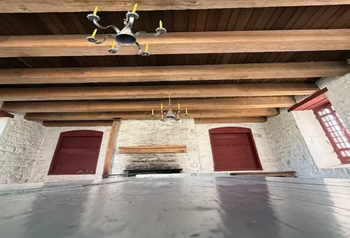
Über dieses Modpack
Our modpack is designed to create a balanced multiplayer experience that combines exploration, engineering, creativity, and RPG-style progression into one connected world. At the center of the pack is Minecraft with major additions from mods like Cobblemon, Create, Macaw's Mods, and Tectonic. Together, these mods transform the game into a world that feels more alive, immersive, and cooperative for a group of friends playing together.
Cobblemon introduces creature collecting, battling, and adventure mechanics inspired by Pokémon while still fitting naturally into Minecraft’s survival gameplay. This gives players long-term goals through exploration, training teams, and discovering rare spawns across the world. Tectonic completely reshapes terrain generation with massive mountain ranges, deep valleys, improved rivers, and more realistic landscapes, making exploration feel rewarding and cinematic. The terrain also creates opportunities for creative base building and large-scale infrastructure projects.
The Create mod adds complex machinery, automation systems, transportation networks, and engineering mechanics that encourage experimentation and teamwork. Players can construct factories, railways, farms, and mechanical contraptions using moving parts and rotational power rather than simple automation. Alongside this, Macaw’s building mods greatly expand decorative options with new furniture, windows, roofs, bridges, doors, and structural pieces that allow every base or town to feel unique and detailed.
Additional RPG elements throughout the modpack add progression systems, combat improvements, quests, dungeons, loot, and character specialization. Instead of focusing on only one playstyle, the modpack supports explorers, builders, engineers, collectors, and fighters equally. The overall goal is to create a long-term multiplayer experience where friends can adventure together, build large communities, automate industries, battle powerful creatures, and continuously discover new things within an evolving world.
Verfügbare Versionen
Cobble bois Server einrichten
Server bestellen
Wähle mindestens 4 GB RAM (6 GB empfohlen für Cobble bois). Je nach Spieleranzahl: +1 GB pro 5 Spieler.
Modpack im Dashboard installieren
Öffne den Modpack-Browser im Dashboard, suche nach "Cobble bois" und klicke "Installieren". Der neoforge-Loader und Minecraft 1.21.1 werden automatisch konfiguriert.
Server starten & spielen
Starte den Server – alle Mods werden automatisch geladen. Teile die Server-IP mit Freunden und spielt zusammen!
Häufige Fragen
Cobble bois Server crasht oder startet nicht – was tun?
Häufigste Ursachen: zu wenig RAM oder falscher neoforge-Loader. Prüfe latest.log auf "OutOfMemoryError" → erhöhe RAM auf mindestens 6 GB. Bei "Mixin" oder "ClassNotFoundException": Modpack-Version und Loader stimmen nicht überein. Bei Mado Hosting werden Loader und Minecraft-Version beim Modpack-Install automatisch konfiguriert – das verhindert die meisten Startprobleme.
Wie viel RAM braucht ein Cobble bois Server wirklich?
Minimum 4 GB, empfohlen 6 GB für stabile Performance. +1 GB pro 5 Spieler. Wichtig: Minecraft-Modpacks brauchen mehr RAM als Vanilla – plane pro zusätzlichem Spieler extra ein. Bei Mado Hosting kannst du den RAM jederzeit live hochskalieren, ohne Datenverlust (ab €8/Monat).
Kann ich eigene Mods zu Cobble bois hinzufügen, ohne Konflikte?
Ja, aber achte auf die Kompatibilität: Nutze nur Mods für den gleichen Loader (neoforge) und die gleiche Minecraft-Version (1.21.1). Häufige Probleme: ID-Konflikte bei Rezept-Mods und inkompatible Coremod-Versionen. Im Mado Dashboard zeigt der Mod-Browser nur kompatible Mods an und warnt bei bekannten Konflikten.
Cobble bois Server laggt – Performance-Tipps
1) RAM auf 6 GB+ erhöhen. 2) Server-View-Distance auf 8 reduzieren (server.properties). 3) Pre-Generiere Chunks mit dem "Chunky" Plugin. 4) Prüfe mit /spark profiler welche Mods die meiste Tick-Time verbrauchen. Bei Mado Hosting laufen alle Server auf NVMe-SSDs mit dedizierten CPU-Kernen – das eliminiert Hardware als Engpass.
Cobble bois Server mieten
Starte deinen eigenen Server mit automatischer Modpack-Installation.
Details
- Lizenz
- LicenseRef-All-Rights-Reserved
- Server-seitig
- Erforderlich
- Client-seitig
- Erforderlich
Unterstützte Versionen
Starte deinen Cobble bois Server jetzt
Ab €8.00/Monat mit 6 GB RAM für die beste Performance.
Server konfigurieren →