
EinsZwanzigEins
Create modpack for explorers and builders. Many QoL mods. Needs slightly > 4GB Ram in Java Memory. 1.20.1 is the most recent MC version which supports the Create mod. This modpack has Create and some follow-up mods. The pack can be installed on a server.
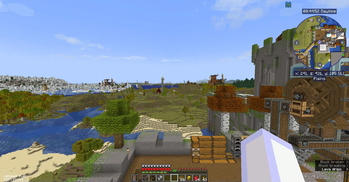
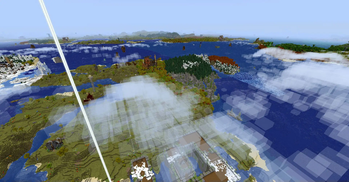
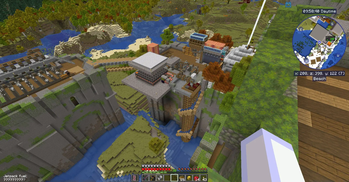
Screenshots
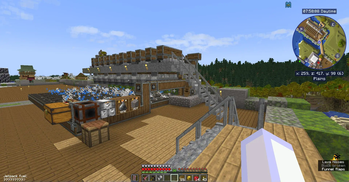
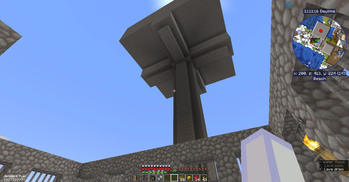
Über dieses Modpack
Project discontinued. Impossible to update.
Fun with Create
This is a modpack for the CREATE mod. It is a little bit - but not too much - overpowered. And it has some Create-related-follow-up-mods and some low-level storage mods and AE2. The "Applied Energistics 2" machines will be powered by steam engines and alternators from the Create Crafts & Additions mod. There are multiple ways to fly, glide and teleport with devices. But there is no more teleporting with commands like "tp" or "home". Boats are unseaworthy but you have ships and planes to cross an ocean. A lot of new structures with Create-stuff and loot inside wait to become visited by you.
You will be able to make redstone dust from netherrack but ultimatively you will build a train and harvest it from your ore excavation redstone drill in the far distance.
Which Create mods are inside?
- Create Contraption Terminals
- Create Crafts & Additions
- Create Deco
- Create Enchantment Industry Fabric
- Create Fabric Sodium Fix
- Create Goggles
- Create Man of Many Planes
- Create Ore Excavation
- Create Railways Navigator
- Create Slice & Dice
- Create Utilities
- Create: Big Contraptions
- Create: Bitterballen
- Create: Copycats+
- Create: Deepslate Processing
- Create: Dreams & Desires
- Create: Enchantable Machinery
- Create: Garnished
- Create: Let The Adventure Begin
- Create: Power Loader (Fabric)
- Create: Steam 'n' Rails
- Create: Structures
- Create: Ultimate Factory
In the 1.0.34 update "Create: Dreams and Desires" and also "Create: Garnished" were added. Existing worlds need to be explored on their boundaries to find tin ore and nut trees. Or you start over again with a new world. The test server world (45.89.143.193:20486) is freshly set up with a new world.
Inventory boosters
Have a backpack and use the "bank" (successor to "dank"???) to free your precious inventory slots. Chest sorting included.
Storage and Autocrafting
When starting you will chose which storage system to take to begin with. There are "Only need 1 chest" and "Tom's simple storage system". Later you have enough resources to go pro and use "Applied Energistics 2" to automate. "Extended Drawers" and "Sophisticated Storage" support your storage efforts.
Magic
Find fantastic rings and charms and craft some minor ones. Explore the world. The rings that can be found are worth a raid on some Husk or Skeleton - infested structures. Enchant those drills or crushing wheels for more efficiency and deal with xp fluid from your automated xp farm.
Waystones and Map Teleporting
Find or craft waystones to go to points of interest. Waystones are scattered all over the map and you will find them in the field, in villages and mostly on top of abandoned towers. Harvest and replace a waystone to give it a name.
Teleport to what you see on the map on your own risk. Have the pickaxe in hand to prevent suffocating. Be prepared to fall through blocks. Teleporting via journeymap is allowed as you cannot escape from a tough situation by just pressing a key. Yes: no homes-mod anymore. This is still a little "cheaty" as in single player the game pauses when you call the waypoint-GUI to pick a destination. In multi player there is no pause. You have to allow map teleporting in the journeymap config because at first start this option is disabled. On a server you have to "op" yourself to be allowed to change admin options in the journeymap mod.
Backup and Restore
After losing a world due to a "minecart contraption" obtained by the simple uncrafting table * I decided to introduce a backup mod. The backup mod is for single player worlds. If you have a server it normally comes with a backup solution already builtin. The additional backup from this modpack will eat up your payed storage space rather quickly. Stay with the host's backup solution if you have a server. Delete the backup mod from the server's mods folder.
* The simple uncrafting table has been replaced with another uncrafter mod which does not allow that deep uncrafting and is less OP and too expensive to have it in early game.
Memory > 4 Gigabyte
The memory usage for the client side (player) goes slightly over 4 Gigabyte. Setting the "Java Memory" in the options of this modpack to about 5000 should be safe.
My online server used between 7 and 8 GB of RAM before FerriteCore was put into the mods folder. Now it is between 4 and 6 GB of RAM.
How to install your own Fabric online server
To install a Fabric online server you first install an empty Fabric environment on your Server. Make sure to have the version with the correct Fabric Loader for that modpack installed. Then start it up to create the folders. After shutting down you simply upload the content of your mods folder to the server's mods folder. Then you delete 5 mod files from the server's mod folder:
Distant horizons, sodium, indium, iris and "early loading screen".
Then you think about it: Do you really want a 2nd backup system which will fill up your payed storage space? If the answer is "Noooh" then you also delete the "advanced backup" file from your server's mods folder.
Restart your server.
Maybe you want to protect your server's buildings against one-click harvesting with the VeinDigging mod which is in this modpack. Just put the VeinDigging Global Blacklist datapack into the datapack folder of your world and restart the server. Works also for single player worlds on your computer.
The global blacklist datapack is a ZIP-file in your local mods folder where it will not work. To have it work it has to be copied into a world's datapack folder.
Summary
This modpack shall keep up interest in playing as things are not too easy but still fun to play with. For each resource you need yet another contraption to be build. You will probably always have an idea about what to build next. And what to go out and explore for next.
Verfügbare Versionen
EinsZwanzigEins Server einrichten
Server bestellen
Wähle mindestens 6 GB RAM (8 GB empfohlen für EinsZwanzigEins). Je nach Spieleranzahl: +1 GB pro 5 Spieler.
Modpack im Dashboard installieren
Öffne den Modpack-Browser im Dashboard, suche nach "EinsZwanzigEins" und klicke "Installieren". Der fabric-Loader und Minecraft 1.20.1 werden automatisch konfiguriert.
Server starten & spielen
Starte den Server – alle Mods werden automatisch geladen. Teile die Server-IP mit Freunden und spielt zusammen!
Häufige Fragen
EinsZwanzigEins Server crasht oder startet nicht – was tun?
Häufigste Ursachen: zu wenig RAM oder falscher fabric-Loader. Prüfe latest.log auf "OutOfMemoryError" → erhöhe RAM auf mindestens 8 GB. Bei "Mixin" oder "ClassNotFoundException": Modpack-Version und Loader stimmen nicht überein. Bei Mado Hosting werden Loader und Minecraft-Version beim Modpack-Install automatisch konfiguriert – das verhindert die meisten Startprobleme.
Wie viel RAM braucht ein EinsZwanzigEins Server wirklich?
Minimum 6 GB, empfohlen 8 GB für stabile Performance. +1 GB pro 5 Spieler. Wichtig: Minecraft-Modpacks brauchen mehr RAM als Vanilla – plane pro zusätzlichem Spieler extra ein. Bei Mado Hosting kannst du den RAM jederzeit live hochskalieren, ohne Datenverlust (ab €7.800000000000001/Monat).
Kann ich eigene Mods zu EinsZwanzigEins hinzufügen, ohne Konflikte?
Ja, aber achte auf die Kompatibilität: Nutze nur Mods für den gleichen Loader (fabric) und die gleiche Minecraft-Version (1.20.1). Häufige Probleme: ID-Konflikte bei Rezept-Mods und inkompatible Coremod-Versionen. Im Mado Dashboard zeigt der Mod-Browser nur kompatible Mods an und warnt bei bekannten Konflikten.
EinsZwanzigEins Server laggt – Performance-Tipps
1) RAM auf 8 GB+ erhöhen. 2) Server-View-Distance auf 8 reduzieren (server.properties). 3) Pre-Generiere Chunks mit dem "Chunky" Plugin. 4) Prüfe mit /spark profiler welche Mods die meiste Tick-Time verbrauchen. Bei Mado Hosting laufen alle Server auf NVMe-SSDs mit dedizierten CPU-Kernen – das eliminiert Hardware als Engpass.
Ähnliche Modpacks
![Cobblemon Official Modpack [Fabric]](https://cdn.modrinth.com/data/5FFgwNNP/e7f9ee2e9d361623847853fe2ddce42f519ee64f.png)
![COBBLEVERSE - Pokemon Adventure [Cobblemon]](https://cdn.modrinth.com/data/Jkb29YJU/581ecf54530972afb18a04660afd820f2f24f6c7.png)
![Better MC [FABRIC] - BMC2](https://cdn.modrinth.com/data/shFhR8Vx/a19c2bcb51d38f32f138d3607e91cb2b7b8e387f_96.webp)


![Better MC [FORGE] - BMC4](https://cdn.modrinth.com/data/4BV47HRn/7f5ef7cc61b2593609aabef3ed07a866a4f11b73_96.webp)
EinsZwanzigEins Server mieten
Starte deinen eigenen Server mit automatischer Modpack-Installation.
Unterstützte Versionen
Starte deinen EinsZwanzigEins Server jetzt
Ab €7.80/Monat; für die beste Performance werden 8 GB RAM empfohlen.
Server konfigurieren →