
Era Of The Timelords
Doctor Who Themed Modpack
Screenshots
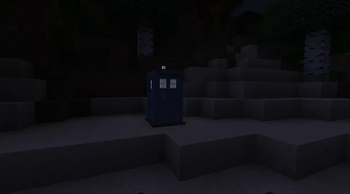
Über dieses Modpack
Recommended Specs
At least 6GB RAM



Some Mods That Era Of The Timelords Includes
Era Of The Timelords Includes mods such as TARDIS Mod, Mekanism, CC: Tweaked, You can even regenerate like The Doctor! with lots more mods so you as the player can do more exploring and stuff without getting bored.
A Little About Era Of The Timelords
Find a TARDIS and fix it up to travel through space and time! easily get from your home to another place fast! roleplay that you are in the Doctor Who universe! bring a partner from MCA Reborn along with you on your amazing adventures! it's your choice.
What Makes Era Of The Timelords unique?
Era Of The Timelords doesn't just have the TARDIS Mod, With lots more mods to improve your experience, make the game a bit more unique than usual, and provide a little twist to your Minecraft Journey, such as gathering a Family with MCA Reborn or just traveling with a partner in your TARDIS! there's lots to do! you could even have K9 as a companion thanks to the K9 Mod
Kinetic Hosting
Kinetic Hosting has cheap and affordable plans for Minecraft, if you would like to purchase from Kinetic Hosting then please click any text on this page that reads "Kinetic Hosting" or the image below.
Verfügbare Versionen
Era Of The Timelords Server einrichten
Server bestellen
Wähle mindestens 6 GB RAM (8 GB empfohlen für Era Of The Timelords). Je nach Spieleranzahl: +1 GB pro 5 Spieler.
Modpack im Dashboard installieren
Öffne den Modpack-Browser im Dashboard, suche nach "Era Of The Timelords" und klicke "Installieren". Der forge-Loader und Minecraft 1.16.5 werden automatisch konfiguriert.
Server starten & spielen
Starte den Server – alle Mods werden automatisch geladen. Teile die Server-IP mit Freunden und spielt zusammen!
Häufige Fragen
Era Of The Timelords Server crasht oder startet nicht – was tun?
Häufigste Ursachen: zu wenig RAM oder falscher forge-Loader. Prüfe latest.log auf "OutOfMemoryError" → erhöhe RAM auf mindestens 8 GB. Bei "Mixin" oder "ClassNotFoundException": Modpack-Version und Loader stimmen nicht überein. Bei Mado Hosting werden Loader und Minecraft-Version beim Modpack-Install automatisch konfiguriert – das verhindert die meisten Startprobleme.
Wie viel RAM braucht ein Era Of The Timelords Server wirklich?
Minimum 6 GB, empfohlen 8 GB für stabile Performance. +1 GB pro 5 Spieler. Wichtig: Minecraft-Modpacks brauchen mehr RAM als Vanilla – plane pro zusätzlichem Spieler extra ein. Bei Mado Hosting kannst du den RAM jederzeit live hochskalieren, ohne Datenverlust (ab €7.800000000000001/Monat).
Kann ich eigene Mods zu Era Of The Timelords hinzufügen, ohne Konflikte?
Ja, aber achte auf die Kompatibilität: Nutze nur Mods für den gleichen Loader (forge) und die gleiche Minecraft-Version (1.16.5). Häufige Probleme: ID-Konflikte bei Rezept-Mods und inkompatible Coremod-Versionen. Im Mado Dashboard zeigt der Mod-Browser nur kompatible Mods an und warnt bei bekannten Konflikten.
Era Of The Timelords Server laggt – Performance-Tipps
1) RAM auf 8 GB+ erhöhen. 2) Server-View-Distance auf 8 reduzieren (server.properties). 3) Pre-Generiere Chunks mit dem "Chunky" Plugin. 4) Prüfe mit /spark profiler welche Mods die meiste Tick-Time verbrauchen. Bei Mado Hosting laufen alle Server auf NVMe-SSDs mit dedizierten CPU-Kernen – das eliminiert Hardware als Engpass.
Ähnliche Modpacks
![Cobblemon Official Modpack [Fabric]](https://cdn.modrinth.com/data/5FFgwNNP/e7f9ee2e9d361623847853fe2ddce42f519ee64f.png)
![COBBLEVERSE - Pokemon Adventure [Cobblemon]](https://cdn.modrinth.com/data/Jkb29YJU/581ecf54530972afb18a04660afd820f2f24f6c7.png)
![Better MC [FABRIC] - BMC2](https://cdn.modrinth.com/data/shFhR8Vx/a19c2bcb51d38f32f138d3607e91cb2b7b8e387f_96.webp)


![Better MC [FORGE] - BMC4](https://cdn.modrinth.com/data/4BV47HRn/7f5ef7cc61b2593609aabef3ed07a866a4f11b73_96.webp)
Era Of The Timelords Server mieten
Starte deinen eigenen Server mit automatischer Modpack-Installation.
Details
- Lizenz
- LicenseRef-All-Rights-Reserved
- Server-seitig
- Erforderlich
- Client-seitig
- Erforderlich
Unterstützte Versionen
Starte deinen Era Of The Timelords Server jetzt
Ab €7.80/Monat; für die beste Performance werden 8 GB RAM empfohlen.
Server konfigurieren →