
FantasyCraft (Mythical Creatures)
Venture into a realm of enchantment and adventure with our fantasy-themed Minecraft modpack! Embark on epic quests, battle mythical creatures as you explore a vast, immersive world!
Screenshots

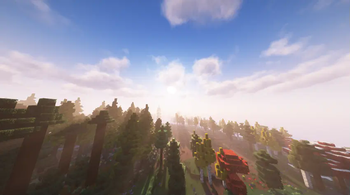

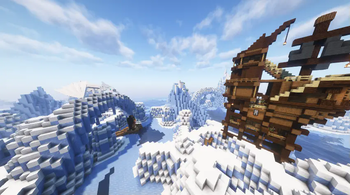
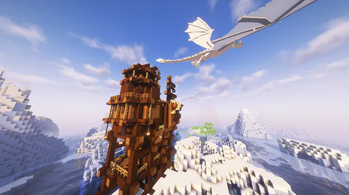
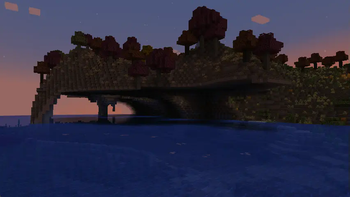
Über dieses Modpack
Prepare to confront legendary creatures, fearless Vikings, and cunning goblins in our mythical modpack for Minecraft! Journey through a realm where dragons soar the skies, wreaking havoc upon villages and kingdoms. Fend off the pillaging Vikings, who seek conquest and glory at any cost. But beware the lurking goblins, whose insatiable greed drives them to plunder and hoard precious treasures. With a host of mods that bring these fantastical beings to life, your Minecraft world will be teeming with adventure, danger, and the thrill of facing mythical foes.
Side Note: Essentials may be taken out essentials is just to allow you to play with your friends. Also make sure to equip the texture packs.
Perfered if inferno is installed https://www.curseforge.com/minecraft/mc-mods/infernos-httyd
Verfügbare Versionen
FantasyCraft (Mythical Creatures) Server einrichten
Server bestellen
Wähle mindestens 6 GB RAM (8 GB empfohlen für FantasyCraft (Mythical Creatures)). Je nach Spieleranzahl: +1 GB pro 5 Spieler.
Modpack im Dashboard installieren
Öffne den Modpack-Browser im Dashboard, suche nach "FantasyCraft (Mythical Creatures)" und klicke "Installieren". Der forge-Loader und Minecraft 1.18.2 werden automatisch konfiguriert.
Server starten & spielen
Starte den Server – alle Mods werden automatisch geladen. Teile die Server-IP mit Freunden und spielt zusammen!
Häufige Fragen
FantasyCraft (Mythical Creatures) Server crasht oder startet nicht – was tun?
Häufigste Ursachen: zu wenig RAM oder falscher forge-Loader. Prüfe latest.log auf "OutOfMemoryError" → erhöhe RAM auf mindestens 8 GB. Bei "Mixin" oder "ClassNotFoundException": Modpack-Version und Loader stimmen nicht überein. Bei Mado Hosting werden Loader und Minecraft-Version beim Modpack-Install automatisch konfiguriert – das verhindert die meisten Startprobleme.
Wie viel RAM braucht ein FantasyCraft (Mythical Creatures) Server wirklich?
Minimum 6 GB, empfohlen 8 GB für stabile Performance. +1 GB pro 5 Spieler. Wichtig: Minecraft-Modpacks brauchen mehr RAM als Vanilla – plane pro zusätzlichem Spieler extra ein. Bei Mado Hosting kannst du den RAM jederzeit live hochskalieren, ohne Datenverlust (ab €7.800000000000001/Monat).
Kann ich eigene Mods zu FantasyCraft (Mythical Creatures) hinzufügen, ohne Konflikte?
Ja, aber achte auf die Kompatibilität: Nutze nur Mods für den gleichen Loader (forge) und die gleiche Minecraft-Version (1.18.2). Häufige Probleme: ID-Konflikte bei Rezept-Mods und inkompatible Coremod-Versionen. Im Mado Dashboard zeigt der Mod-Browser nur kompatible Mods an und warnt bei bekannten Konflikten.
FantasyCraft (Mythical Creatures) Server laggt – Performance-Tipps
1) RAM auf 8 GB+ erhöhen. 2) Server-View-Distance auf 8 reduzieren (server.properties). 3) Pre-Generiere Chunks mit dem "Chunky" Plugin. 4) Prüfe mit /spark profiler welche Mods die meiste Tick-Time verbrauchen. Bei Mado Hosting laufen alle Server auf NVMe-SSDs mit dedizierten CPU-Kernen – das eliminiert Hardware als Engpass.
Ähnliche Modpacks
![Cobblemon Official Modpack [Fabric]](https://cdn.modrinth.com/data/5FFgwNNP/e7f9ee2e9d361623847853fe2ddce42f519ee64f.png)
![COBBLEVERSE - Pokemon Adventure [Cobblemon]](https://cdn.modrinth.com/data/Jkb29YJU/581ecf54530972afb18a04660afd820f2f24f6c7.png)
![Better MC [FABRIC] - BMC2](https://cdn.modrinth.com/data/shFhR8Vx/a19c2bcb51d38f32f138d3607e91cb2b7b8e387f_96.webp)


![Better MC [FORGE] - BMC4](https://cdn.modrinth.com/data/4BV47HRn/7f5ef7cc61b2593609aabef3ed07a866a4f11b73_96.webp)
FantasyCraft (Mythical Creatures) Server mieten
Starte deinen eigenen Server mit automatischer Modpack-Installation.
Details
- Lizenz
- LicenseRef-All-Rights-Reserved
- Server-seitig
- Erforderlich
- Client-seitig
- Erforderlich
Unterstützte Versionen
Starte deinen FantasyCraft (Mythical Creatures) Server jetzt
Ab €7.80/Monat; für die beste Performance werden 8 GB RAM empfohlen.
Server konfigurieren →