
Friends Fun Optimized
A Modpack that offers a seamless Minecraft experience, blending performance, enhancing mods with immersive adventures and quality of life improvements, Perfect for creating unforgettable memories with friends
Screenshots
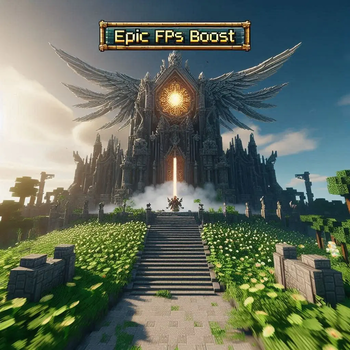
Über dieses Modpack

Friends Fun Optimized
Best Fit for Friends Fun SMP. The Friends Fun Optimized Modpack is designed to elevate your Minecraft experience by combining performance-boosting mods with immersive adventures and essential quality-of-life improvements. This modpack ensures smooth multiplayer gameplay and an engaging environment, allowing you to explore vast landscapes, conquer challenges, and build alongside friends without sacrificing performance. Crafted to offer a balanced and enjoyable experience, it makes every session with your friends both memorable and fun.
How To Run the Modpack?
1. Install the Modpack:
- Download the modpack by clicking the Versions button or simply pressing Download.
2. Set Up the Modpack:
- If your launcher supports in launcher downloads(for ex: Modrinth App, Sk Launcher), select the modpack directly within the launcher.
- If not, import the downloaded modpack into your Minecraft Launcher.
3. Enjoy it!!
- Once everything is set up, launch the modpack and dive into your enhanced Minecraft experience with our SMP.
Minimal Mods, Unlimited Fun
Friends Fun Optimized keeps things simple with a streamlined selection of just 24 mods. This lean setup is perfect for older computers and lower-spec hardware, ensuring smooth gameplay without sacrificing the fun. See the Changelogs page for more details. Most importantly, the Pre-set settings in the modpack ensure optimal performance and visual quality right out of the box. Just try it out, we assure you that you will be satisfied!
Support
To report an issue, receive support, or give your feedback, please visit our website Friends Fun site.
Verfügbare Versionen
Friends Fun Optimized Server einrichten
Server bestellen
Wähle mindestens 6 GB RAM (8 GB empfohlen für Friends Fun Optimized). Je nach Spieleranzahl: +1 GB pro 5 Spieler.
Modpack im Dashboard installieren
Öffne den Modpack-Browser im Dashboard, suche nach "Friends Fun Optimized" und klicke "Installieren". Der fabric-Loader und Minecraft 1.21.4 werden automatisch konfiguriert.
Server starten & spielen
Starte den Server – alle Mods werden automatisch geladen. Teile die Server-IP mit Freunden und spielt zusammen!
Häufige Fragen
Friends Fun Optimized Server crasht oder startet nicht – was tun?
Häufigste Ursachen: zu wenig RAM oder falscher fabric-Loader. Prüfe latest.log auf "OutOfMemoryError" → erhöhe RAM auf mindestens 8 GB. Bei "Mixin" oder "ClassNotFoundException": Modpack-Version und Loader stimmen nicht überein. Bei Mado Hosting werden Loader und Minecraft-Version beim Modpack-Install automatisch konfiguriert – das verhindert die meisten Startprobleme.
Wie viel RAM braucht ein Friends Fun Optimized Server wirklich?
Minimum 6 GB, empfohlen 8 GB für stabile Performance. +1 GB pro 5 Spieler. Wichtig: Minecraft-Modpacks brauchen mehr RAM als Vanilla – plane pro zusätzlichem Spieler extra ein. Bei Mado Hosting kannst du den RAM jederzeit live hochskalieren, ohne Datenverlust (ab €7.800000000000001/Monat).
Kann ich eigene Mods zu Friends Fun Optimized hinzufügen, ohne Konflikte?
Ja, aber achte auf die Kompatibilität: Nutze nur Mods für den gleichen Loader (fabric) und die gleiche Minecraft-Version (1.21.4). Häufige Probleme: ID-Konflikte bei Rezept-Mods und inkompatible Coremod-Versionen. Im Mado Dashboard zeigt der Mod-Browser nur kompatible Mods an und warnt bei bekannten Konflikten.
Friends Fun Optimized Server laggt – Performance-Tipps
1) RAM auf 8 GB+ erhöhen. 2) Server-View-Distance auf 8 reduzieren (server.properties). 3) Pre-Generiere Chunks mit dem "Chunky" Plugin. 4) Prüfe mit /spark profiler welche Mods die meiste Tick-Time verbrauchen. Bei Mado Hosting laufen alle Server auf NVMe-SSDs mit dedizierten CPU-Kernen – das eliminiert Hardware als Engpass.
Ähnliche Modpacks
![Cobblemon Official Modpack [Fabric]](https://cdn.modrinth.com/data/5FFgwNNP/e7f9ee2e9d361623847853fe2ddce42f519ee64f.png)
![COBBLEVERSE - Pokemon Adventure [Cobblemon]](https://cdn.modrinth.com/data/Jkb29YJU/581ecf54530972afb18a04660afd820f2f24f6c7.png)
![Better MC [FABRIC] - BMC2](https://cdn.modrinth.com/data/shFhR8Vx/a19c2bcb51d38f32f138d3607e91cb2b7b8e387f_96.webp)


![Better MC [FORGE] - BMC4](https://cdn.modrinth.com/data/4BV47HRn/7f5ef7cc61b2593609aabef3ed07a866a4f11b73_96.webp)
Friends Fun Optimized Server mieten
Starte deinen eigenen Server mit automatischer Modpack-Installation.
Details
- Lizenz
- LicenseRef-All-Rights-Reserved
- Server-seitig
- Nicht unterstützt
- Client-seitig
- Erforderlich
Unterstützte Versionen
Starte deinen Friends Fun Optimized Server jetzt
Ab €7.80/Monat; für die beste Performance werden 8 GB RAM empfohlen.
Server konfigurieren →