
Hornz's Chocolate Modpack
This is a Vanilla + Style Modpack That Enhances the Game With new Mobs, Biomes, Blocks, Structures and Much More!
Screenshots
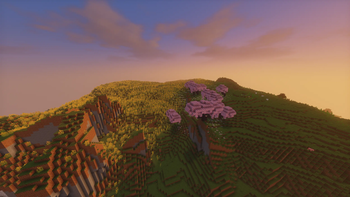
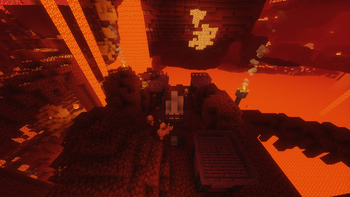
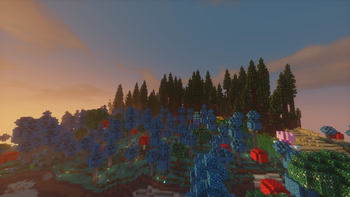

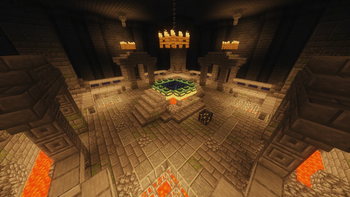
Über dieses Modpack
Hornz's Chocolate Modpack
Hornz's Chocolate Modpack is a Vanilla+ Minecraft modpack focused on exploration, adventure, and quality-of-life improvements.
Journey through hundreds of beautiful new landscapes with Biomes O' Plenty, discover hidden dungeons packed with loot, and stumble across cozy taverns and structures throughout your world. The pack expands Minecraft's exploration while keeping the core vanilla feel intact.
Alongside new world-generation features, Hornz's Chocolate Modpack includes performance, compatibility, and quality-of-life mods to create a smoother and more enjoyable experience for both singleplayer and multiplayer.
Features
- 🌲 Massive biome expansion with Biomes O' Plenty
- 🏰 New dungeons filled with treasure and challenges
- 🍺 Taverns and unique structures scattered across the world
- ⚡ Performance and optimization improvements
- 🛠️ Helpful quality-of-life features
- 🤝 Multiplayer-friendly support mods
- 🍫 A true Vanilla+ experience
Perfect for players who want more places to explore, more structures to discover, and a richer Minecraft world without straying too far from the original game.
Verfügbare Versionen
Hornz's Chocolate Modpack Server einrichten
Server bestellen
Wähle mindestens 6 GB RAM (8 GB empfohlen für Hornz's Chocolate Modpack). Je nach Spieleranzahl: +1 GB pro 5 Spieler.
Modpack im Dashboard installieren
Öffne den Modpack-Browser im Dashboard, suche nach "Hornz's Chocolate Modpack" und klicke "Installieren". Der fabric-Loader und Minecraft 26.1.2 werden automatisch konfiguriert.
Server starten & spielen
Starte den Server – alle Mods werden automatisch geladen. Teile die Server-IP mit Freunden und spielt zusammen!
Häufige Fragen
Hornz's Chocolate Modpack Server crasht oder startet nicht – was tun?
Häufigste Ursachen: zu wenig RAM oder falscher fabric-Loader. Prüfe latest.log auf "OutOfMemoryError" → erhöhe RAM auf mindestens 8 GB. Bei "Mixin" oder "ClassNotFoundException": Modpack-Version und Loader stimmen nicht überein. Bei Mado Hosting werden Loader und Minecraft-Version beim Modpack-Install automatisch konfiguriert – das verhindert die meisten Startprobleme.
Wie viel RAM braucht ein Hornz's Chocolate Modpack Server wirklich?
Minimum 6 GB, empfohlen 8 GB für stabile Performance. +1 GB pro 5 Spieler. Wichtig: Minecraft-Modpacks brauchen mehr RAM als Vanilla – plane pro zusätzlichem Spieler extra ein. Bei Mado Hosting kannst du den RAM jederzeit live hochskalieren, ohne Datenverlust (ab €12/Monat).
Kann ich eigene Mods zu Hornz's Chocolate Modpack hinzufügen, ohne Konflikte?
Ja, aber achte auf die Kompatibilität: Nutze nur Mods für den gleichen Loader (fabric) und die gleiche Minecraft-Version (26.1.2). Häufige Probleme: ID-Konflikte bei Rezept-Mods und inkompatible Coremod-Versionen. Im Mado Dashboard zeigt der Mod-Browser nur kompatible Mods an und warnt bei bekannten Konflikten.
Hornz's Chocolate Modpack Server laggt – Performance-Tipps
1) RAM auf 8 GB+ erhöhen. 2) Server-View-Distance auf 8 reduzieren (server.properties). 3) Pre-Generiere Chunks mit dem "Chunky" Plugin. 4) Prüfe mit /spark profiler welche Mods die meiste Tick-Time verbrauchen. Bei Mado Hosting laufen alle Server auf NVMe-SSDs mit dedizierten CPU-Kernen – das eliminiert Hardware als Engpass.
Ähnliche Modpacks
![Cobblemon Official Modpack [Fabric]](https://cdn.modrinth.com/data/5FFgwNNP/e7f9ee2e9d361623847853fe2ddce42f519ee64f.png)
![COBBLEVERSE - Pokemon Adventure [Cobblemon]](https://cdn.modrinth.com/data/Jkb29YJU/581ecf54530972afb18a04660afd820f2f24f6c7.png)
![Better MC [FABRIC] - BMC2](https://cdn.modrinth.com/data/shFhR8Vx/a19c2bcb51d38f32f138d3607e91cb2b7b8e387f_96.webp)


![Better MC [FORGE] - BMC4](https://cdn.modrinth.com/data/4BV47HRn/7f5ef7cc61b2593609aabef3ed07a866a4f11b73_96.webp)
Hornz's Chocolate Modpack Server mieten
Starte deinen eigenen Server mit automatischer Modpack-Installation.
Unterstützte Versionen
Starte deinen Hornz's Chocolate Modpack Server jetzt
Ab €12.00/Monat mit 8 GB RAM für die beste Performance.
Server konfigurieren →