
Max FPS
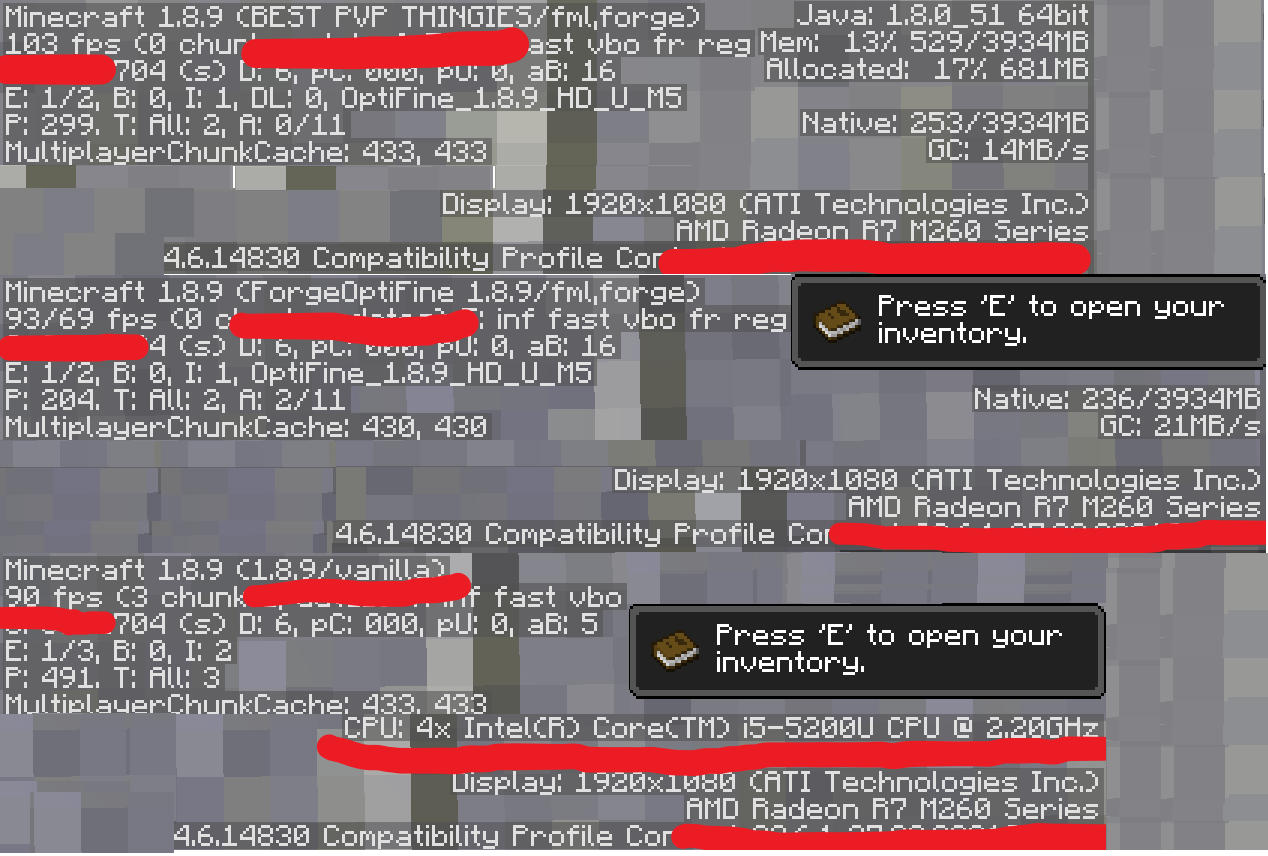
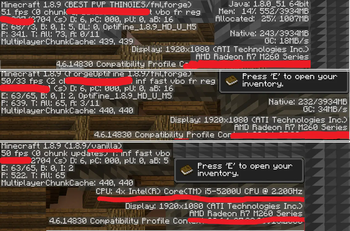
This Modpack gives you the maximum fps for PvP servers and general use in Minecraft. Makes recording or streaming possible!
Screenshots

Über dieses Modpack

NOTE: I recommend you download Optifine 1.8.9 and read most of the description. (This description is for version 1.8.9)
Are you finding a modpack for 1.8.9 with all the best performance mods? Well here it is. Unlike the other 1.8.9 Modpacks this Modpack actually has more than 4 or 5 mods for performance. It has 19 FPS MODS, or 20 if you add Optifine! And you may be thinking "its just a bigger number it doesnt mean more fps" WELL YES IT DOES GIVE YOU MORE FPS more info below.

More mods and features might be added if a suggestion in the Bugs & Suggestions Discord gets sent so send your ideas and take a look every now and then.
Also please read the description and Q&A section before submitting a bug.
NOTE: Not all systems may improve with this modpack. High-end systems will improve a lot but low-end systems will only improve a lot in some scenarios. I recommend you download Optifine 1.8.9.
You can download patcher here.
KeyBinds
Toggle Sprint = R
Anti-Ghost Block = G
OneConfig = RightShift or /patcher(+V2.3.2) in chat
Zoom = C
Levels of Zoom = C + Scroll Wheel
♥Don't Forget to follow for more updates♥
Goals
250 Downloads= ✔ 20/9/2023
500 Downloads= ✔ 30/9/2023 Yay 10 days for 250 more downloads Ty everyone.
750 Downloads= ✔ 6/10/2023 Less time more downloads. Ty everyone this supports me to continue this project <3
1000 Downloads= ✔ Never thought we would reach this goal. Ty everyone I will continue searching for more mods for now <3
1500 Downloads= ✔ 27/10/2023 mods more mods :D some cool mods are going to be added soon. Also started school again so might take long.
2000 Downloads= ✔ 9/10/2023 Yessir, sadly I don't think I can find anymore mods to add but if I can I will add them. (also I might be back down because i deleted some versions)(back up at 15/11/2023)
2500 Downloads= ✔ 30/11/2023 Cool... Thanks 💙
Q&A
Where's the Essential mod gui?
If you haven't noticed there isn't the Essential Mod GUI.
This is because of Not So Essential.
So if you want the Essential GUI back disable Not So Essential.
I can't change my crosshair?
You can change it in the OneConfig menu by clicking rightshift and going to the polycrosshair mod.
Will Max Fps/Client be in legacy fabric?
Only if a forge and fabric mod allows to run both at the same time. Most FPS mods are in forge.
Don't contact me just to ask or beg.
My game is crashing
First check that you can play 1.8.9 by launching it in vanilla. If it only happens in this modpack don't click the minimise button and keep your mouse on the tab. If still doesn't work try searching for some vids on youtube for help it might be because you have a pc too bad to run this modpack.My Shaders look ugly
Enable smooth lighting in the video settings.Options>Video Settings. Click on and put it to 100%
My Items Are All 2D
Uninstall The Mod Tex Fix! It is found that this mod causes visual bugs and crashes!Notice About Resources Licenses Outside Of Modrinth
MIT License: Scoreboard Fix, RandomPatches, AntiGhost, NoBlockParticles, NoHurtCam and Ascribe
GNU General Public License v3.0: Redirectionor Retro
Please Note I am not affiliated with any of these modders or Mojang
Verfügbare Versionen
Max FPS Server einrichten
Server bestellen
Wähle mindestens 4 GB RAM (6 GB empfohlen für Max FPS). Je nach Spieleranzahl: +1 GB pro 5 Spieler.
Modpack im Dashboard installieren
Öffne den Modpack-Browser im Dashboard, suche nach "Max FPS" und klicke "Installieren". Der forge-Loader und Minecraft 1.20.1 werden automatisch konfiguriert.
Server starten & spielen
Starte den Server – alle Mods werden automatisch geladen. Teile die Server-IP mit Freunden und spielt zusammen!
Häufige Fragen
Max FPS Server crasht oder startet nicht – was tun?
Häufigste Ursachen: zu wenig RAM oder falscher forge-Loader. Prüfe latest.log auf "OutOfMemoryError" → erhöhe RAM auf mindestens 6 GB. Bei "Mixin" oder "ClassNotFoundException": Modpack-Version und Loader stimmen nicht überein. Bei Mado Hosting werden Loader und Minecraft-Version beim Modpack-Install automatisch konfiguriert – das verhindert die meisten Startprobleme.
Wie viel RAM braucht ein Max FPS Server wirklich?
Minimum 4 GB, empfohlen 6 GB für stabile Performance. +1 GB pro 5 Spieler. Wichtig: Minecraft-Modpacks brauchen mehr RAM als Vanilla – plane pro zusätzlichem Spieler extra ein. Bei Mado Hosting kannst du den RAM jederzeit live hochskalieren, ohne Datenverlust (ab €5.2/Monat).
Kann ich eigene Mods zu Max FPS hinzufügen, ohne Konflikte?
Ja, aber achte auf die Kompatibilität: Nutze nur Mods für den gleichen Loader (forge) und die gleiche Minecraft-Version (1.20.1). Häufige Probleme: ID-Konflikte bei Rezept-Mods und inkompatible Coremod-Versionen. Im Mado Dashboard zeigt der Mod-Browser nur kompatible Mods an und warnt bei bekannten Konflikten.
Max FPS Server laggt – Performance-Tipps
1) RAM auf 6 GB+ erhöhen. 2) Server-View-Distance auf 8 reduzieren (server.properties). 3) Pre-Generiere Chunks mit dem "Chunky" Plugin. 4) Prüfe mit /spark profiler welche Mods die meiste Tick-Time verbrauchen. Bei Mado Hosting laufen alle Server auf NVMe-SSDs mit dedizierten CPU-Kernen – das eliminiert Hardware als Engpass.
Ähnliche Modpacks

![Better MC [FABRIC] - BMC2](https://cdn.modrinth.com/data/shFhR8Vx/a19c2bcb51d38f32f138d3607e91cb2b7b8e387f_96.webp)

![Better MC [FORGE] - BMC4](https://cdn.modrinth.com/data/4BV47HRn/7f5ef7cc61b2593609aabef3ed07a866a4f11b73_96.webp)


Max FPS Server mieten
Starte deinen eigenen Server mit automatischer Modpack-Installation.
Details
- Lizenz
- GNU General Public License v3.0 or later
- Server-seitig
- Optional
- Client-seitig
- Optional
Unterstützte Versionen
Starte deinen Max FPS Server jetzt
Ab €5.20/Monat; für die beste Performance werden 6 GB RAM empfohlen.
Server konfigurieren →