
Creation Exploring the Road of
This is a mechanical power integration package
Screenshots
Über dieses Modpack
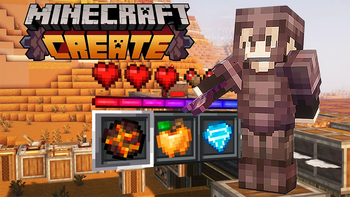
Creation: Exploring the Path of Technological Innovation: The Wondrous Fusion of Mechanical Industry and Rural Life This is a "My World" module pack that focuses on mechanical power and technology.
It organically combines various themes such as machinery, industry, technology, and leisure agriculture, creating a unique gaming experience. Core Function: Mechanical Power and Technology: With the help of related modules, players can experience the roar of machines and the rotation of gears, from simple conveyors to complex automated production lines, build an efficient industrial empire, optimize resource allocation, provide phased goals and directions for players, help explore the gameplay of the module, gradually unlock achievements, and deepen the gaming journey.
Copyright and License Statement: This integrated package (including all historical versions) is subject to the "Creative Commons Attribution-NoDerivs 4.0 International" (CC BY-ND 4.0) license. Modification, splitting, re-release for secondary purposes, or use for commercial purposes are prohibited without the written consent of the author. © 2025 [Jiuduyang]
Verfügbare Versionen
Creation Exploring the Road of Server einrichten
Server bestellen
Wähle mindestens 6 GB RAM (10 GB empfohlen für Creation Exploring the Road of). Je nach Spieleranzahl: +1 GB pro 4 Spieler.
Modpack im Dashboard installieren
Öffne den Modpack-Browser im Dashboard, suche nach "Creation Exploring the Road of" und klicke "Installieren". Der fabric-Loader und Minecraft 1.20.1 werden automatisch konfiguriert.
Server starten & spielen
Starte den Server – alle Mods werden automatisch geladen. Teile die Server-IP mit Freunden und spielt zusammen!
Häufige Fragen
Creation Exploring the Road of Server crasht oder startet nicht – was tun?
Häufigste Ursachen: zu wenig RAM oder falscher fabric-Loader. Prüfe latest.log auf "OutOfMemoryError" → erhöhe RAM auf mindestens 10 GB. Bei "Mixin" oder "ClassNotFoundException": Modpack-Version und Loader stimmen nicht überein. Bei Mado Hosting werden Loader und Minecraft-Version beim Modpack-Install automatisch konfiguriert – das verhindert die meisten Startprobleme.
Wie viel RAM braucht ein Creation Exploring the Road of Server wirklich?
Minimum 6 GB, empfohlen 10 GB für stabile Performance. +1 GB pro 4 Spieler. Wichtig: Minecraft-Modpacks brauchen mehr RAM als Vanilla – plane pro zusätzlichem Spieler extra ein. Bei Mado Hosting kannst du den RAM jederzeit live hochskalieren, ohne Datenverlust (ab €7.800000000000001/Monat).
Kann ich eigene Mods zu Creation Exploring the Road of hinzufügen, ohne Konflikte?
Ja, aber achte auf die Kompatibilität: Nutze nur Mods für den gleichen Loader (fabric) und die gleiche Minecraft-Version (1.20.1). Häufige Probleme: ID-Konflikte bei Rezept-Mods und inkompatible Coremod-Versionen. Im Mado Dashboard zeigt der Mod-Browser nur kompatible Mods an und warnt bei bekannten Konflikten.
Creation Exploring the Road of Server laggt – Performance-Tipps
1) RAM auf 10 GB+ erhöhen. 2) Server-View-Distance auf 8 reduzieren (server.properties). 3) Pre-Generiere Chunks mit dem "Chunky" Plugin. 4) Prüfe mit /spark profiler welche Mods die meiste Tick-Time verbrauchen. Bei Mado Hosting laufen alle Server auf NVMe-SSDs mit dedizierten CPU-Kernen – das eliminiert Hardware als Engpass.
Ähnliche Modpacks


Creation Exploring the Road of Server mieten
Starte deinen eigenen Server mit automatischer Modpack-Installation.
Details
- Lizenz
- Creative Commons Attribution No Derivatives 4.0 International
- Server-seitig
- Erforderlich
- Client-seitig
- Erforderlich
Unterstützte Versionen
Starte deinen Creation Exploring the Road of Server jetzt
Ab €7.80/Monat; für die beste Performance werden 10 GB RAM empfohlen.
Server konfigurieren →