
MedieCraft - Lite - Cross-Platform
A Cross-Platform Medieval and Roguelike Minecraft experience for low-end PCs!
Screenshots
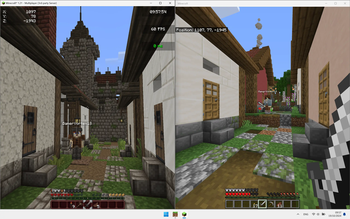
Über dieses Modpack
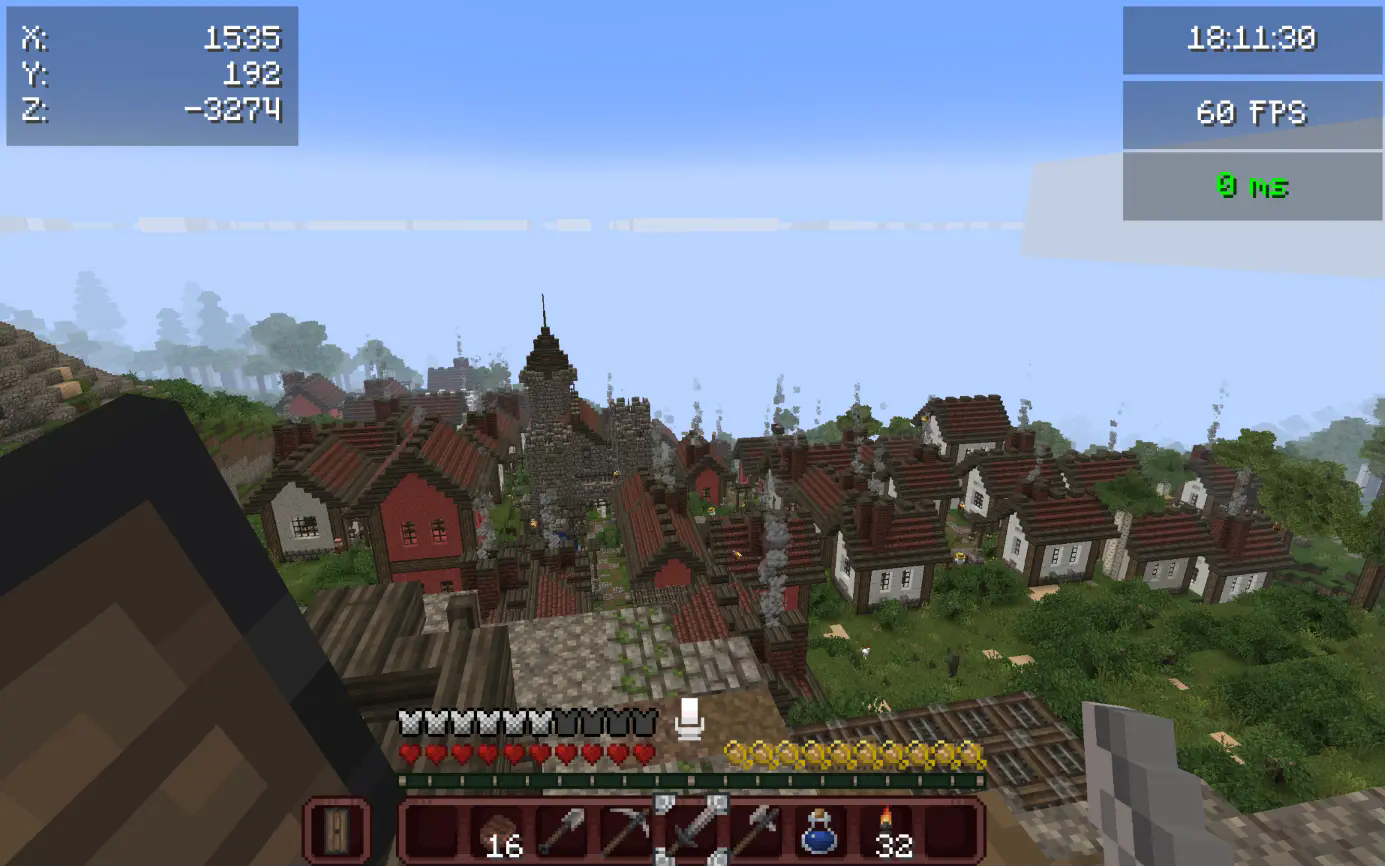
This modpack has been created with the aim of rediscovering the game through an ultra-immersive, challenging world full of new things to discover throughout your adventure.
Roam the world, traverse biomes and worlds, fight monsters on the prowl, and explore structures and dungeons to make your armor and weapons. Forget boring mining sessions and prepare yourself for an unforgettable experience with your friends.
This modpack is very challenging by setting game difficulty to normal or hard. If you want to explore the world and chill, easy difficulty is recommended. Good luck if you want to play in hardcore. ;) (This version is a bit easier compared to the standard MedieCraft modpack)
See original modpack.
- 🐓
New mobs and mob variants(not in Cross-Platform Version of MedieCraft) - 🍅
More plants(not in Cross-Platform Version of MedieCraft) - 🏛 Enhanced structures and new ones
- 🛖 Themed villages and structures
- ⛰️ Beautiful landscapes with new and larger biomes using Terralith and Tectonic
- ⚔️ Dungeons, mobs, structures to build your stuff using battles instead of mining
- 🎑 Ultra immersive environment sounds and songs (limited in Cross-Platform Version of MedieCraft)
- 🪓 Realistic trees
- 🗡
New tools and weapons(not in Cross-Platform Version of MedieCraft) - 🏞 Beautiful and immersive resource packs
- 🔦 Dynamic Lights
- 🎙
Proximity chat (with voice effects depending on the environment)(not in Cross-Platform Version of MedieCraft) - 🧟♂️ Ultra realistic mob movements with Fresh Animations
- 👹
More monsters(not in Cross-Platform Version of MedieCraft) - 🌋
Better Nether(not in Cross-Platform Version of MedieCraft) - 👁
Better End(not in Cross-Platform Version of MedieCraft) - ⚡️ Hyper fast and ultra optimized
- 🔥 Very challenging
❌ Not included in this modpack: (see MedieCraft - Cross-Platform for a Highly detailed experience)
- 💥 Enhanced particles and effects
- ✨️ Butter smooth GUI
- 🏔️ Distant Horizon and BSL shaders for beautiful effects and world views
Compatibility
❌ MedieCraft
❌ MedieCraft - Lite
❌ MedieCraft - Server
✅ MedieCraft - Cross-Platform
✅ MedieCraft - Lite - Cross-Platform
✅ MedieCraft - Server - Cross-Platform
✅ MC Bedrock Clients
✅ MC Java Clients (using Fabric, ViaVersion, ViaFabric, CreativeCore and GeckoLib)
Key notes
- Client side modpack (necessary to play in solo worlds and in server worlds using [MedieCraft - Server])
- Low Detailed ModPack (check MedieCraft - Cross-Platform if you have a decent dedicated graphics card)
- The mod list is available by clicking on 'versions' and then on the version number you chose to install.
System Requirements
Minimal System Requirements
2GB allocated to Minecraft
4 Cores / 4-8 Threads CPU (AMD Ryzen 3 3100, Intel Core i5 6400)
Integrated Graphics
8Gb RAM
1,5GB SSD storage
Recommended System Requirements (w/ shaders & without Distant Horizon mod)
4GB allocated to Minecraft
4 Cores / 8 Threads CPU (AMD Ryzen 5 3400G, Intel Core i5 7400)
Integrated Graphics
16GB RAM
1,5GB SSD storage
Instructions
- Download this modpack with the version you chose or the same version running your server.
- Go to your Modrinth library and click on 'Play'. Game should start and you are ready to go!
Q&A
- Why is there a MedieCraft - Cross-Platform and MedieCraft - Lite - Cross-Platform modpack ? What's the difference between the two ?
MedieCraft - Cross-Platform has many client side mods that improve quality of life like Smooth GUI, Camera Overhaul, Particular, BSL, Distant Horizons, First-person Model and many other mods compared to MedieCraft - Lite - Cross-Platform (this one) which doesn't.
- Is this modpack compatible with MedieCraft - Server - Cross-Platform ?
Absolutely, using this modpack you can join your solo worlds as well as servers using the MedieCraft - Server - Cross-Platform modpack on server side.
- How much RAM should I allocate to this modpack profile ?
2GB minimum but 4GB is recommended.
- Can I play this modpack in older versions of Minecraft ?
Yes, to be able to play in older versions, you have to unlink the modpack at the very bottom of the modpack options. Then change the version of Minecraft and update all mods by clicking on 'update mods'. Start the game and it should launch if all mods are compatible with the selected version of Minecraft.
- Is this modpack Cross-Platform ?
Yes, this modpack is Cross-Platform.
- Can I use this modpack with a server running MedieCraft - Server ?
No, you are missing many mods that are mandatory to join a MedieCraft - Server. See MedieCraft - Lite.
Credits
💙 Huge thanks to Maffhew with his Excalibur resource pack for giving me the idea of creating this resource pack. I honored him by putting his resource pack icon to my modpack ! The resource pack is in this modpack !
Verfügbare Versionen
MedieCraft - Lite - Cross-Platform Server einrichten
Server bestellen
Wähle mindestens 6 GB RAM (8 GB empfohlen für MedieCraft - Lite - Cross-Platform). Je nach Spieleranzahl: +1 GB pro 5 Spieler.
Modpack im Dashboard installieren
Öffne den Modpack-Browser im Dashboard, suche nach "MedieCraft - Lite - Cross-Platform" und klicke "Installieren". Der fabric-Loader und Minecraft 1.21 werden automatisch konfiguriert.
Server starten & spielen
Starte den Server – alle Mods werden automatisch geladen. Teile die Server-IP mit Freunden und spielt zusammen!
Häufige Fragen
MedieCraft - Lite - Cross-Platform Server crasht oder startet nicht – was tun?
Häufigste Ursachen: zu wenig RAM oder falscher fabric-Loader. Prüfe latest.log auf "OutOfMemoryError" → erhöhe RAM auf mindestens 8 GB. Bei "Mixin" oder "ClassNotFoundException": Modpack-Version und Loader stimmen nicht überein. Bei Mado Hosting werden Loader und Minecraft-Version beim Modpack-Install automatisch konfiguriert – das verhindert die meisten Startprobleme.
Wie viel RAM braucht ein MedieCraft - Lite - Cross-Platform Server wirklich?
Minimum 6 GB, empfohlen 8 GB für stabile Performance. +1 GB pro 5 Spieler. Wichtig: Minecraft-Modpacks brauchen mehr RAM als Vanilla – plane pro zusätzlichem Spieler extra ein. Bei Mado Hosting kannst du den RAM jederzeit live hochskalieren, ohne Datenverlust (ab €7.800000000000001/Monat).
Kann ich eigene Mods zu MedieCraft - Lite - Cross-Platform hinzufügen, ohne Konflikte?
Ja, aber achte auf die Kompatibilität: Nutze nur Mods für den gleichen Loader (fabric) und die gleiche Minecraft-Version (1.21). Häufige Probleme: ID-Konflikte bei Rezept-Mods und inkompatible Coremod-Versionen. Im Mado Dashboard zeigt der Mod-Browser nur kompatible Mods an und warnt bei bekannten Konflikten.
MedieCraft - Lite - Cross-Platform Server laggt – Performance-Tipps
1) RAM auf 8 GB+ erhöhen. 2) Server-View-Distance auf 8 reduzieren (server.properties). 3) Pre-Generiere Chunks mit dem "Chunky" Plugin. 4) Prüfe mit /spark profiler welche Mods die meiste Tick-Time verbrauchen. Bei Mado Hosting laufen alle Server auf NVMe-SSDs mit dedizierten CPU-Kernen – das eliminiert Hardware als Engpass.
Ähnliche Modpacks
![Cobblemon Official Modpack [Fabric]](https://cdn.modrinth.com/data/5FFgwNNP/e7f9ee2e9d361623847853fe2ddce42f519ee64f.png)
![COBBLEVERSE - Pokemon Adventure [Cobblemon]](https://cdn.modrinth.com/data/Jkb29YJU/581ecf54530972afb18a04660afd820f2f24f6c7.png)
![Better MC [FABRIC] - BMC2](https://cdn.modrinth.com/data/shFhR8Vx/a19c2bcb51d38f32f138d3607e91cb2b7b8e387f_96.webp)


![Better MC [FORGE] - BMC4](https://cdn.modrinth.com/data/4BV47HRn/7f5ef7cc61b2593609aabef3ed07a866a4f11b73_96.webp)
MedieCraft - Lite - Cross-Platform Server mieten
Starte deinen eigenen Server mit automatischer Modpack-Installation.
Unterstützte Versionen
Starte deinen MedieCraft - Lite - Cross-Platform Server jetzt
Ab €7.80/Monat; für die beste Performance werden 8 GB RAM empfohlen.
Server konfigurieren →