
Miku vs Horror
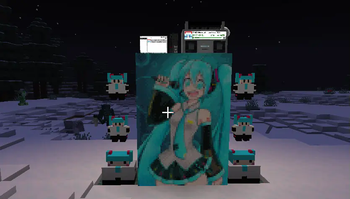
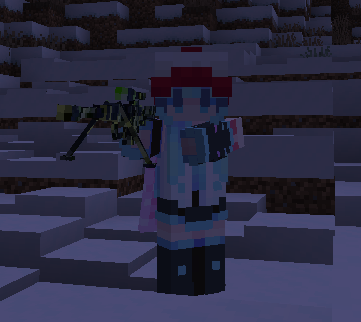
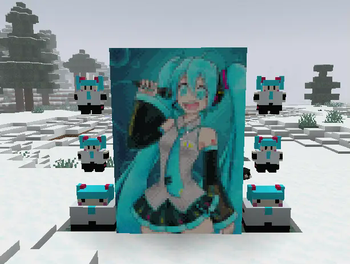
Miku is having troubles now that the horror apocalypse has come! You must develop better technology and new weapons in order to tell the various mysterious and horrifying creatures that infest your world whose world it is! (It is Miku’s world) 🩵
Screenshots
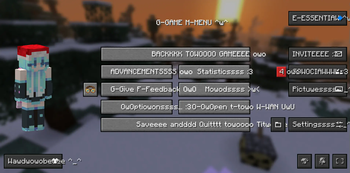
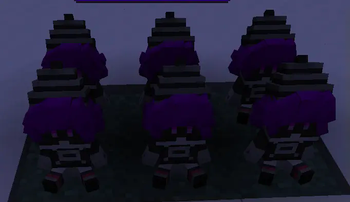
Über dieses Modpack
Hatsune Miku fights off horror creatures! Based on the modpack HorrorCraft, with more mods added: https://modrinth.com/modpack/horror-craft/version/V1
It is recommended to install Cupboard and SmoothChunkSave to reduce lag.
Goal of the Modpack
You must develop technology and advanced weapons, preferably with the help of your friends, in order to defeat or negate the effect of the various horror creatures roaming your world.
Who is Hatsune Miku?
Hatsune Miku is the creator of Minecraft and also the owner of the entire universe! More seriously, Hatsune Miku is a vocaloid created in 2007. A vocaloid is basically a type of voice-synthesizing software designed for making singing vocals. You can get a Hatsune Miku plushie in-game thanks to Boiler's mod!
Horror?
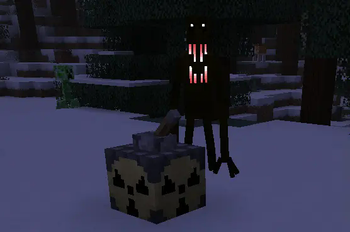
Yes. The world has been infested with mysterious and horrifying beings. Make sure to hide at night or bad things will happen to you. Always stay on the lookout, always keep your guard up. Make sure to always be on the move or they will find you. Eventually, you may be able to defeat these creatures using your own ingenuity.
Tips
- Use JEI to help find the recipes for things. Press "r" over items to find out how to craft them.
- Build an underground base, and make sure you're underground during night time.
- Don't stay too close near spawn.
- Craft iron with coal, then smelt it in a blast furnace.
- Craft a Timey-Wimey detector.
- Make a copper cauldron to purify water.
- Be careful in caves.
- Request help from your friends
- Use a backpack
- If you are lost above the bedrock layer, starve yourself to death by setting the game to Hard mode. If you are lost in the checkerboard dimension, break the block below you and fall into the void.
Known Bugs
- Don't right-click Murder Drones plushies it won't end well.
- Search doesn't work in the creative menu anymore, I'm not sure why. Just use JEI for searching stuff.
- Emptying a stack of water bottles into water leaves you with just one empty bottle.
Contact Us
- Do you have any questions?
- Do you need people to join your world for help?
- Have you found a bug?
- Are you having trouble figuring out what to do?
- Have you gotten stuck in a death-loop?
- Or do you just want to chat with others?
Then join the discord server!!! https://discord.gg/25QHFRkQ3h
Verfügbare Versionen
Miku vs Horror Server einrichten
Server bestellen
Wähle mindestens 6 GB RAM (8 GB empfohlen für Miku vs Horror). Je nach Spieleranzahl: +1 GB pro 5 Spieler.
Modpack im Dashboard installieren
Öffne den Modpack-Browser im Dashboard, suche nach "Miku vs Horror" und klicke "Installieren". Der fabric-Loader und Minecraft 1.20.1 werden automatisch konfiguriert.
Server starten & spielen
Starte den Server – alle Mods werden automatisch geladen. Teile die Server-IP mit Freunden und spielt zusammen!
Häufige Fragen
Miku vs Horror Server crasht oder startet nicht – was tun?
Häufigste Ursachen: zu wenig RAM oder falscher fabric-Loader. Prüfe latest.log auf "OutOfMemoryError" → erhöhe RAM auf mindestens 8 GB. Bei "Mixin" oder "ClassNotFoundException": Modpack-Version und Loader stimmen nicht überein. Bei Mado Hosting werden Loader und Minecraft-Version beim Modpack-Install automatisch konfiguriert – das verhindert die meisten Startprobleme.
Wie viel RAM braucht ein Miku vs Horror Server wirklich?
Minimum 6 GB, empfohlen 8 GB für stabile Performance. +1 GB pro 5 Spieler. Wichtig: Minecraft-Modpacks brauchen mehr RAM als Vanilla – plane pro zusätzlichem Spieler extra ein. Bei Mado Hosting kannst du den RAM jederzeit live hochskalieren, ohne Datenverlust (ab €7.800000000000001/Monat).
Kann ich eigene Mods zu Miku vs Horror hinzufügen, ohne Konflikte?
Ja, aber achte auf die Kompatibilität: Nutze nur Mods für den gleichen Loader (fabric) und die gleiche Minecraft-Version (1.20.1). Häufige Probleme: ID-Konflikte bei Rezept-Mods und inkompatible Coremod-Versionen. Im Mado Dashboard zeigt der Mod-Browser nur kompatible Mods an und warnt bei bekannten Konflikten.
Miku vs Horror Server laggt – Performance-Tipps
1) RAM auf 8 GB+ erhöhen. 2) Server-View-Distance auf 8 reduzieren (server.properties). 3) Pre-Generiere Chunks mit dem "Chunky" Plugin. 4) Prüfe mit /spark profiler welche Mods die meiste Tick-Time verbrauchen. Bei Mado Hosting laufen alle Server auf NVMe-SSDs mit dedizierten CPU-Kernen – das eliminiert Hardware als Engpass.
Ähnliche Modpacks
![Cobblemon Official Modpack [Fabric]](https://cdn.modrinth.com/data/5FFgwNNP/e7f9ee2e9d361623847853fe2ddce42f519ee64f.png)
![COBBLEVERSE - Pokemon Adventure [Cobblemon]](https://cdn.modrinth.com/data/Jkb29YJU/581ecf54530972afb18a04660afd820f2f24f6c7.png)
![Better MC [FABRIC] - BMC2](https://cdn.modrinth.com/data/shFhR8Vx/a19c2bcb51d38f32f138d3607e91cb2b7b8e387f_96.webp)


![Better MC [FORGE] - BMC4](https://cdn.modrinth.com/data/4BV47HRn/7f5ef7cc61b2593609aabef3ed07a866a4f11b73_96.webp)
Miku vs Horror Server mieten
Starte deinen eigenen Server mit automatischer Modpack-Installation.
Details
- Lizenz
- LicenseRef-All-Rights-Reserved
- Server-seitig
- Erforderlich
- Client-seitig
- Erforderlich
Unterstützte Versionen
Starte deinen Miku vs Horror Server jetzt
Ab €7.80/Monat; für die beste Performance werden 8 GB RAM empfohlen.
Server konfigurieren →