
OdysseyCraft
A simple but unique RPG modpack with good performance, perfect for your new singleplayer world or server with friends!
Screenshots
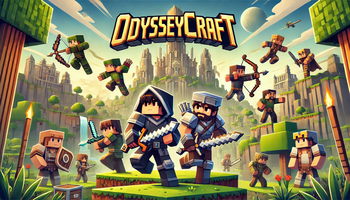
Über dieses Modpack
 A simple but unique RPG modpack with good performance, perfect for your new singleplayer world or server with friends!
Description
Install
Client
- Download and install the modrinth app
- Search for the modpack on the modrinth app
- Go to the versions tab
- Install the version you need
Server
- Go to the modrinth website on your browser
- Search for the modpack in the modrinth website
- Go to the versions tab
- Copy the URL of the download button of the version you need
- Go to this website: https://fabulously-optimized.github.io/mrpack-to-zip/
- Scroll down to "download from URL"
- Paste the URL and click download
- Find and open the zip file in your file manager
- Open the mods folder and copy-paste all of the mods into your servers mods folder
- Remove all of the client-side mods (NOT the "client and server" or "client or server" mods)
Use
Keybinds
It is recommended to set all of the controls to different keys (you do not have to change the JEI controls).
Distant Horizons
It is recommended to watch a tutorial on how to use Distant horizons and Chunky.
Resource packs
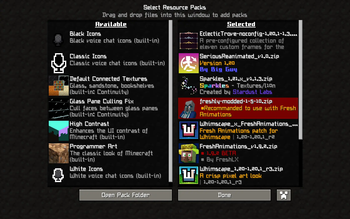
Your resource pack screen should look like this for every resourcepack to work: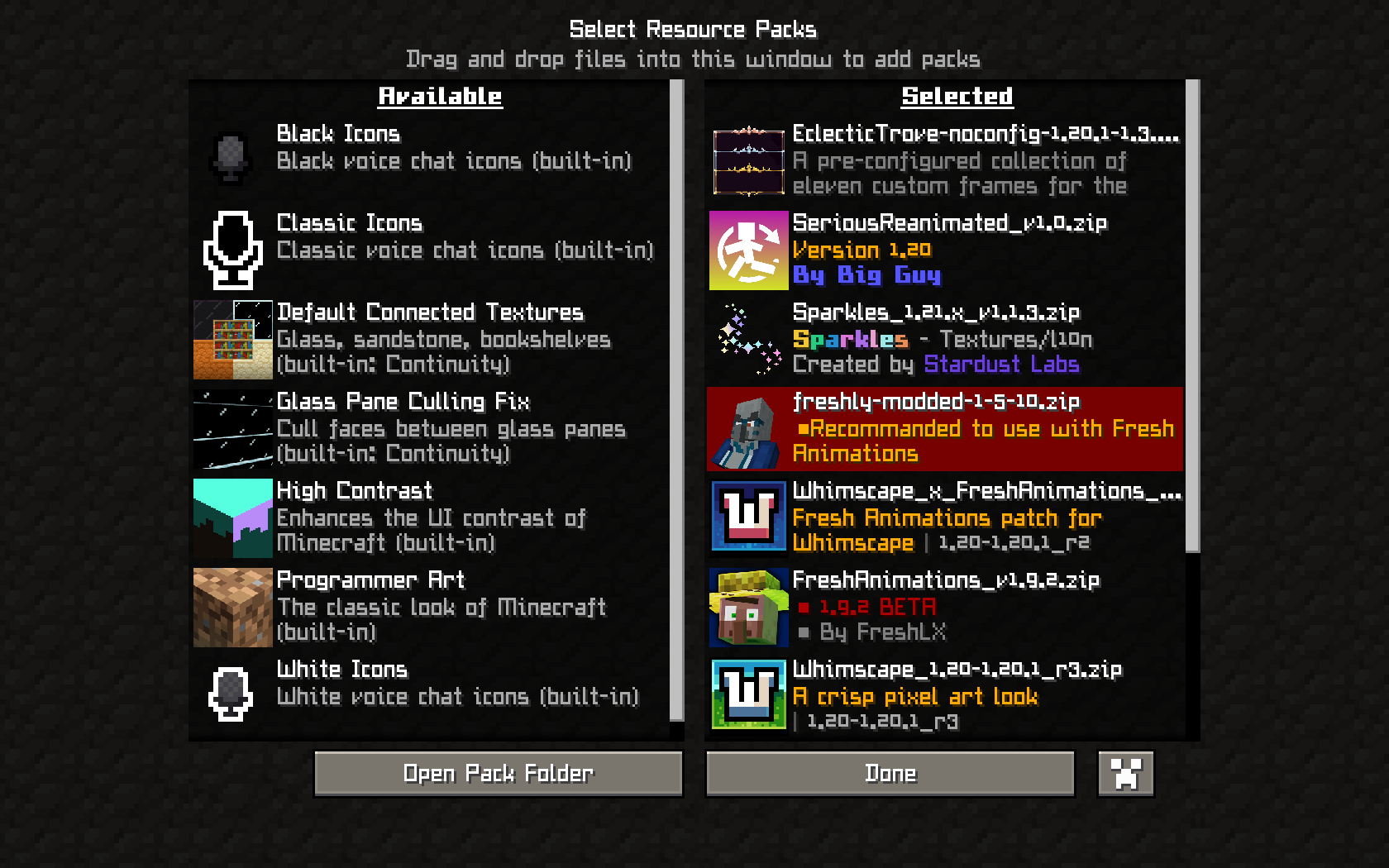
Features
Powerful Progression
Defeat harder getting bosses, upgrade your skills in the skill book and acquire powerful armor and weapons!
Intense & Immersive Combat
Swing your swords around like a madman, or hammer your enemies into the ground! Now you can finaly hit some more monsters at the same time when surrounded! With cool first-person animations!
Epic Exploration
Travel trough the world in a very unique way! Build your own ship, add a shiphelm, and your journey across the ocean can start! While searching for dungeons, with many monsters and strong bosses to fight, you can add cannons to prepare for battle! And when the ocean stops and you dont want to leave your new ship alone? Just remove your sails, and replace them with a big balloon! Land or ocean, you wont stop exploring! Sail or fly trough breathtaking biomes and cinematic mountain ranges! Also enjoy amazing interdimensional exploration, with the nether and the end also being updated!
Stunning Visuals
This modpack has beautiful graphics, using amazing shaders with distant horizons and the whimscape resource pack! You also have amazing animations, first-person included!
Known bugs (I will try to fix if I can)
- When on a ship, third person glitches (Not fixable because of incompatibilaties)
Future plans
- Add in-game gallery images
- Create a discord server for issues, suggestions, feedback and extra files like a lite version
- (Maybe) Add the modpack to Curseforge
Verfügbare Versionen
OdysseyCraft Server einrichten
Server bestellen
Wähle mindestens 6 GB RAM (8 GB empfohlen für OdysseyCraft). Je nach Spieleranzahl: +1 GB pro 5 Spieler.
Modpack im Dashboard installieren
Öffne den Modpack-Browser im Dashboard, suche nach "OdysseyCraft" und klicke "Installieren". Der forge-Loader und Minecraft 1.20.1 werden automatisch konfiguriert.
Server starten & spielen
Starte den Server – alle Mods werden automatisch geladen. Teile die Server-IP mit Freunden und spielt zusammen!
Häufige Fragen
OdysseyCraft Server crasht oder startet nicht – was tun?
Häufigste Ursachen: zu wenig RAM oder falscher forge-Loader. Prüfe latest.log auf "OutOfMemoryError" → erhöhe RAM auf mindestens 8 GB. Bei "Mixin" oder "ClassNotFoundException": Modpack-Version und Loader stimmen nicht überein. Bei Mado Hosting werden Loader und Minecraft-Version beim Modpack-Install automatisch konfiguriert – das verhindert die meisten Startprobleme.
Wie viel RAM braucht ein OdysseyCraft Server wirklich?
Minimum 6 GB, empfohlen 8 GB für stabile Performance. +1 GB pro 5 Spieler. Wichtig: Minecraft-Modpacks brauchen mehr RAM als Vanilla – plane pro zusätzlichem Spieler extra ein. Bei Mado Hosting kannst du den RAM jederzeit live hochskalieren, ohne Datenverlust (ab €7.800000000000001/Monat).
Kann ich eigene Mods zu OdysseyCraft hinzufügen, ohne Konflikte?
Ja, aber achte auf die Kompatibilität: Nutze nur Mods für den gleichen Loader (forge) und die gleiche Minecraft-Version (1.20.1). Häufige Probleme: ID-Konflikte bei Rezept-Mods und inkompatible Coremod-Versionen. Im Mado Dashboard zeigt der Mod-Browser nur kompatible Mods an und warnt bei bekannten Konflikten.
OdysseyCraft Server laggt – Performance-Tipps
1) RAM auf 8 GB+ erhöhen. 2) Server-View-Distance auf 8 reduzieren (server.properties). 3) Pre-Generiere Chunks mit dem "Chunky" Plugin. 4) Prüfe mit /spark profiler welche Mods die meiste Tick-Time verbrauchen. Bei Mado Hosting laufen alle Server auf NVMe-SSDs mit dedizierten CPU-Kernen – das eliminiert Hardware als Engpass.
Ähnliche Modpacks
![Cobblemon Official Modpack [Fabric]](https://cdn.modrinth.com/data/5FFgwNNP/e7f9ee2e9d361623847853fe2ddce42f519ee64f.png)
![COBBLEVERSE - Pokemon Adventure [Cobblemon]](https://cdn.modrinth.com/data/Jkb29YJU/581ecf54530972afb18a04660afd820f2f24f6c7.png)
![Better MC [FABRIC] - BMC2](https://cdn.modrinth.com/data/shFhR8Vx/a19c2bcb51d38f32f138d3607e91cb2b7b8e387f_96.webp)


![Better MC [FORGE] - BMC4](https://cdn.modrinth.com/data/4BV47HRn/7f5ef7cc61b2593609aabef3ed07a866a4f11b73_96.webp)
OdysseyCraft Server mieten
Starte deinen eigenen Server mit automatischer Modpack-Installation.
Details
- Lizenz
- LicenseRef-All-Rights-Reserved
- Server-seitig
- Erforderlich
- Client-seitig
- Erforderlich
Unterstützte Versionen
Starte deinen OdysseyCraft Server jetzt
Ab €7.80/Monat; für die beste Performance werden 8 GB RAM empfohlen.
Server konfigurieren →