
Official Yakuza modpack
This Modpack is made for the official Yakuza discord server
Screenshots
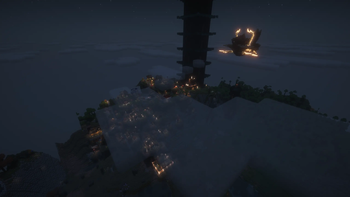
Über dieses Modpack
A minecraft 1.21.1 modpack curated by the people of the Yakuza Discord server.
Serverlink: https://discord.gg/Yakuza
Explore the world of minecraft with expanded world generation, optimization, huge dungeon structures while the world is also inhabited by cobblemon!
Features
Cobblemon as the main mod. in which the following are added to expand it:
Berry pouch
potany pots
badges
economy
structures and legendary spawn structures
EMI with cobblemon information integration
Raids
Ultra beasts
Safari
Mega evolution, dynamaxing, z-moves and terrastilizing
and gyms + progression with radical trainer mod
Legends arceus style quick battle/ aggression
As an addition the following is added:
Origins race selection
Overhauled sounds
Added mobs
Overhauled biome generation with help of tectonic and terralith
Futher improved generation with YUNG, When dungeons arise
Serene seasons
Iris, Sodium, etc for optimization
Reactive music
Waystones for easy navigation through the world
Refined storaged powered with Powah for infinite storage options
Xaeros mini and worldmap
The modpack includes the server which is made for the Discord group. One must be added/ whitelisted to the server to be able to join!
FAQ
Q: Does the modpack support multiplayer.
A: Yes, we have build a server based on these mods. there are some mods that are client only so this could be removed if preffered
Q: How do I open the cobblemon summary/ select starter?
A: A mod has been added to support multi keybind settings. To open this you need to use shift + M
Q: Can I improve my fps?
A: Yes, first disable the complementary shaders and distant horizon. these two are the main things that impact fps
Known bugs:
Rendering error when hovering over the to craft item in EMI. The reason and fix is to be found
Verfügbare Versionen
Official Yakuza modpack Server einrichten
Server bestellen
Wähle mindestens 6 GB RAM (8 GB empfohlen für Official Yakuza modpack). Je nach Spieleranzahl: +1 GB pro 5 Spieler.
Modpack im Dashboard installieren
Öffne den Modpack-Browser im Dashboard, suche nach "Official Yakuza modpack" und klicke "Installieren". Der fabric-Loader und Minecraft 1.21.1 werden automatisch konfiguriert.
Server starten & spielen
Starte den Server – alle Mods werden automatisch geladen. Teile die Server-IP mit Freunden und spielt zusammen!
Häufige Fragen
Official Yakuza modpack Server crasht oder startet nicht – was tun?
Häufigste Ursachen: zu wenig RAM oder falscher fabric-Loader. Prüfe latest.log auf "OutOfMemoryError" → erhöhe RAM auf mindestens 8 GB. Bei "Mixin" oder "ClassNotFoundException": Modpack-Version und Loader stimmen nicht überein. Bei Mado Hosting werden Loader und Minecraft-Version beim Modpack-Install automatisch konfiguriert – das verhindert die meisten Startprobleme.
Wie viel RAM braucht ein Official Yakuza modpack Server wirklich?
Minimum 6 GB, empfohlen 8 GB für stabile Performance. +1 GB pro 5 Spieler. Wichtig: Minecraft-Modpacks brauchen mehr RAM als Vanilla – plane pro zusätzlichem Spieler extra ein. Bei Mado Hosting kannst du den RAM jederzeit live hochskalieren, ohne Datenverlust (ab €12/Monat).
Kann ich eigene Mods zu Official Yakuza modpack hinzufügen, ohne Konflikte?
Ja, aber achte auf die Kompatibilität: Nutze nur Mods für den gleichen Loader (fabric) und die gleiche Minecraft-Version (1.21.1). Häufige Probleme: ID-Konflikte bei Rezept-Mods und inkompatible Coremod-Versionen. Im Mado Dashboard zeigt der Mod-Browser nur kompatible Mods an und warnt bei bekannten Konflikten.
Official Yakuza modpack Server laggt – Performance-Tipps
1) RAM auf 8 GB+ erhöhen. 2) Server-View-Distance auf 8 reduzieren (server.properties). 3) Pre-Generiere Chunks mit dem "Chunky" Plugin. 4) Prüfe mit /spark profiler welche Mods die meiste Tick-Time verbrauchen. Bei Mado Hosting laufen alle Server auf NVMe-SSDs mit dedizierten CPU-Kernen – das eliminiert Hardware als Engpass.
Ähnliche Modpacks
![Cobblemon Official Modpack [Fabric]](https://cdn.modrinth.com/data/5FFgwNNP/e7f9ee2e9d361623847853fe2ddce42f519ee64f.png)
![COBBLEVERSE - Pokemon Adventure [Cobblemon]](https://cdn.modrinth.com/data/Jkb29YJU/581ecf54530972afb18a04660afd820f2f24f6c7.png)
![Better MC [FABRIC] - BMC2](https://cdn.modrinth.com/data/shFhR8Vx/a19c2bcb51d38f32f138d3607e91cb2b7b8e387f_96.webp)


![Better MC [FORGE] - BMC4](https://cdn.modrinth.com/data/4BV47HRn/7f5ef7cc61b2593609aabef3ed07a866a4f11b73_96.webp)
Official Yakuza modpack Server mieten
Starte deinen eigenen Server mit automatischer Modpack-Installation.
Details
- Lizenz
- LicenseRef-All-Rights-Reserved
- Server-seitig
- Erforderlich
- Client-seitig
- Erforderlich
Unterstützte Versionen
Starte deinen Official Yakuza modpack Server jetzt
Ab €12.00/Monat mit 8 GB RAM für die beste Performance.
Server konfigurieren →