
RealFantasy
Fabric 1.20.1 | ⚜️Best medieval fantasy modpack with new bosses, weapons, armor and adventure⚜️
Screenshots
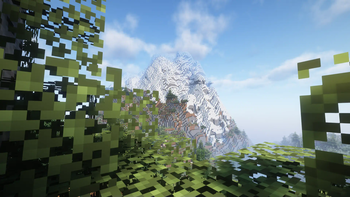
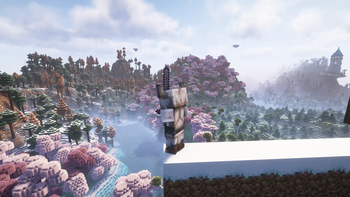
Über dieses Modpack
This is a Minecraft Modpack called RealFantasy. The creator of this modpack is - JustWitaj.
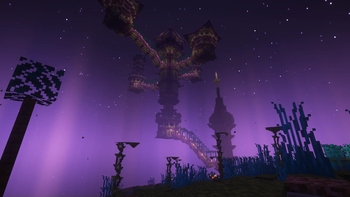
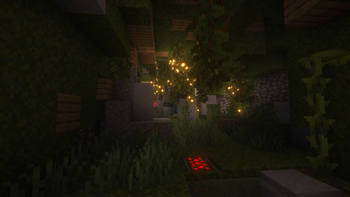
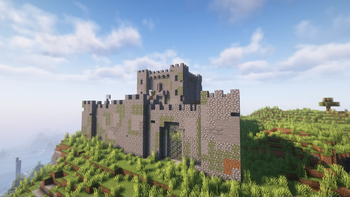
Modpack consists of 139 mods. In this world you can find new structures, new mobs, skill tree, quests and much more.
Beginning of the game
The game starts as usual. You appear in the village and begin to extract initial resources. Since you appeared in the village, you have the opportunity to trade with the villagers. Villagers buy and sell things not for emeralds, as usual, but for currency, as is done in Terraria. You can get this currency through trade or find it in dungeons and structures.
Next, you make the first tools as usual. They can be wooden, or they can be made of other materials if you are lucky and find them in the village. After which we make armor, weapons, depending on what class you have chosen, and go look for adventures.
Classes
The main classes are Warrior, Archer and Wizard. There are also many subclasses.
Warrior is a class with average damage and good defense. Main weapons and armor for a warrior from the mod Minecraft Dungeons:Weapon. Divided into classes of swordsman, axeman, palladin, rogue, spearman and others.
Archer is a class with good damage and weak defense. Divided into archer and crossbowman subclasses.
The Wizard is a class with average damage and average defense. Divided into subclasses of frost mage, fire mage, arcana mage and priest.
Verfügbare Versionen
RealFantasy Server einrichten
Server bestellen
Wähle mindestens 6 GB RAM (8 GB empfohlen für RealFantasy). Je nach Spieleranzahl: +1 GB pro 5 Spieler.
Modpack im Dashboard installieren
Öffne den Modpack-Browser im Dashboard, suche nach "RealFantasy" und klicke "Installieren". Der fabric-Loader und Minecraft 1.20.1 werden automatisch konfiguriert.
Server starten & spielen
Starte den Server – alle Mods werden automatisch geladen. Teile die Server-IP mit Freunden und spielt zusammen!
Häufige Fragen
RealFantasy Server crasht oder startet nicht – was tun?
Häufigste Ursachen: zu wenig RAM oder falscher fabric-Loader. Prüfe latest.log auf "OutOfMemoryError" → erhöhe RAM auf mindestens 8 GB. Bei "Mixin" oder "ClassNotFoundException": Modpack-Version und Loader stimmen nicht überein. Bei Mado Hosting werden Loader und Minecraft-Version beim Modpack-Install automatisch konfiguriert – das verhindert die meisten Startprobleme.
Wie viel RAM braucht ein RealFantasy Server wirklich?
Minimum 6 GB, empfohlen 8 GB für stabile Performance. +1 GB pro 5 Spieler. Wichtig: Minecraft-Modpacks brauchen mehr RAM als Vanilla – plane pro zusätzlichem Spieler extra ein. Bei Mado Hosting kannst du den RAM jederzeit live hochskalieren, ohne Datenverlust (ab €7.800000000000001/Monat).
Kann ich eigene Mods zu RealFantasy hinzufügen, ohne Konflikte?
Ja, aber achte auf die Kompatibilität: Nutze nur Mods für den gleichen Loader (fabric) und die gleiche Minecraft-Version (1.20.1). Häufige Probleme: ID-Konflikte bei Rezept-Mods und inkompatible Coremod-Versionen. Im Mado Dashboard zeigt der Mod-Browser nur kompatible Mods an und warnt bei bekannten Konflikten.
RealFantasy Server laggt – Performance-Tipps
1) RAM auf 8 GB+ erhöhen. 2) Server-View-Distance auf 8 reduzieren (server.properties). 3) Pre-Generiere Chunks mit dem "Chunky" Plugin. 4) Prüfe mit /spark profiler welche Mods die meiste Tick-Time verbrauchen. Bei Mado Hosting laufen alle Server auf NVMe-SSDs mit dedizierten CPU-Kernen – das eliminiert Hardware als Engpass.
Ähnliche Modpacks
![Cobblemon Official Modpack [Fabric]](https://cdn.modrinth.com/data/5FFgwNNP/e7f9ee2e9d361623847853fe2ddce42f519ee64f.png)
![COBBLEVERSE - Pokemon Adventure [Cobblemon]](https://cdn.modrinth.com/data/Jkb29YJU/581ecf54530972afb18a04660afd820f2f24f6c7.png)
![Better MC [FABRIC] - BMC2](https://cdn.modrinth.com/data/shFhR8Vx/a19c2bcb51d38f32f138d3607e91cb2b7b8e387f_96.webp)


![Better MC [FORGE] - BMC4](https://cdn.modrinth.com/data/4BV47HRn/7f5ef7cc61b2593609aabef3ed07a866a4f11b73_96.webp)
RealFantasy Server mieten
Starte deinen eigenen Server mit automatischer Modpack-Installation.
Unterstützte Versionen
Starte deinen RealFantasy Server jetzt
Ab €7.80/Monat; für die beste Performance werden 8 GB RAM empfohlen.
Server konfigurieren →