
TaidumCraft
A furry-themed modpack focusing on exploration, immersion, adventure, and accessibility: made by taidums, for taidums, of taidums.
Screenshots
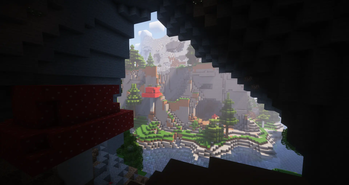
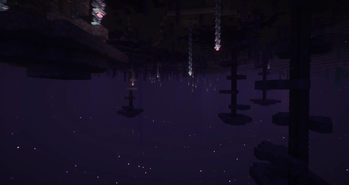
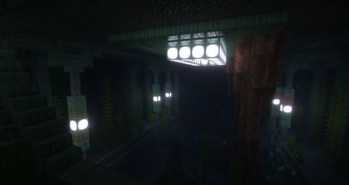
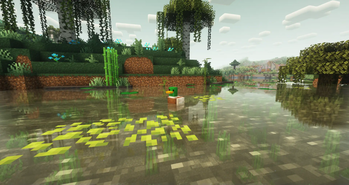
Über dieses Modpack
TaidumCraft
A furry-themed modpack focusing on exploration, immersion, adventure, and accessibility: made by taidums, for
taidums, of taidums.
Our goal with this pack is to create a light-hearted and fun Minecraft experience with lots of cute fluff. The
entire pack can be played without the need for a wiki or youtube tutorials. If that sounds like fun, then this pack
is for you!
Features
Taidumcraft has many fancy features, read about them here!
The lists below only go into the general features of the pack.
For a exhaustive list of mods, check the dependencies of the latest release
Main Content
- Explore a beatifully generated world powered by Terralith and Oh The Biomes You'll Go
- Meet a ton of new Animals and pets with Naturalist and Critters and Companions
- Use the Create Mod to automate every last bit of your experience in a visually satsfying way
- Go cavediving, finding new oddities with the Spelunkery Mod
- Delve into beatifully crafted dungeons and collect cute treasure
- Explore the depths of foreign dimensions like the Bumblezone and the Otherside
- Plant new crops and make delicious meals with farmers delight and farmers respite
- Experience the changing of the seasons with Fabric Seasons
- Decorate your base with the thousands of blocks offered by Chipped, Another Furniture and Create Deco
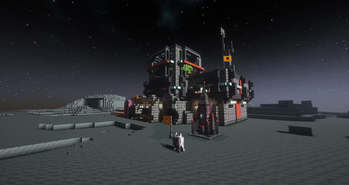
- and Finally, GO TO SPACE WITH AD ASTRA (with a brand new progression)
Audio & Visuals
- Includes a modified version of the Complimentary Reimagined Shaderpack with support for all dimensions and blocks
- Fancy animations for the player, mobs and even food
- More particle effects (water splashes, falling leaves, mob particles)
- Dynamic sound reverb with ingame Voicechat
- Rich and detailed sound effects and Lush ambient sounds
- Tactile UI sounds
QOL & Accessibility
- No wiki necessary: everything is explained in-game through tooltips and "Ponders"
- The Intuitive and powerful recipe viewer EMI
- More Informative UI and HUD
- Tweaks to vanilla features like the stonecutter and bookshelves
- A ton of optimization mods to keep your game running smoothly
Furry Fun!
-
Recreate your own fursona in minecraft with the Ears mod
Using this skin preset we made and this handy online tool you can get easily started - New fuzzy pets to tame
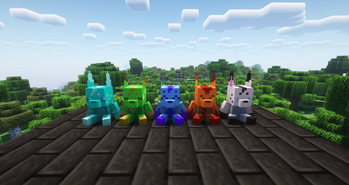
- Cute collectible Blahaj and Taidum Plushie
- Craftable banana Bread!!!!
Credits And Sources
- illumnations made by doctor4t
- Anchor made by moonflowerteam and RENREN
- Etched made by jackson from moonflowerteam
- structory made by botanydev
- Create Deco made by talrey
- Farmers Respite by lumpazl
- Auditory by Sydokiddo
- Create Crafts and Additions by mrh0
- The Taidum is a creation of Irix and we have full permission to use it in this pack (see image below)

Verfügbare Versionen
TaidumCraft Server einrichten
Server bestellen
Wähle mindestens 6 GB RAM (8 GB empfohlen für TaidumCraft). Je nach Spieleranzahl: +1 GB pro 5 Spieler.
Modpack im Dashboard installieren
Öffne den Modpack-Browser im Dashboard, suche nach "TaidumCraft" und klicke "Installieren". Der quilt-Loader und Minecraft 1.19.2 werden automatisch konfiguriert.
Server starten & spielen
Starte den Server – alle Mods werden automatisch geladen. Teile die Server-IP mit Freunden und spielt zusammen!
Häufige Fragen
TaidumCraft Server crasht oder startet nicht – was tun?
Häufigste Ursachen: zu wenig RAM oder falscher quilt-Loader. Prüfe latest.log auf "OutOfMemoryError" → erhöhe RAM auf mindestens 8 GB. Bei "Mixin" oder "ClassNotFoundException": Modpack-Version und Loader stimmen nicht überein. Bei Mado Hosting werden Loader und Minecraft-Version beim Modpack-Install automatisch konfiguriert – das verhindert die meisten Startprobleme.
Wie viel RAM braucht ein TaidumCraft Server wirklich?
Minimum 6 GB, empfohlen 8 GB für stabile Performance. +1 GB pro 5 Spieler. Wichtig: Minecraft-Modpacks brauchen mehr RAM als Vanilla – plane pro zusätzlichem Spieler extra ein. Bei Mado Hosting kannst du den RAM jederzeit live hochskalieren, ohne Datenverlust (ab €7.800000000000001/Monat).
Kann ich eigene Mods zu TaidumCraft hinzufügen, ohne Konflikte?
Ja, aber achte auf die Kompatibilität: Nutze nur Mods für den gleichen Loader (quilt) und die gleiche Minecraft-Version (1.19.2). Häufige Probleme: ID-Konflikte bei Rezept-Mods und inkompatible Coremod-Versionen. Im Mado Dashboard zeigt der Mod-Browser nur kompatible Mods an und warnt bei bekannten Konflikten.
TaidumCraft Server laggt – Performance-Tipps
1) RAM auf 8 GB+ erhöhen. 2) Server-View-Distance auf 8 reduzieren (server.properties). 3) Pre-Generiere Chunks mit dem "Chunky" Plugin. 4) Prüfe mit /spark profiler welche Mods die meiste Tick-Time verbrauchen. Bei Mado Hosting laufen alle Server auf NVMe-SSDs mit dedizierten CPU-Kernen – das eliminiert Hardware als Engpass.
Ähnliche Modpacks
![Cobblemon Official Modpack [Fabric]](https://cdn.modrinth.com/data/5FFgwNNP/e7f9ee2e9d361623847853fe2ddce42f519ee64f.png)
![COBBLEVERSE - Pokemon Adventure [Cobblemon]](https://cdn.modrinth.com/data/Jkb29YJU/581ecf54530972afb18a04660afd820f2f24f6c7.png)
![Better MC [FABRIC] - BMC2](https://cdn.modrinth.com/data/shFhR8Vx/a19c2bcb51d38f32f138d3607e91cb2b7b8e387f_96.webp)


![Better MC [FORGE] - BMC4](https://cdn.modrinth.com/data/4BV47HRn/7f5ef7cc61b2593609aabef3ed07a866a4f11b73_96.webp)

TaidumCraft Server mieten
Starte deinen eigenen Server mit automatischer Modpack-Installation.
Details
- Lizenz
- BSD 3-Clause "New" or "Revised" License
- Server-seitig
- Erforderlich
- Client-seitig
- Erforderlich
Unterstützte Versionen
Starte deinen TaidumCraft Server jetzt
Ab €7.80/Monat; für die beste Performance werden 8 GB RAM empfohlen.
Server konfigurieren →