
The Backrooms (spacepotato version.)
A modpack containing spacepotato's mod "The Backrooms mod" and just uploading it with dependencies and shaders. (i got permission from spacepotato to upload this modpack)
Screenshots
Über dieses Modpack
[OUTDATED MODPACK VER]
Read the instructions CAREFULLY. DO NOT USE THIS MODPACK IN AN EXISTING WORLD. It can cause irreversible damage. Good Luck
Setup
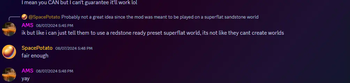
Create a new super flat world WITH THE REDSTONE READY PRESET (if the world isn't made of sandstone, you didn't use the preset) and generate structures turned OFF. Other settings will be set automatically
When you're in the world, type /reload and you'll see a menu appear in the chat.
Click on Start Game to start the entire game. Clicking it again after the game has already started DOES NOT RESET THE GAME
Click on Stop Game to stop the entire game and generation. This will NOT get rid of the structures
Click on Start Generation to ONLY generate the rooms
Click on Stop Generation to ONLY stop generating the rooms
You will also see some extra options.
Hover over them for more info
Settings:
- Render Distance of 16+
- Simulation Distance same as render distance
- Smooth Lighting
Verfügbare Versionen
The Backrooms (spacepotato version.) Server einrichten
Server bestellen
Wähle mindestens 6 GB RAM (8 GB empfohlen für The Backrooms (spacepotato version.)). Je nach Spieleranzahl: +1 GB pro 5 Spieler.
Modpack im Dashboard installieren
Öffne den Modpack-Browser im Dashboard, suche nach "The Backrooms (spacepotato version.)" und klicke "Installieren". Der fabric-Loader und Minecraft 1.20.1 werden automatisch konfiguriert.
Server starten & spielen
Starte den Server – alle Mods werden automatisch geladen. Teile die Server-IP mit Freunden und spielt zusammen!
Häufige Fragen
The Backrooms (spacepotato version.) Server crasht oder startet nicht – was tun?
Häufigste Ursachen: zu wenig RAM oder falscher fabric-Loader. Prüfe latest.log auf "OutOfMemoryError" → erhöhe RAM auf mindestens 8 GB. Bei "Mixin" oder "ClassNotFoundException": Modpack-Version und Loader stimmen nicht überein. Bei Mado Hosting werden Loader und Minecraft-Version beim Modpack-Install automatisch konfiguriert – das verhindert die meisten Startprobleme.
Wie viel RAM braucht ein The Backrooms (spacepotato version.) Server wirklich?
Minimum 6 GB, empfohlen 8 GB für stabile Performance. +1 GB pro 5 Spieler. Wichtig: Minecraft-Modpacks brauchen mehr RAM als Vanilla – plane pro zusätzlichem Spieler extra ein. Bei Mado Hosting kannst du den RAM jederzeit live hochskalieren, ohne Datenverlust (ab €7.800000000000001/Monat).
Kann ich eigene Mods zu The Backrooms (spacepotato version.) hinzufügen, ohne Konflikte?
Ja, aber achte auf die Kompatibilität: Nutze nur Mods für den gleichen Loader (fabric) und die gleiche Minecraft-Version (1.20.1). Häufige Probleme: ID-Konflikte bei Rezept-Mods und inkompatible Coremod-Versionen. Im Mado Dashboard zeigt der Mod-Browser nur kompatible Mods an und warnt bei bekannten Konflikten.
The Backrooms (spacepotato version.) Server laggt – Performance-Tipps
1) RAM auf 8 GB+ erhöhen. 2) Server-View-Distance auf 8 reduzieren (server.properties). 3) Pre-Generiere Chunks mit dem "Chunky" Plugin. 4) Prüfe mit /spark profiler welche Mods die meiste Tick-Time verbrauchen. Bei Mado Hosting laufen alle Server auf NVMe-SSDs mit dedizierten CPU-Kernen – das eliminiert Hardware als Engpass.
Ähnliche Modpacks
![Cobblemon Official Modpack [Fabric]](https://cdn.modrinth.com/data/5FFgwNNP/e7f9ee2e9d361623847853fe2ddce42f519ee64f.png)
![COBBLEVERSE - Pokemon Adventure [Cobblemon]](https://cdn.modrinth.com/data/Jkb29YJU/581ecf54530972afb18a04660afd820f2f24f6c7.png)
![Better MC [FABRIC] - BMC2](https://cdn.modrinth.com/data/shFhR8Vx/a19c2bcb51d38f32f138d3607e91cb2b7b8e387f_96.webp)


![Better MC [FORGE] - BMC4](https://cdn.modrinth.com/data/4BV47HRn/7f5ef7cc61b2593609aabef3ed07a866a4f11b73_96.webp)
The Backrooms (spacepotato version.) Server mieten
Starte deinen eigenen Server mit automatischer Modpack-Installation.
Details
- Lizenz
- LicenseRef-All-Rights-Reserved
- Server-seitig
- Nicht unterstützt
- Client-seitig
- Erforderlich
Unterstützte Versionen
Starte deinen The Backrooms (spacepotato version.) Server jetzt
Ab €7.80/Monat; für die beste Performance werden 8 GB RAM empfohlen.
Server konfigurieren →