
theArcadia
A comprehensive modpack designed to enrich the original game experience
Screenshots
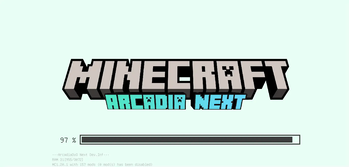
Über dieses Modpack
The Arcadia Project
⚠️ Under active development — new content is being added regularly.
Arcadia is a vanilla-friendly Minecraft modpack designed to keep the spirit of the
original game intact.
With Arcadia, you get an experience close to vanilla Minecraft: no quests, no
objectives, no restrictions — just pure sandbox freedom.
We hand-pick and integrate mods like Supplementaries, Quark, Amendments, and
Additional Additions to expand gameplay depth and variety, while carefully
preserving Minecraft's original art style and feel.
What's inside
| Category | Highlights |
|---|---|
| Vanilla+ | Supplementaries, Quark, Amendments, Spelunkery, Additional Additions — subtle enhancements that blend seamlessly |
| Living World | FarmersDelight & Kaleidoscope cooking, Sophisticated Backpacks & Storage, Tinkers' Construct, Storage Drawers, Waystones, Serene Seasons, Touhou Little Maid, CC: Tweaked, and more — 50+ mods for food, furniture, tools, and daily life |
| Create | Create 6.0 + 20+ addons including Aeronautics, Big Cannons, Power Grid, Diesel Generators, Copycats+, and Design 'n' Decor |
| Adventure | Twilight Forest, The Aether, Alex's Mobs & Caves, Iron's Spells 'n Spellbooks, Oh The Biomes We've Gone, Biomes O' Plenty, and 18+ new structure packs by YUNG's & Moog's |
| Tech | Applied Energistics 2 + 6 addons, Immersive Engineering |
| Compat | 8 cross-mod integration bridges ensuring everything works together |
Advanced client experience
30+ client mods deliver a polished, thoughtful experience — every pixel
and interaction has been tuned.
UI & typography. ModernUI replaces the bitmap font with vector
typesetting — crisp at any scale, CJK rendering correct. FrontierUI
remasters every GUI screen with a consistent clean aesthetic. FancyMenu
and Drippy Loading Screen make booting feel intentional, not like a
progress bar from 2011.
Information, when you need it. Jade tells you what you're looking at
without popups. EMI surfaces every recipe; JEI ensures no gaps. AppleSkin
shows hunger and saturation inline on food. PickUpNotifier quietly logs
inventory changes. TravelersTitles announces biomes with a subtle
FromSoftware-style banner.
Character. Not Enough Animations adds weight to climbing, crawling, and
ladder grabbing. Skin Layers 3D gives depth to hats and armor. Chat
Animation makes multiplayer conversations feel alive.
Performance you feel. Sodium + Iris: shader visuals at high FPS on
modest hardware. ModernFix + FerriteCore: fewer GC spikes, smooth chunk
loading. Dynamic lights without the usual tax.
Build with ShulkerRDK
Verfügbare Versionen
theArcadia Server einrichten
Server bestellen
Wähle mindestens 6 GB RAM (8 GB empfohlen für theArcadia). Je nach Spieleranzahl: +1 GB pro 5 Spieler.
Modpack im Dashboard installieren
Öffne den Modpack-Browser im Dashboard, suche nach "theArcadia" und klicke "Installieren". Der forge-Loader und Minecraft 1.21.1 werden automatisch konfiguriert.
Server starten & spielen
Starte den Server – alle Mods werden automatisch geladen. Teile die Server-IP mit Freunden und spielt zusammen!
Häufige Fragen
theArcadia Server crasht oder startet nicht – was tun?
Häufigste Ursachen: zu wenig RAM oder falscher forge-Loader. Prüfe latest.log auf "OutOfMemoryError" → erhöhe RAM auf mindestens 8 GB. Bei "Mixin" oder "ClassNotFoundException": Modpack-Version und Loader stimmen nicht überein. Bei Mado Hosting werden Loader und Minecraft-Version beim Modpack-Install automatisch konfiguriert – das verhindert die meisten Startprobleme.
Wie viel RAM braucht ein theArcadia Server wirklich?
Minimum 6 GB, empfohlen 8 GB für stabile Performance. +1 GB pro 5 Spieler. Wichtig: Minecraft-Modpacks brauchen mehr RAM als Vanilla – plane pro zusätzlichem Spieler extra ein. Bei Mado Hosting kannst du den RAM jederzeit live hochskalieren, ohne Datenverlust (ab €7.800000000000001/Monat).
Kann ich eigene Mods zu theArcadia hinzufügen, ohne Konflikte?
Ja, aber achte auf die Kompatibilität: Nutze nur Mods für den gleichen Loader (forge) und die gleiche Minecraft-Version (1.21.1). Häufige Probleme: ID-Konflikte bei Rezept-Mods und inkompatible Coremod-Versionen. Im Mado Dashboard zeigt der Mod-Browser nur kompatible Mods an und warnt bei bekannten Konflikten.
theArcadia Server laggt – Performance-Tipps
1) RAM auf 8 GB+ erhöhen. 2) Server-View-Distance auf 8 reduzieren (server.properties). 3) Pre-Generiere Chunks mit dem "Chunky" Plugin. 4) Prüfe mit /spark profiler welche Mods die meiste Tick-Time verbrauchen. Bei Mado Hosting laufen alle Server auf NVMe-SSDs mit dedizierten CPU-Kernen – das eliminiert Hardware als Engpass.
Ähnliche Modpacks
![Cobblemon Official Modpack [Fabric]](https://cdn.modrinth.com/data/5FFgwNNP/e7f9ee2e9d361623847853fe2ddce42f519ee64f.png)
![COBBLEVERSE - Pokemon Adventure [Cobblemon]](https://cdn.modrinth.com/data/Jkb29YJU/581ecf54530972afb18a04660afd820f2f24f6c7.png)
![Better MC [FABRIC] - BMC2](https://cdn.modrinth.com/data/shFhR8Vx/a19c2bcb51d38f32f138d3607e91cb2b7b8e387f_96.webp)


![Better MC [FORGE] - BMC4](https://cdn.modrinth.com/data/4BV47HRn/7f5ef7cc61b2593609aabef3ed07a866a4f11b73_96.webp)
theArcadia Server mieten
Starte deinen eigenen Server mit automatischer Modpack-Installation.
Details
- Lizenz
- GNU Affero General Public License v3.0 or later
- Server-seitig
- Optional
- Client-seitig
- Optional
Unterstützte Versionen
Starte deinen theArcadia Server jetzt
Ab €7.80/Monat; für die beste Performance werden 8 GB RAM empfohlen.
Server konfigurieren →