
Vanilla II: The Journey
Go on an Amazing Journey in a Familiar World. A Modpack for Everyone! MC 1.21.1
Screenshots

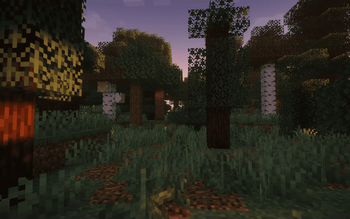
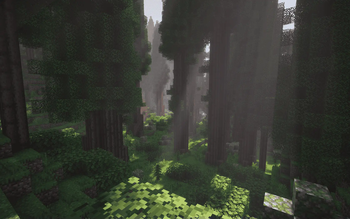
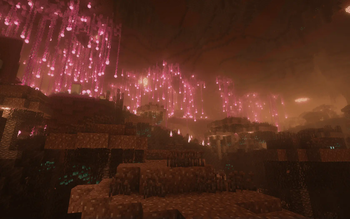
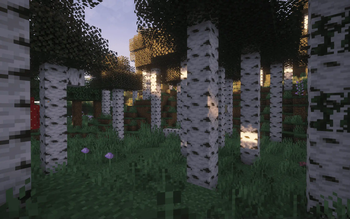
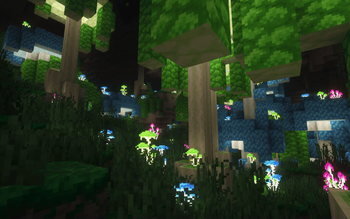
Über dieses Modpack
Welcome to Your Journey
Please Install: FTB Quests - FTB Teams - FTB Library - FTB Filter System - FTB Mod Compat
Installation Guide
These mods need to be installed from CurseForge for the full experience, since they aren't available on Modrinth due to copyright. Sorry for the Inconvenience!
Main Features
General
- A Familliar Yet Overhauled World
- Custom Gear Tiering System
- Easy to Understand with Advanced Concepts
- Fleshed Out Quest Lines to Guide You
- Focus on Integration and Compatibility
- Extensive and Integrated Lore
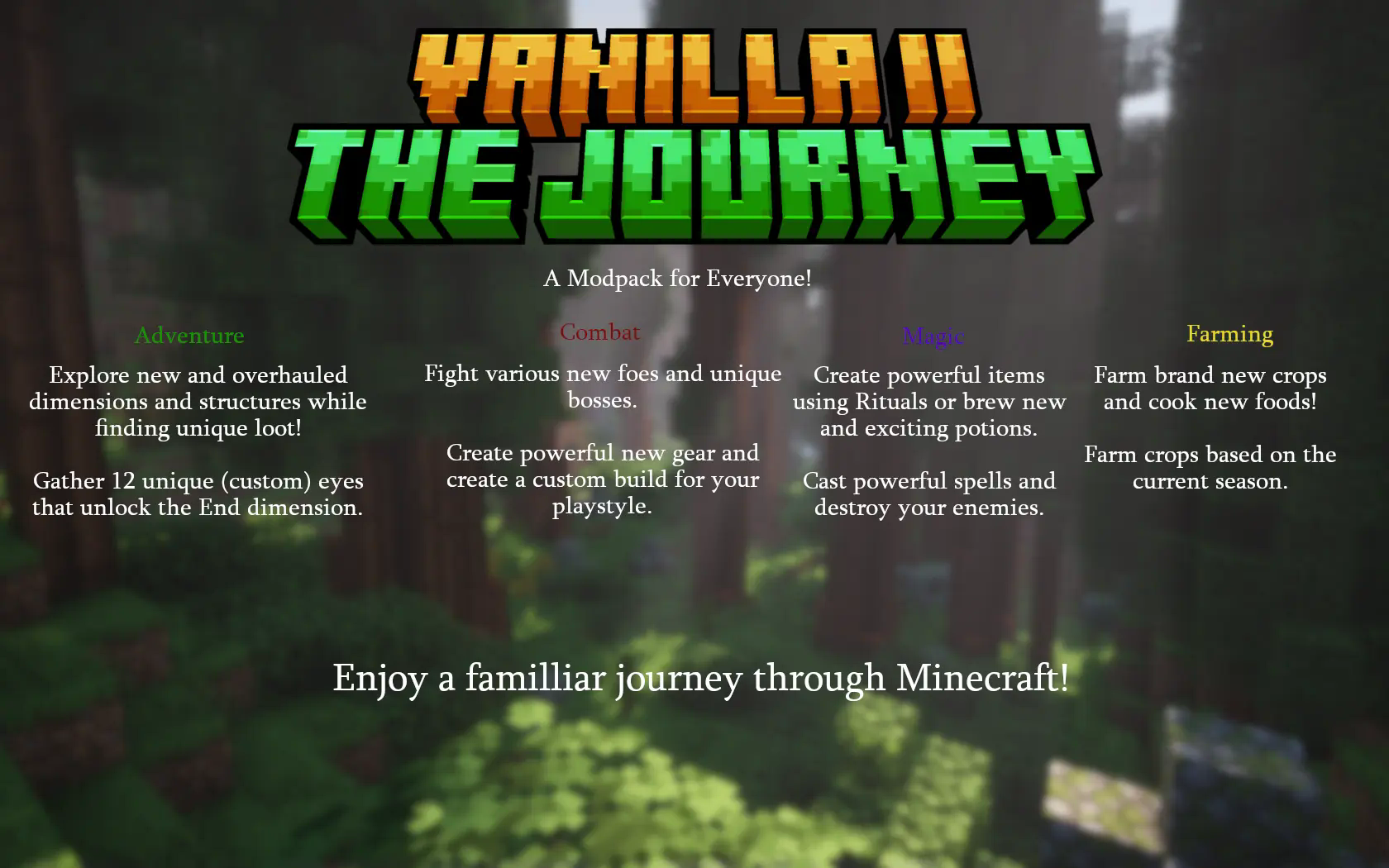
Adventure 🌎
- New & Overhauled Biomes
- Explore 2 New Dimensions
- Enhanced Nether & End Dimension
- Many New Structures & Overhauled Structures
- Custom Journey to the End
- Unique Loot found only by Exploring
Combat ⚔️
- Overhauled Combat Mechanics
- 14 New Bosses
- Unique Classes
- New Unique Equipment
Magic 🔮
- Expanded Enchanting System
- New Brewing Mechanics
- Spell Casting
- Rituals
Farming 🌾
- Seasons
- Enhanced Food Cooking
- New Crops
- Different Food Types
Tech 🛠️
- More Redstone Components
- New Machines
- Alloying Forges
Other Features
- Easy Multiplayer
- Many Quality of Life Features
- Enhanced Visuals
- Many New Decorational Blocks
- Balance Changes
- Custom GUI
- End Game Challenges
Archived
Please note that this project has been archived. This project will no longer receive updates or bug fixes
Roadmap
These are things I have planned for the modpack in order of priority. To follow its development and a full roadmap Join the Discord.
- Continuous polishing and general improvements
- Improving the quest lines
- More tech related mechanics
- More brewing mechanics
Support
Credits
- The amazing mod creators that make this modpack possible
- Prominece II RPG and Integrated MC for inspiring me
- Forg (cleannrooster) for creating a compatibility pack for Better Combat x Serious Player Animations
Verfügbare Versionen
Vanilla II: The Journey Server einrichten
Server bestellen
Wähle mindestens 6 GB RAM (8 GB empfohlen für Vanilla II: The Journey). Je nach Spieleranzahl: +1 GB pro 5 Spieler.
Modpack im Dashboard installieren
Öffne den Modpack-Browser im Dashboard, suche nach "Vanilla II: The Journey" und klicke "Installieren". Der fabric-Loader und Minecraft 1.21.1 werden automatisch konfiguriert.
Server starten & spielen
Starte den Server – alle Mods werden automatisch geladen. Teile die Server-IP mit Freunden und spielt zusammen!
Häufige Fragen
Vanilla II: The Journey Server crasht oder startet nicht – was tun?
Häufigste Ursachen: zu wenig RAM oder falscher fabric-Loader. Prüfe latest.log auf "OutOfMemoryError" → erhöhe RAM auf mindestens 8 GB. Bei "Mixin" oder "ClassNotFoundException": Modpack-Version und Loader stimmen nicht überein. Bei Mado Hosting werden Loader und Minecraft-Version beim Modpack-Install automatisch konfiguriert – das verhindert die meisten Startprobleme.
Wie viel RAM braucht ein Vanilla II: The Journey Server wirklich?
Minimum 6 GB, empfohlen 8 GB für stabile Performance. +1 GB pro 5 Spieler. Wichtig: Minecraft-Modpacks brauchen mehr RAM als Vanilla – plane pro zusätzlichem Spieler extra ein. Bei Mado Hosting kannst du den RAM jederzeit live hochskalieren, ohne Datenverlust (ab €7.800000000000001/Monat).
Kann ich eigene Mods zu Vanilla II: The Journey hinzufügen, ohne Konflikte?
Ja, aber achte auf die Kompatibilität: Nutze nur Mods für den gleichen Loader (fabric) und die gleiche Minecraft-Version (1.21.1). Häufige Probleme: ID-Konflikte bei Rezept-Mods und inkompatible Coremod-Versionen. Im Mado Dashboard zeigt der Mod-Browser nur kompatible Mods an und warnt bei bekannten Konflikten.
Vanilla II: The Journey Server laggt – Performance-Tipps
1) RAM auf 8 GB+ erhöhen. 2) Server-View-Distance auf 8 reduzieren (server.properties). 3) Pre-Generiere Chunks mit dem "Chunky" Plugin. 4) Prüfe mit /spark profiler welche Mods die meiste Tick-Time verbrauchen. Bei Mado Hosting laufen alle Server auf NVMe-SSDs mit dedizierten CPU-Kernen – das eliminiert Hardware als Engpass.
Ähnliche Modpacks
![Cobblemon Official Modpack [Fabric]](https://cdn.modrinth.com/data/5FFgwNNP/e7f9ee2e9d361623847853fe2ddce42f519ee64f.png)
![COBBLEVERSE - Pokemon Adventure [Cobblemon]](https://cdn.modrinth.com/data/Jkb29YJU/581ecf54530972afb18a04660afd820f2f24f6c7.png)
![Better MC [FABRIC] - BMC2](https://cdn.modrinth.com/data/shFhR8Vx/a19c2bcb51d38f32f138d3607e91cb2b7b8e387f_96.webp)


![Better MC [FORGE] - BMC4](https://cdn.modrinth.com/data/4BV47HRn/7f5ef7cc61b2593609aabef3ed07a866a4f11b73_96.webp)
Vanilla II: The Journey Server mieten
Starte deinen eigenen Server mit automatischer Modpack-Installation.
Details
- Lizenz
- LicenseRef-All-Rights-Reserved
- Server-seitig
- Erforderlich
- Client-seitig
- Erforderlich
Unterstützte Versionen
Starte deinen Vanilla II: The Journey Server jetzt
Ab €7.80/Monat; für die beste Performance werden 8 GB RAM empfohlen.
Server konfigurieren →