
VanillaReal
A difficult, RLCraft inspired modpack, that keeps a somewhat vanilla feel while turning up the difficulty to 11.
Screenshots
Über dieses Modpack
Is regular Minecraft becoming too easy?
This modpack aims to create a fun but challenging expereience through mods that add challenge, but keep your gameplay silky smooth.
Features
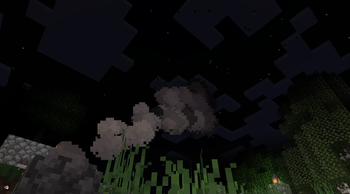
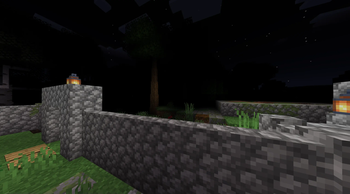
Darker darkness
Don't get caught out at night, you will not be able to see.
Tempature, thirst, and healing
It wouldn't be a realistic modpack without modifying these core aspects of the game. You will have to monitor your tempature closely to make sure you don't burn—or freeze—to death. While you're managing that, don't forget to stay hydrated! Finally, healing is limb based, so always keep bandages on you or you will suffer the consequences.
Food and plants
While seasons aren't a factor in this modpack, you should keep a varied supply of food because, after all, eating the same thing every single day gets boring (and less effective) over time.
Automation
To obtain the resources you will need to thrive in this dangerous world, immersive engineering provides a solution to automation. However, be careful with your manufacturing habits, they may catch up to you later in the form of air and water pollution.
Multiplayer
This modpack includes several multiplayer enhancements such as the ability to revive your fallen friends, proximity voice chat, and the Essential mod, which allows for easy multiplayer without the need for sometimes pricey servers.
To those with arachnophobia, or anyone who's not a huge fan of spiders, I reccomend disabling or removing the "Nyf's Spiders" mod, in order to modify the modpack, go to the modpack options, and toward the bottom there is an option to unlock the modpack.
Verfügbare Versionen
VanillaReal Server einrichten
Server bestellen
Wähle mindestens 6 GB RAM (8 GB empfohlen für VanillaReal). Je nach Spieleranzahl: +1 GB pro 5 Spieler.
Modpack im Dashboard installieren
Öffne den Modpack-Browser im Dashboard, suche nach "VanillaReal" und klicke "Installieren". Der neoforge-Loader und Minecraft 1.20.1 werden automatisch konfiguriert.
Server starten & spielen
Starte den Server – alle Mods werden automatisch geladen. Teile die Server-IP mit Freunden und spielt zusammen!
Häufige Fragen
VanillaReal Server crasht oder startet nicht – was tun?
Häufigste Ursachen: zu wenig RAM oder falscher neoforge-Loader. Prüfe latest.log auf "OutOfMemoryError" → erhöhe RAM auf mindestens 8 GB. Bei "Mixin" oder "ClassNotFoundException": Modpack-Version und Loader stimmen nicht überein. Bei Mado Hosting werden Loader und Minecraft-Version beim Modpack-Install automatisch konfiguriert – das verhindert die meisten Startprobleme.
Wie viel RAM braucht ein VanillaReal Server wirklich?
Minimum 6 GB, empfohlen 8 GB für stabile Performance. +1 GB pro 5 Spieler. Wichtig: Minecraft-Modpacks brauchen mehr RAM als Vanilla – plane pro zusätzlichem Spieler extra ein. Bei Mado Hosting kannst du den RAM jederzeit live hochskalieren, ohne Datenverlust (ab €7.800000000000001/Monat).
Kann ich eigene Mods zu VanillaReal hinzufügen, ohne Konflikte?
Ja, aber achte auf die Kompatibilität: Nutze nur Mods für den gleichen Loader (neoforge) und die gleiche Minecraft-Version (1.20.1). Häufige Probleme: ID-Konflikte bei Rezept-Mods und inkompatible Coremod-Versionen. Im Mado Dashboard zeigt der Mod-Browser nur kompatible Mods an und warnt bei bekannten Konflikten.
VanillaReal Server laggt – Performance-Tipps
1) RAM auf 8 GB+ erhöhen. 2) Server-View-Distance auf 8 reduzieren (server.properties). 3) Pre-Generiere Chunks mit dem "Chunky" Plugin. 4) Prüfe mit /spark profiler welche Mods die meiste Tick-Time verbrauchen. Bei Mado Hosting laufen alle Server auf NVMe-SSDs mit dedizierten CPU-Kernen – das eliminiert Hardware als Engpass.
Ähnliche Modpacks
![Cobblemon Official Modpack [Fabric]](https://cdn.modrinth.com/data/5FFgwNNP/e7f9ee2e9d361623847853fe2ddce42f519ee64f.png)
![COBBLEVERSE - Pokemon Adventure [Cobblemon]](https://cdn.modrinth.com/data/Jkb29YJU/581ecf54530972afb18a04660afd820f2f24f6c7.png)
![Better MC [FABRIC] - BMC2](https://cdn.modrinth.com/data/shFhR8Vx/a19c2bcb51d38f32f138d3607e91cb2b7b8e387f_96.webp)


![Better MC [FORGE] - BMC4](https://cdn.modrinth.com/data/4BV47HRn/7f5ef7cc61b2593609aabef3ed07a866a4f11b73_96.webp)
VanillaReal Server mieten
Starte deinen eigenen Server mit automatischer Modpack-Installation.
Unterstützte Versionen
Starte deinen VanillaReal Server jetzt
Ab €7.80/Monat; für die beste Performance werden 8 GB RAM empfohlen.
Server konfigurieren →