
Yume 3
Exploration based modpack which rewards the player for discovering new biomes and items - Fabric 1.20.1
Screenshots
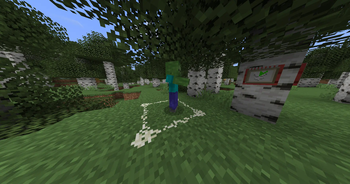
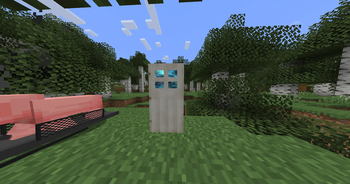
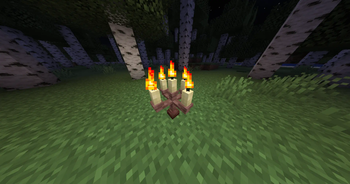
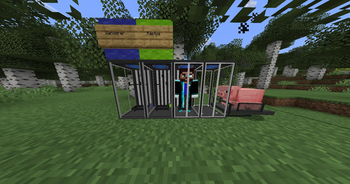
Über dieses Modpack
A magic driven modpack focused around color and exploration. Take pictues, savor the moment, then use that moment as power. Get bored of colors then make a clone or set up your very own computer. There are endless possibilities (which makes sense, you are playing minecraft after all). Pick your Origin or have it picked for you, experience the world with unique abilities and attributes with a copious amount of origins, you and all your friends can be a unique band of adventurers.
There is somthing for everyone to enjoy from, adventureing, cooking, magic, rituals and building with an assortment of new bloocks ranging from woods, stones, plants, wool, lanterns and varietys of glass blocks to spicy up your builds.
Features
- Clones - The ability to clone yourself and escape death
- Story Driven Magic - The Spectrem mod adds a full story and a bunch of magical items to go with it
- Witchcraft - from curses to flying brooms bewitchment adds in familars, protective salts, summon circles, and unqiue potoin brewing.
- Species - Every player is a different species thanks to the origins mod. This gives every player a special powers and weaknesses.
- Computers - using lua you can program a fully working computer
- Exploration - mods like artifacts, spectrem and Better End reward the player for finding new locations
- Cooking - Makes sandwiches to fried chicken
- Seasons - changing seasons to give a sense of time to the game
Verfügbare Versionen
Yume 3 Server einrichten
Server bestellen
Wähle mindestens 6 GB RAM (8 GB empfohlen für Yume 3). Je nach Spieleranzahl: +1 GB pro 5 Spieler.
Modpack im Dashboard installieren
Öffne den Modpack-Browser im Dashboard, suche nach "Yume 3" und klicke "Installieren". Der fabric-Loader und Minecraft 1.20.1 werden automatisch konfiguriert.
Server starten & spielen
Starte den Server – alle Mods werden automatisch geladen. Teile die Server-IP mit Freunden und spielt zusammen!
Häufige Fragen
Yume 3 Server crasht oder startet nicht – was tun?
Häufigste Ursachen: zu wenig RAM oder falscher fabric-Loader. Prüfe latest.log auf "OutOfMemoryError" → erhöhe RAM auf mindestens 8 GB. Bei "Mixin" oder "ClassNotFoundException": Modpack-Version und Loader stimmen nicht überein. Bei Mado Hosting werden Loader und Minecraft-Version beim Modpack-Install automatisch konfiguriert – das verhindert die meisten Startprobleme.
Wie viel RAM braucht ein Yume 3 Server wirklich?
Minimum 6 GB, empfohlen 8 GB für stabile Performance. +1 GB pro 5 Spieler. Wichtig: Minecraft-Modpacks brauchen mehr RAM als Vanilla – plane pro zusätzlichem Spieler extra ein. Bei Mado Hosting kannst du den RAM jederzeit live hochskalieren, ohne Datenverlust (ab €7.800000000000001/Monat).
Kann ich eigene Mods zu Yume 3 hinzufügen, ohne Konflikte?
Ja, aber achte auf die Kompatibilität: Nutze nur Mods für den gleichen Loader (fabric) und die gleiche Minecraft-Version (1.20.1). Häufige Probleme: ID-Konflikte bei Rezept-Mods und inkompatible Coremod-Versionen. Im Mado Dashboard zeigt der Mod-Browser nur kompatible Mods an und warnt bei bekannten Konflikten.
Yume 3 Server laggt – Performance-Tipps
1) RAM auf 8 GB+ erhöhen. 2) Server-View-Distance auf 8 reduzieren (server.properties). 3) Pre-Generiere Chunks mit dem "Chunky" Plugin. 4) Prüfe mit /spark profiler welche Mods die meiste Tick-Time verbrauchen. Bei Mado Hosting laufen alle Server auf NVMe-SSDs mit dedizierten CPU-Kernen – das eliminiert Hardware als Engpass.
Ähnliche Modpacks
![Cobblemon Official Modpack [Fabric]](https://cdn.modrinth.com/data/5FFgwNNP/e7f9ee2e9d361623847853fe2ddce42f519ee64f.png)
![COBBLEVERSE - Pokemon Adventure [Cobblemon]](https://cdn.modrinth.com/data/Jkb29YJU/581ecf54530972afb18a04660afd820f2f24f6c7.png)
![Better MC [FABRIC] - BMC2](https://cdn.modrinth.com/data/shFhR8Vx/a19c2bcb51d38f32f138d3607e91cb2b7b8e387f_96.webp)


![Better MC [FORGE] - BMC4](https://cdn.modrinth.com/data/4BV47HRn/7f5ef7cc61b2593609aabef3ed07a866a4f11b73_96.webp)
Yume 3 Server mieten
Starte deinen eigenen Server mit automatischer Modpack-Installation.
Unterstützte Versionen
Starte deinen Yume 3 Server jetzt
Ab €7.80/Monat; für die beste Performance werden 8 GB RAM empfohlen.
Server konfigurieren →