
Zombie Apocalypse
Experience never seen zombie apocalypse with guns for fabric
Screenshots
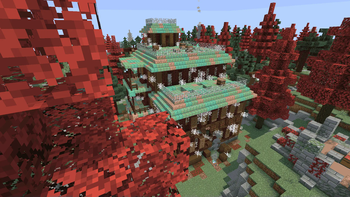
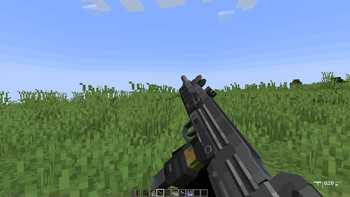
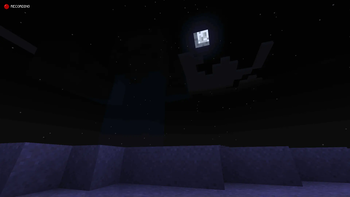
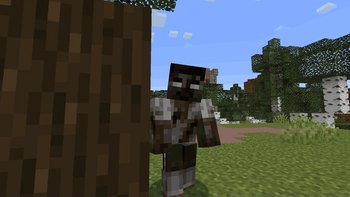
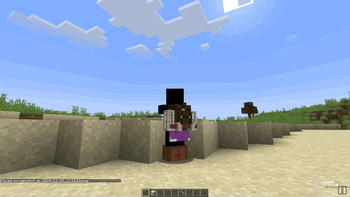
Über dieses Modpack
Hey guys. I put this together mainly because vanilla zombies are basically a joke. You build a dirt wall on day one and the survival aspect is just gone. I wanted an actual apocalypse feel for Fabric, but without having to download one of those insane 300-mod bloatware packs that absolutely tanks your framerate.
So I'm just throwing my personal setup up here on Modrinth. It's really nothing crazy, but it gets the job done if you just want a decent survival challenge without a bunch of unnecessary junk.
Here is basically what's in it:
- Tougher mobs: Zombies are actually a threat now. I messed with the spawn rates and their AI so they'll actually swarm you instead of just wandering around in circles.
- Guns: Put some firearms in to deal with the swarms, but ammo is pretty hard to find. You actually have to aim and conserve shots instead of just holding down the trigger.
- World changes: Tweaked the world gen a bit so it feels more like an actual wasteland. Added some custom structures too—they're pretty tough to clear, but the loot is usually worth the headache.
- Performance: It's pretty lightweight. I didn't want to kill my own PC, so I made sure it runs decently whether you're on single-player or hosting a server.
Quick heads up: I'd highly suggest grabbing Tissou's Zombie Pack to go with this. I didn't pack it by default bcz i didn't have rights to upload it here, but it makes the mobs look way creepier and you should definitely use it.
Some other Versions:
- Zombie Apocalypse [MAP] (Client with Custom Map): Experience the apocalypse on a custom-crafted map designed to intensify gameplay.
- Zombie Apocalypse Server: Host a seamless multiplayer zombie apocalypse, with mods optimized for server stability and performance.
- Zombie Apocalypse Server [MAP]: Host multiplayer survival on the custom map, providing a unique and challenging experience for your friends or community.
Anyway, hope you guys get some fun out of it. Let me know if any of the mods randomly conflict or break.
Verfügbare Versionen
Zombie Apocalypse Server einrichten
Server bestellen
Wähle mindestens 6 GB RAM (8 GB empfohlen für Zombie Apocalypse). Je nach Spieleranzahl: +1 GB pro 5 Spieler.
Modpack im Dashboard installieren
Öffne den Modpack-Browser im Dashboard, suche nach "Zombie Apocalypse" und klicke "Installieren". Der fabric-Loader und Minecraft 1.20.1 werden automatisch konfiguriert.
Server starten & spielen
Starte den Server – alle Mods werden automatisch geladen. Teile die Server-IP mit Freunden und spielt zusammen!
Häufige Fragen
Zombie Apocalypse Server crasht oder startet nicht – was tun?
Häufigste Ursachen: zu wenig RAM oder falscher fabric-Loader. Prüfe latest.log auf "OutOfMemoryError" → erhöhe RAM auf mindestens 8 GB. Bei "Mixin" oder "ClassNotFoundException": Modpack-Version und Loader stimmen nicht überein. Bei Mado Hosting werden Loader und Minecraft-Version beim Modpack-Install automatisch konfiguriert – das verhindert die meisten Startprobleme.
Wie viel RAM braucht ein Zombie Apocalypse Server wirklich?
Minimum 6 GB, empfohlen 8 GB für stabile Performance. +1 GB pro 5 Spieler. Wichtig: Minecraft-Modpacks brauchen mehr RAM als Vanilla – plane pro zusätzlichem Spieler extra ein. Bei Mado Hosting kannst du den RAM jederzeit live hochskalieren, ohne Datenverlust (ab €7.800000000000001/Monat).
Kann ich eigene Mods zu Zombie Apocalypse hinzufügen, ohne Konflikte?
Ja, aber achte auf die Kompatibilität: Nutze nur Mods für den gleichen Loader (fabric) und die gleiche Minecraft-Version (1.20.1). Häufige Probleme: ID-Konflikte bei Rezept-Mods und inkompatible Coremod-Versionen. Im Mado Dashboard zeigt der Mod-Browser nur kompatible Mods an und warnt bei bekannten Konflikten.
Zombie Apocalypse Server laggt – Performance-Tipps
1) RAM auf 8 GB+ erhöhen. 2) Server-View-Distance auf 8 reduzieren (server.properties). 3) Pre-Generiere Chunks mit dem "Chunky" Plugin. 4) Prüfe mit /spark profiler welche Mods die meiste Tick-Time verbrauchen. Bei Mado Hosting laufen alle Server auf NVMe-SSDs mit dedizierten CPU-Kernen – das eliminiert Hardware als Engpass.
Ähnliche Modpacks
![Cobblemon Official Modpack [Fabric]](https://cdn.modrinth.com/data/5FFgwNNP/e7f9ee2e9d361623847853fe2ddce42f519ee64f.png)
![COBBLEVERSE - Pokemon Adventure [Cobblemon]](https://cdn.modrinth.com/data/Jkb29YJU/581ecf54530972afb18a04660afd820f2f24f6c7.png)
![Better MC [FABRIC] - BMC2](https://cdn.modrinth.com/data/shFhR8Vx/a19c2bcb51d38f32f138d3607e91cb2b7b8e387f_96.webp)


![Better MC [FORGE] - BMC4](https://cdn.modrinth.com/data/4BV47HRn/7f5ef7cc61b2593609aabef3ed07a866a4f11b73_96.webp)
Zombie Apocalypse Server mieten
Starte deinen eigenen Server mit automatischer Modpack-Installation.
Unterstützte Versionen
Starte deinen Zombie Apocalypse Server jetzt
Ab €7.80/Monat; für die beste Performance werden 8 GB RAM empfohlen.
Server konfigurieren →