
7 Days to Mine
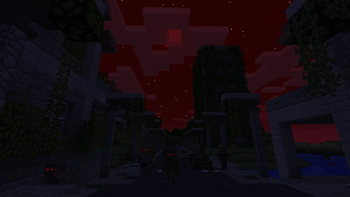
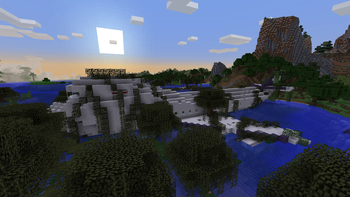
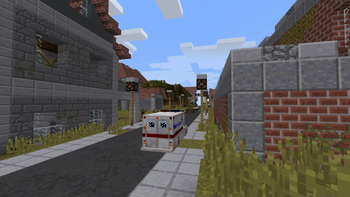
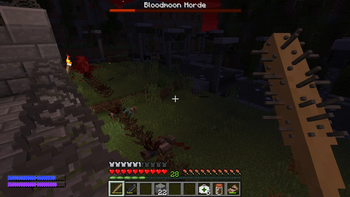
7 Days to mine is a large zombie apocalypse mod, based on the 7 Days to Die game by The Fun Pimps. Survive in a world full of ruins, abandoned cities, and zombies.
Screenshots
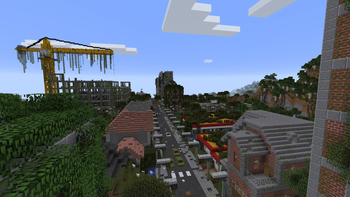
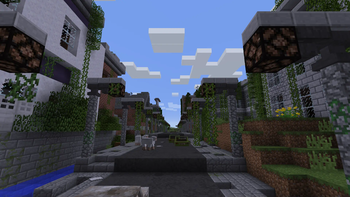
Über diese Mod

7 Days to Mine is a large zombie apocalypse mod, based on the 7 Days to Die game by The Fun Pimps. Survive in a world full of ruins, abandoned cities, and zombies. Build bases to protect you from the hordes, utilize old technology, fix vehicles, or die.
Compability
The mod uses a custom main menu, sky, cloud and player renderers, and GLSL shaders, which might cause issues with other mods doing the same things. If you happen to want to use any of such mods, it is recommended to turn these features of 7 Days to Mine off in the config file (.minecraft/config/sevendaystomine.cfg).
The custom first-person gun rendering does not work properly when the Replay Mod is used.
Otherwise, the mod should be Compatible™ with most mods. There is built-in compatibility with JEI (recipes for the custom "stations" as well some bits of information).
With shaders, you have about a 50/50 chance they work. The most common issue with them is the rendering of the in-game CCTV cameras. Keep in my, that almost all shaders require that you set "customSky" in the config file to false.
Using "Bukkit-Forge" hybrids (such as Magma, CatServer) causes certain player data (thirst, infection) to not be reset. Therefore it is recommended to either not use these, or to use the /hydrate and /cure commands when a player respawns.
Because of how performance-intensive the world generation can be, you might want to consider using some sort of a world pregenerator mod.
Special thanks to...
- princepat711 for many textures
- tild09 for many textures
- Krapsy for textures
- Crazy_Jky for Chinese localization
- Nep Games for Russian localization
- Nykrdaudr for a lot of testing and many ideas
- The Fun Pimps for making 7 Days to Die
- Pylo for making MCreator, that made the original mod possible
- everyone who participated in the pre-release testing or supported me on YouTube
Verfügbare Versionen
7 Days to Mine auf dem Server installieren
Server bestellen
Bestelle einen Minecraft Java Server mit mindestens 4 GB RAM (6 GB empfohlen).
forge Loader setzen
Wähle im Panel unter "Egg" den forge-Loader und die passende Minecraft-Version (1.12.2).
Mod installieren
Öffne den Mod-Browser im Dashboard und suche nach "7 Days to Mine". Klicke "Installieren" – fertig! Alternativ: Lade die .jar via SFTP in den /mods Ordner.
Kompatibilität
Mod-Loader
Minecraft-Versionen
1.12.2
Server-seitig
✓ ErforderlichEmpfohlener RAM
6 GB(min. 4 GB)Häufige Fragen
7 Days to Mine Server crasht beim Start – was tun?
Häufigste Ursache: falsche forge-Version oder zu wenig RAM. Prüfe im Server-Log (latest.log), ob ein "OutOfMemoryError" oder "Mixin"-Fehler auftritt. Bei Mado Hosting: Stelle sicher, dass mindestens 4 GB RAM zugewiesen sind und der Loader zur Mod-Version passt (1.12.2). Über das Panel kannst du den Loader mit einem Klick wechseln.
Ist 7 Days to Mine mit forge kompatibel?
7 Days to Mine unterstützt offiziell forge für Minecraft 1.12.2. Im Mado Dashboard werden inkompatible Loader-Kombinationen automatisch erkannt.
Server laggt mit 7 Days to Mine – wie optimiere ich die Performance?
Empfohlener RAM: 6 GB (+1 GB pro 5 Spieler). Prüfe mit /spark profiler, ob 7 Days to Mine den meisten Tick-Time verbraucht. Häufige Fixes: Server-View-Distance auf 8-10 reduzieren, bei Forge "performant" oder "starlight" als Zusatz-Mod installieren. Bei Mado Hosting läuft dein Server auf NVMe-SSDs mit dedizierten CPU-Kernen für minimale Latenz.
Ähnliche Mods




Modded Server mieten
Installiere 7 Days to Mine mit nur einem Klick auf deinem Server.