
Crosshair Indicator ➕
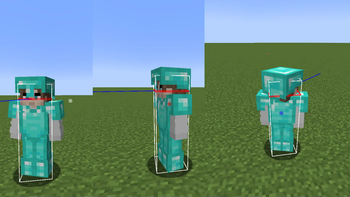
Changes the crosshair based on your ability to hit or crit / critical hit an enemy. Compatible with your own custom crosshair from any texturepack! Crosshair is centered by default.
Screenshots
Über diese Mod
🎯 Crosshair Indicator PLUS
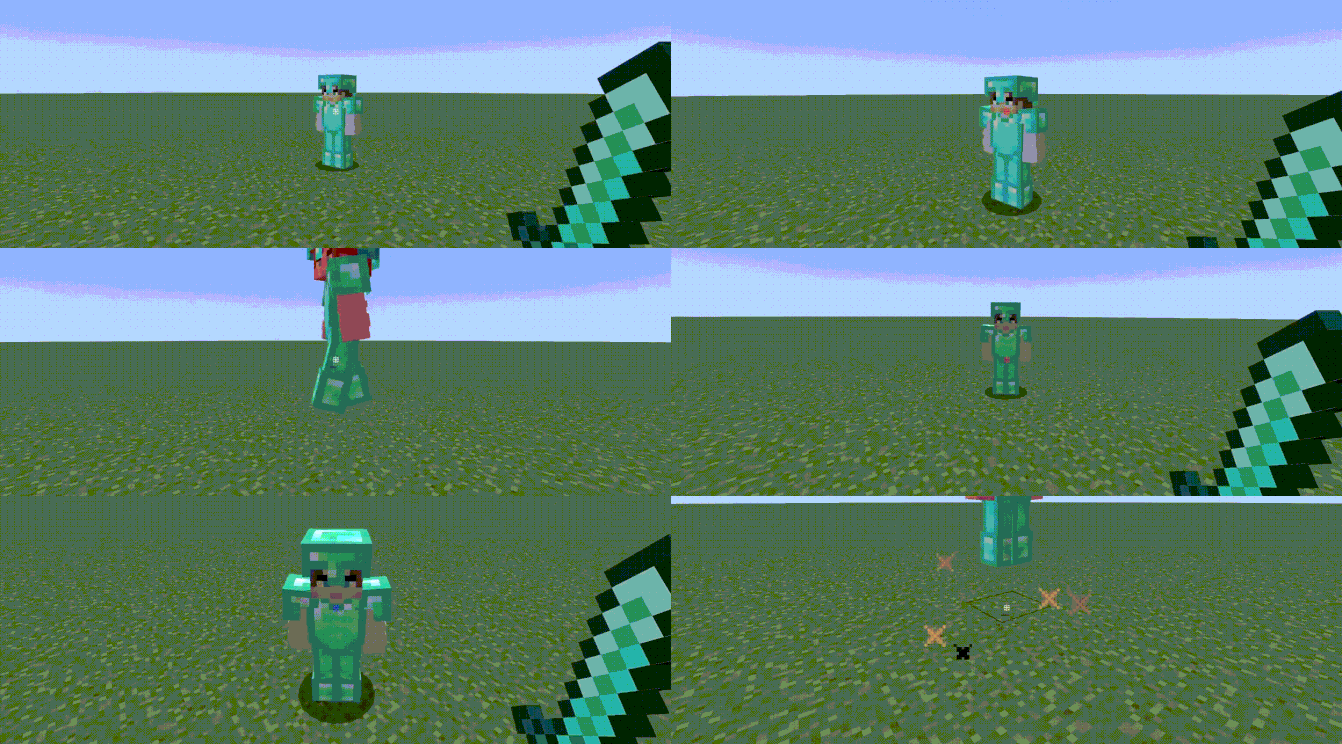
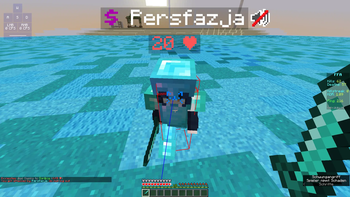
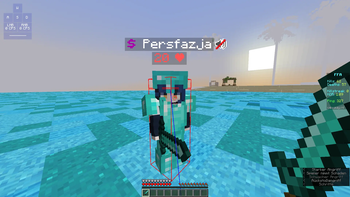
Crosshair Indicator PLUS is a lightweight client-side mod that changes the color of your crosshair based on your ability to hit or critical hit an enemy player:
🔴 Red crosshair when you're in range and can land a regular hit. (Sprint hit, sweep hit)
🔵 Blue crosshair when you're able to land a critical hit (falling, midair, etc).
preview 1: credit reddishgreen
🧩 Features
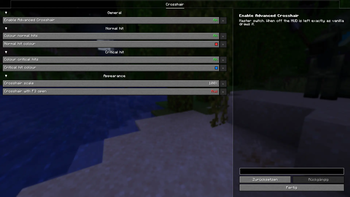
Modify the crosshair's colors in the config, enable/disable functionality
Use your own crosshair texture by changing your texturepack.
Compatible with ANY texturepack. Unlike Crosshair Indicator.
Fully client-side. No configuration. No dependancies.
Configuration
Open the settings from Mod Menu, or edit config/advancedcrosshair.json by hand.
| Setting | Default | Notes |
|---|---|---|
| Advanced Crosshair | ON | Master switch. Off means a completely untouched vanilla HUD. |
| Normal hit color | ON, #FFFF3333 |
Any #AARRGGBB or #RRGGBB hex code, alpha included. |
| Critical hit color | ON, #FF0080FF |
Turning this off falls back to the normal hit color, since a crit-capable moment is still a hit. |
| Crosshair scale | 100% | 50% to 500%. The attack indicator moves down to stay clear of a scaled-up crosshair. |
| Crosshair with F3 open | OFF | On, the normal crosshair is drawn instead of the debug one. |
Mod Menu is optional. Without it the mod still works and the JSON file is still read.
📍 Why is this useful?
Very useful for landing Punish Crits and W-Release Crits effectively.
Can help newer players understand and practice hit timing and mechanics
preview 2: my own footage
Crosshair Indicator PLUS helps you hit smarter, not harder!
Verfügbare Versionen
Crosshair Indicator ➕ auf deinem Client installieren
Mod-Loader lokal installieren
Installiere fabric für deine lokale Minecraft-Version.
Passende Datei herunterladen
Wähle die Crosshair Indicator ➕-Datei für fabric und Minecraft 26.2.
Mod installieren
Lege die .jar-Datei in deinem lokalen .minecraft/mods-Ordner ab und starte Minecraft neu. Eine Installation auf dem Server ist nicht nötig.
Kompatibilität
Mod-Loader
Minecraft-Versionen
26.2, 26.1.2, 26.1.1 (+13 weitere)
Server-seitig
✗ Nicht unterstütztEmpfohlener RAM
4 GB(min. 3 GB)Häufige Fragen
Muss Crosshair Indicator ➕ auf dem Minecraft Server installiert werden?
Nein. Modrinth kennzeichnet Crosshair Indicator ➕ serverseitig als nicht unterstützt. Installiere die Mod nur im lokalen Minecraft-Mods-Ordner. Dein Server kann unverändert bleiben, sofern die Mod-Seite keine zusätzliche Abhängigkeit nennt.
Welche Version und welchen Loader braucht Crosshair Indicator ➕?
Nutze eine Datei für fabric und exakt deine Minecraft-Version. Unterstützte Versionen sind unter anderem 26.2, 26.1.2, 26.1.1. Loader-Dateien sind nicht untereinander austauschbar.
Crosshair Indicator ➕ funktioniert nicht – was kann ich prüfen?
Prüfe zuerst Minecraft-Version, Loader-Version und erforderliche Abhängigkeiten. Lege die .jar-Datei im lokalen .minecraft/mods-Ordner ab und entferne ältere Duplikate. Da die Mod clientseitig ist, löst mehr Server-RAM dieses Problem nicht.
Ähnliche Mods



![[TaCZ] Timeless and Classics Zero](https://cdn.modrinth.com/data/SzzJttH8/fd27766d2bb8390d284696b1dbd358f87e081439_96.webp)


Minecraft Server für deine Gruppe
Crosshair Indicator ➕ bleibt auf deinem Client. Hoste dazu eine kompatible Welt für deine Mitspieler.