
Adventure Dungeons
Data pack that will add more structures to your Minecraft world
Screenshots
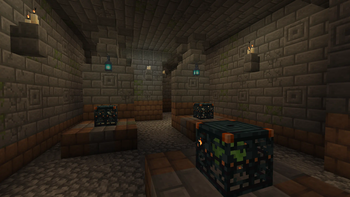
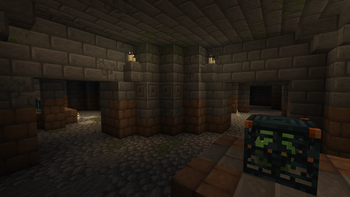
Über diese Mod
Adventure Dungeons is datapack that adds new structures to your Minecraft world. Every structure has a different idea behind it, but it's still trying to look like they're from vanilla Minecraft.
Here's a list of all structures from this datapack:
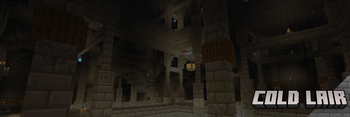
Cold Lair

Underground dungeon that can be found deeper under overworld's snow biomes. Consist of big room with bridges in middle that connects to other rooms in this dungeon.
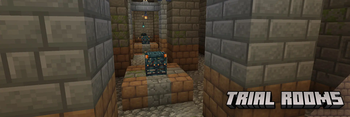
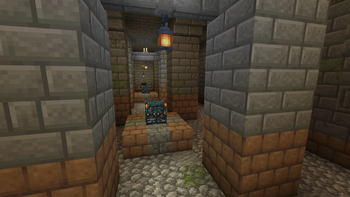
Trial Rooms

Underground dungeon that consists of rooms filled with trial spawners and vaults to loot. Can be found everywhere in overworld.
Bygone Dungeon

Underground dungeon that can be found under forest and plains biomes. Has chests and vaults to loot with trial spawners to fight.
Ruins

Small overworld structure that hidden in gravel or sands. While digging in it you can brush some gravel or sand with your brush to find some loot or even find chest that will have a explorer map to all underground dungeons from this datapack. Has a alternative variant called 'Underground Camp'.
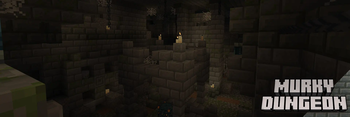
Murky Dungeon

Underground dungeon that can be found under swamps. Labyrinth-like structure, in which will be easy to get lost and has chests and vaults to loot with trial spawners to fight.
Custom advancements
Also this datapack has a custom advancements that will even reward you for finding all structures from this datapack:

Verfügbare Versionen
Adventure Dungeons auf dem Server installieren
Server bestellen
Bestelle einen Minecraft Java Server mit mindestens 4 GB RAM (6 GB empfohlen).
datapack Loader setzen
Wähle im Panel unter "Egg" den datapack-Loader und die passende Minecraft-Version (1.21.1).
Mod installieren
Öffne den Mod-Browser im Dashboard und suche nach "Adventure Dungeons". Klicke "Installieren" – fertig! Alternativ: Lade die .jar via SFTP in den /mods Ordner.
Kompatibilität
Mod-Loader
Minecraft-Versionen
1.21.1, 1.21, 1.20.6 (+2 weitere)
Server-seitig
✓ ErforderlichEmpfohlener RAM
6 GB(min. 4 GB)Häufige Fragen
Adventure Dungeons Server crasht beim Start – was tun?
Häufigste Ursache: falsche datapack-Version oder zu wenig RAM. Prüfe im Server-Log (latest.log), ob ein "OutOfMemoryError" oder "Mixin"-Fehler auftritt. Bei Mado Hosting: Stelle sicher, dass mindestens 4 GB RAM zugewiesen sind und der Loader zur Mod-Version passt (1.21.1). Über das Panel kannst du den Loader mit einem Klick wechseln.
Ist Adventure Dungeons mit datapack und fabric und forge und neoforge kompatibel?
Adventure Dungeons unterstützt offiziell datapack, fabric, forge, neoforge für Minecraft 1.21.1, 1.21, 1.20.6. Achtung: Forge- und Fabric-Mods sind NICHT untereinander kompatibel – wähle einen Loader und bleibe dabei. Im Mado Dashboard werden inkompatible Loader-Kombinationen automatisch erkannt.
Server laggt mit Adventure Dungeons – wie optimiere ich die Performance?
Empfohlener RAM: 6 GB (+1 GB pro 5 Spieler). Prüfe mit /spark profiler, ob Adventure Dungeons den meisten Tick-Time verbraucht. Häufige Fixes: Server-View-Distance auf 8-10 reduzieren, bei Forge "performant" oder "starlight" als Zusatz-Mod installieren. Bei Mado Hosting läuft dein Server auf NVMe-SSDs mit dedizierten CPU-Kernen für minimale Latenz.
Ähnliche Mods




Modded Server mieten
Installiere Adventure Dungeons mit nur einem Klick auf deinem Server.