
Alfheim
Visit Alfheim - The World of Elves!
Screenshots
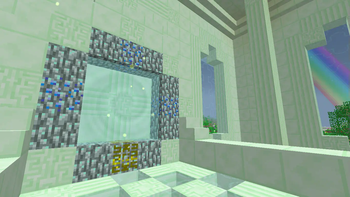
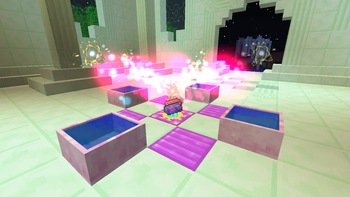
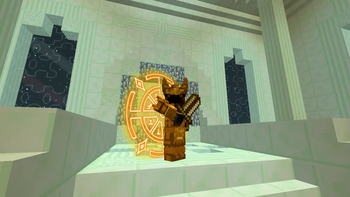
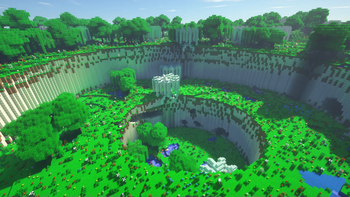
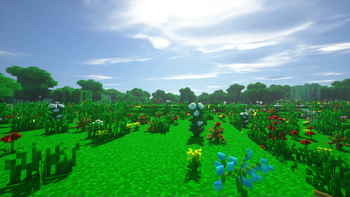
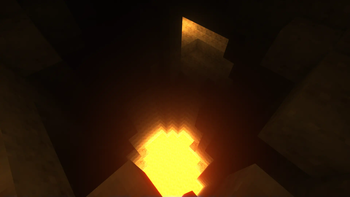
Über diese Mod

Alfheim is an add-on to Botania, allowing you to build a portal to Alfheim - one of the nine worlds of Scandinavian mythology, populated by light alvs, otherwise known as elves. There you can find all the materials that otherwise can only be obtained through a special trading gate. Explore the world, learn the story of Alfheim and discover the secret elven technology of mana-infusion. Everything you need to know about this add-on you can find in your Lexicon – in-game manual from Botania. Also, you can become an elf! Your new target is to survive in Alfheim, build up a portal and get back to Overworld! Here you can fly on pretty looking wings of one of nine available races! Your magic skills will help you to survive in this dimension. Team up with other players using built-in party system, defeat the mighty Flügel and challenge the inevitable – the mythological end of the world, Ragnarök!
> Minecraft Forum post if you need it for some reason
F.A.Q.:
Q: When there will be a port to
A: No other versions will be supported.
Q: I'm having some crash saying something about shaders | obj model, how to fix it?
A: Disable shaders (Botania configs) | Enable minimal graphical settings (Alfheim configs)
Q: I don't want to: see spells | start in Alfheim, how can I disable this?
A: In configs, or using /alfheim mode command with MMO | ESM argument, respectively.
Q: What is Alfheim Modular and do I need to download it?
A: Automatically downloadable sub-addon for time-limited events. Alfheim works just fine w/o it. And from version 41 onwards, Modular is part of the Alfheim .jar file.
Additional info:
— All permissions are stated in license, and yes, there is a link, sometimes it's just black…
— You can fork Alfheim, change, fix, or even port it and then send PRs. In most cases, I'll accept them.
Verfügbare Versionen
Alfheim auf dem Server installieren
Server bestellen
Bestelle einen Minecraft Java Server mit mindestens 3 GB RAM (4 GB empfohlen).
forge Loader setzen
Wähle im Panel unter "Egg" den forge-Loader und die passende Minecraft-Version (1.7.10).
Mod installieren
Öffne den Mod-Browser im Dashboard und suche nach "Alfheim". Klicke "Installieren" – fertig! Alternativ: Lade die .jar via SFTP in den /mods Ordner.
Kompatibilität
Mod-Loader
Minecraft-Versionen
1.7.10
Server-seitig
✓ ErforderlichEmpfohlener RAM
4 GB(min. 3 GB)Häufige Fragen
Alfheim Server crasht beim Start – was tun?
Häufigste Ursache: falsche forge-Version oder zu wenig RAM. Prüfe im Server-Log (latest.log), ob ein "OutOfMemoryError" oder "Mixin"-Fehler auftritt. Bei Mado Hosting: Stelle sicher, dass mindestens 3 GB RAM zugewiesen sind und der Loader zur Mod-Version passt (1.7.10). Über das Panel kannst du den Loader mit einem Klick wechseln.
Ist Alfheim mit forge kompatibel?
Alfheim unterstützt offiziell forge für Minecraft 1.7.10. Im Mado Dashboard werden inkompatible Loader-Kombinationen automatisch erkannt.
Server laggt mit Alfheim – wie optimiere ich die Performance?
Empfohlener RAM: 4 GB (+1 GB pro 8 Spieler). Prüfe mit /spark profiler, ob Alfheim den meisten Tick-Time verbraucht. Häufige Fixes: Server-View-Distance auf 8-10 reduzieren, bei Forge "performant" oder "starlight" als Zusatz-Mod installieren. Bei Mado Hosting läuft dein Server auf NVMe-SSDs mit dedizierten CPU-Kernen für minimale Latenz.
Ähnliche Mods




Modded Server mieten
Installiere Alfheim mit nur einem Klick auf deinem Server.