
Amethyst Update
This mod makes Amethyst Shards more useful in Minecraft!
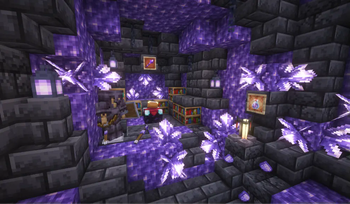
Screenshots
Über diese Mod
Amethyst Update
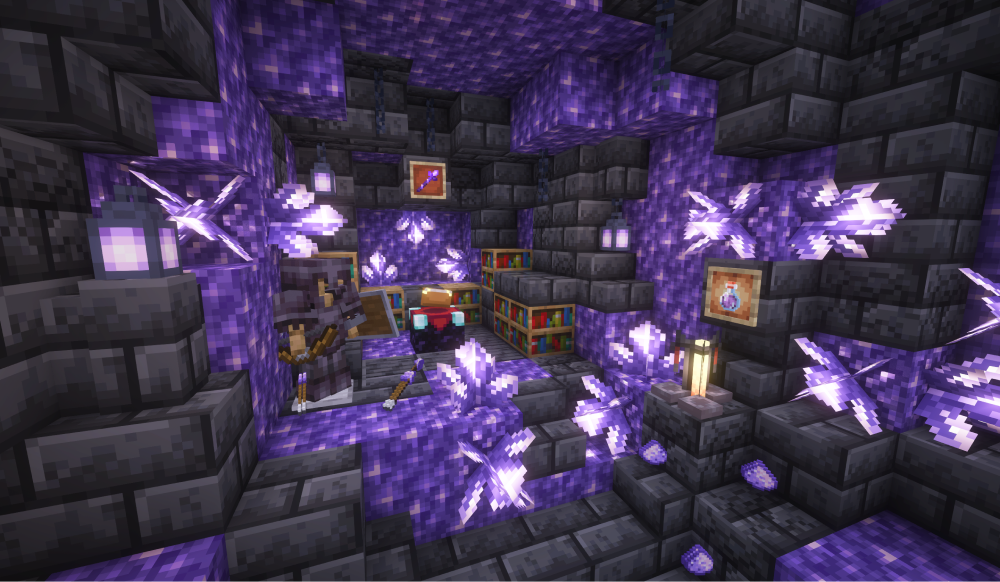
Amethyst Update is a Fabric mod which provides new opportunities for using amethyst shards in both simple and exciting ways. With it, you'll have more reasons to keep these precious crystals in your inventory when it's packed with mined ores. This little mod also tries to fit into the vanilla style!
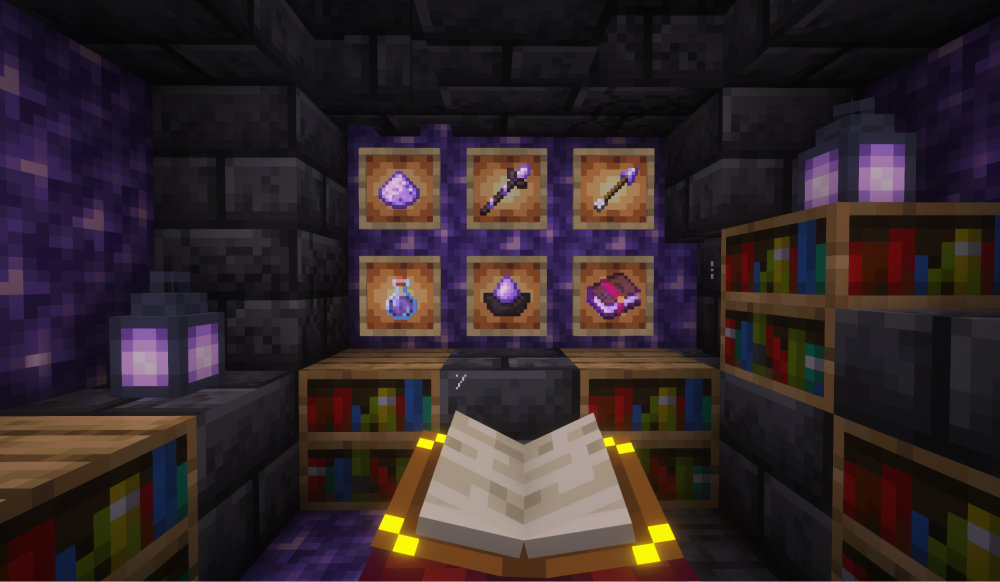
Amethyst Arrow
Have you ever had such a problem, that you have plenty of amethyst shards in your inventory after finding an amethyst geode? What to do with them if you are not going to decorate your house with tinted glass? Will you just throw them out?
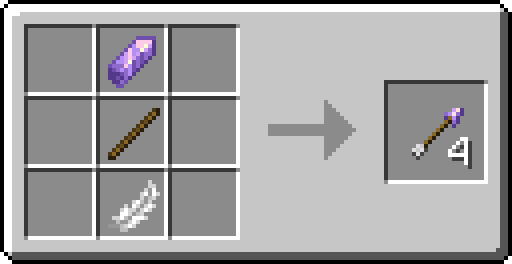
Amethyst Arrows provide a compelling incentive to mine amethyst shards! It's a new type of arrows you can craft in Minecraft.
Amethyst Arrows deal a little bit less physical damage, but apply a new status effect called Bleeding when hit (shards are sharp!).
Bleeding Potion
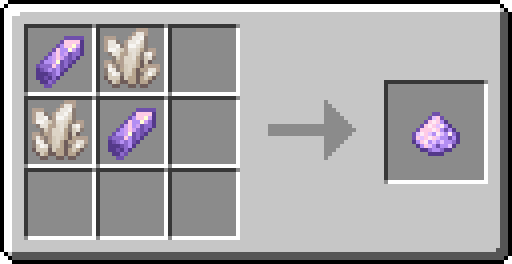
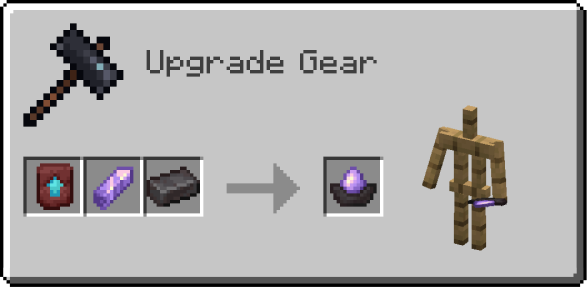
Once you’ve got a brewing stand, a new Bleeding Potion is available to you. To brew it, you need a new item called Amethyst Dust and an Awkward Potion.
Here is an Amethyst Dust crafting recipe:
Ancient Staff
Earlier I said that you can use amethyst shards in both simple and exciting ways. Here is a weapon for real Minecraft adventurers! Ancient Staff is a powerful support weapon with its own unique mechanics. To obtain it, you need to explore the depth of Minecraft!
Reinforced Amethyst
To craft the Ancient Staff, you need to find/craft its parts. And one of them is a Reinforced Amethyst. You need to make a loooong way down to get it (savvy?).
Mysterious Stick
These are old pieces of broken staffs that were made long ago. Now they are gathering dust in chests of pillagers or laying in bags of wandering traders, waiting for something to happen...
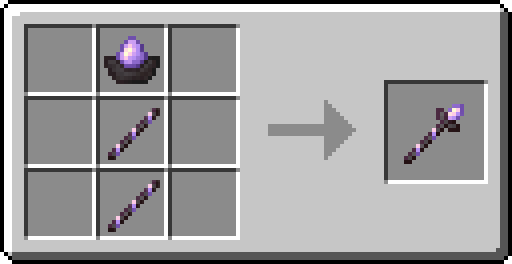
Phew, now, when you have all necessary parts, you can finally craft the Ancient Staff!
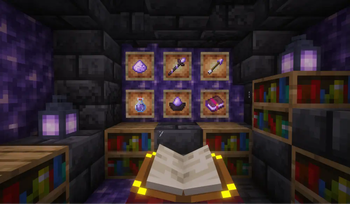
But as you are not a sorcerer, you need to enchant the staff in order to use it. Since it is an old and powerful weapon, you must have at least 15 bookshelves to enchant it. And here is where magic begins...
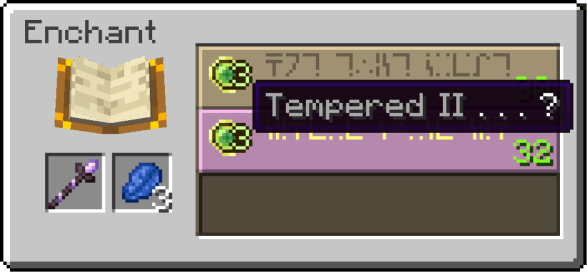
Ancient Staff's behaviour depends on its main enchantment. Currently there are 2 different main encahntments: Tempered and Shattered.
Amethyst Lantern
Additionally, Amethyst Update also adds one new decoration. Just a cute lantern :3.
Verfügbare Versionen
Amethyst Update auf dem Server installieren
Server bestellen
Bestelle einen Minecraft Java Server mit mindestens 3 GB RAM (4 GB empfohlen).
fabric Loader setzen
Wähle im Panel unter "Egg" den fabric-Loader und die passende Minecraft-Version (1.20.1).
Mod installieren
Öffne den Mod-Browser im Dashboard und suche nach "Amethyst Update". Klicke "Installieren" – fertig! Alternativ: Lade die .jar via SFTP in den /mods Ordner.
Kompatibilität
Mod-Loader
Minecraft-Versionen
1.20.1, 1.20, 1.19.4
Server-seitig
✓ ErforderlichEmpfohlener RAM
4 GB(min. 3 GB)Häufige Fragen
Amethyst Update Server crasht beim Start – was tun?
Häufigste Ursache: falsche fabric-Version oder zu wenig RAM. Prüfe im Server-Log (latest.log), ob ein "OutOfMemoryError" oder "Mixin"-Fehler auftritt. Bei Mado Hosting: Stelle sicher, dass mindestens 3 GB RAM zugewiesen sind und der Loader zur Mod-Version passt (1.20.1). Über das Panel kannst du den Loader mit einem Klick wechseln.
Ist Amethyst Update mit fabric kompatibel?
Amethyst Update unterstützt offiziell fabric für Minecraft 1.20.1, 1.20, 1.19.4. Im Mado Dashboard werden inkompatible Loader-Kombinationen automatisch erkannt.
Server laggt mit Amethyst Update – wie optimiere ich die Performance?
Empfohlener RAM: 4 GB (+1 GB pro 8 Spieler). Prüfe mit /spark profiler, ob Amethyst Update den meisten Tick-Time verbraucht. Häufige Fixes: Server-View-Distance auf 8-10 reduzieren, bei Forge "performant" oder "starlight" als Zusatz-Mod installieren. Bei Mado Hosting läuft dein Server auf NVMe-SSDs mit dedizierten CPU-Kernen für minimale Latenz.
Ähnliche Mods




Modded Server mieten
Installiere Amethyst Update mit nur einem Klick auf deinem Server.