
Apostate
Place Bounties, Make Contracts, and More!
Screenshots
Über diese Mod
Welcome to "Apostate"!
Apostate is a small mod adding various features for Apostasy SMP Season Two.
Bounties
To place a Bounty on another player, you have to aquire Parchment [Currently obtained through breaking Sugar Cane]. You can craft Parchment into either a Bounty Poster or a Contract.
Once you have a basic Bounty Poster, put it in an anvil and rename the poster to the desired players name [Capital Sensitive].
After that, Shift click the bounty to set it in stone!
NOTE: You can right click a bounty while its in your inventory to shift between "Wanted Dead", "Wanted Alive", and "Wanted Dead or Alive".
If you make a "Wanted Alive" bounty, only the player who set that bounty is able to mark it as complete. "Wanted Dead" bounties auto complete.
Completing Bounties
- Completing "Wanted Dead" Bounties: To complete a Bounty of a player whos wanted dead, you must kill the desired player while having the poster in your inventory. Once thats done, itll be marked as complete.
- Completing "Wanted Alive" Bounties: You can bring the poster to the person who set the bounty, and they can shift click it to mark it as completed.
- Completing "Wanted Dead or Alive" Bounties: You can do either of the above to have this type of bounty completed.
- NOTE: Only the person who set the bounty can mark it as complete for "Wanted Alive" and the alive option for "Wanted Dead or Alive"!!
Contracts
- Can be signed by two people, a bearer and signer. Upon being completed, will become a fully signed contract for lore.
[Contract Recipe is soon to change!]
Interactions
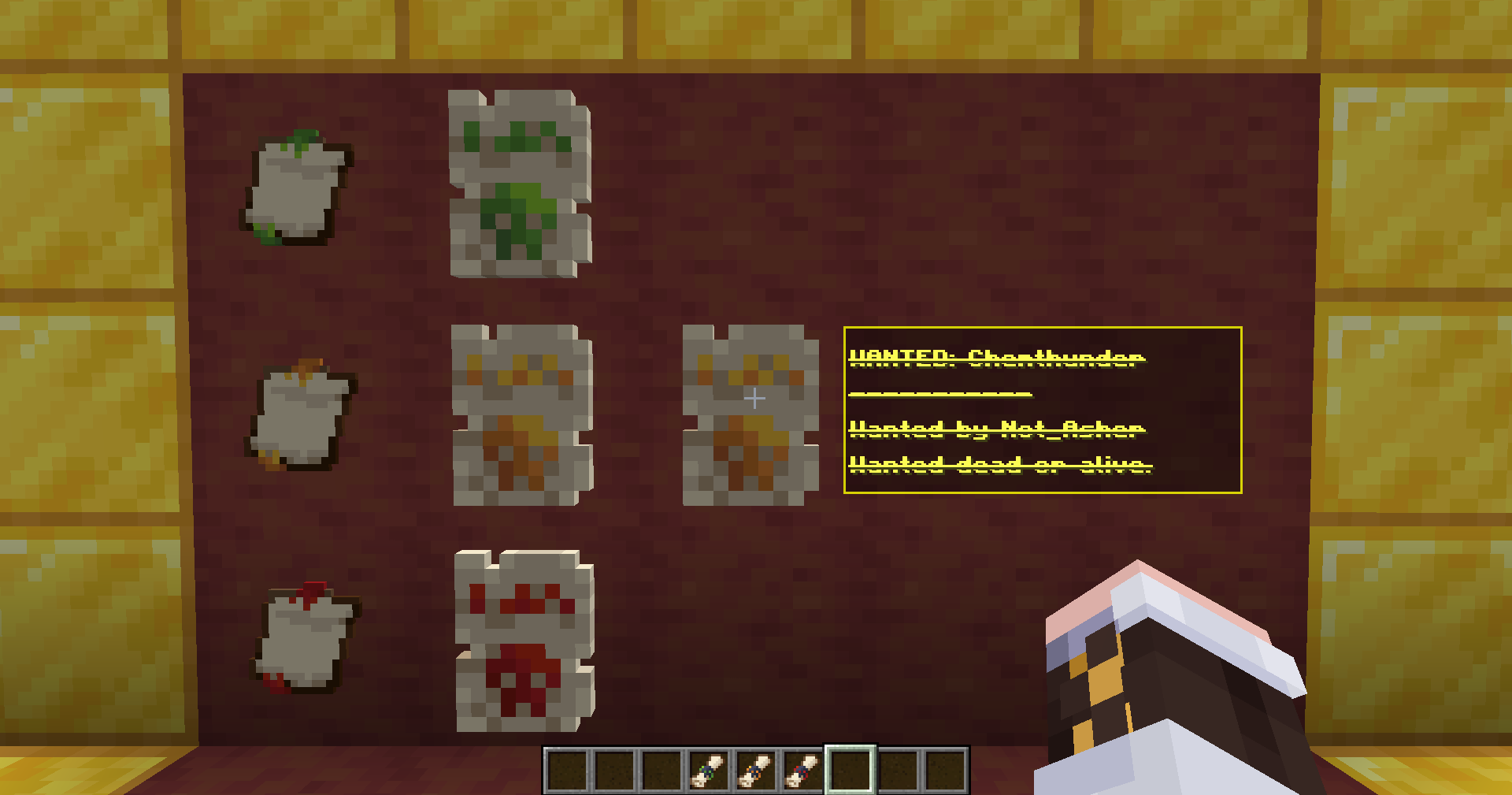
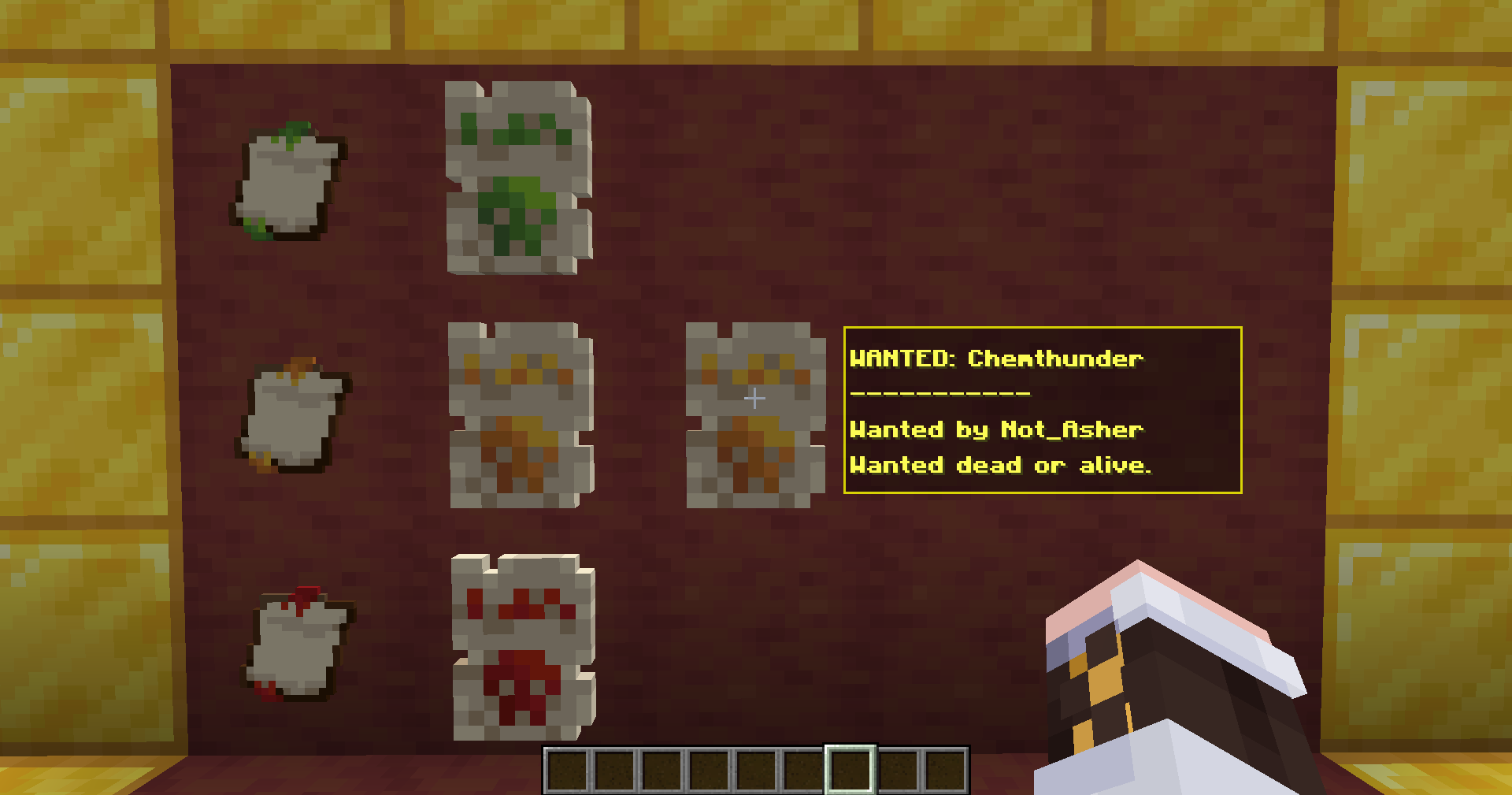
- By placing a "Bounty" inside an item frame, it will display differently! Instead it will show a visual of the type of bounty, and looking at it will show a tooltip of the details!
Credits!
Developer - Chemthunder
Assets & Concepts - Not_Asher
Verfügbare Versionen
Apostate auf dem Server installieren
Server bestellen
Bestelle einen Minecraft Java Server mit mindestens 3 GB RAM (4 GB empfohlen).
fabric Loader setzen
Wähle im Panel unter "Egg" den fabric-Loader und die passende Minecraft-Version (1.21.11).
Mod installieren
Öffne den Mod-Browser im Dashboard und suche nach "Apostate". Klicke "Installieren" – fertig! Alternativ: Lade die .jar via SFTP in den /mods Ordner.
Kompatibilität
Mod-Loader
Minecraft-Versionen
1.21.11
Server-seitig
✓ ErforderlichEmpfohlener RAM
4 GB(min. 3 GB)Häufige Fragen
Apostate Server crasht beim Start – was tun?
Häufigste Ursache: falsche fabric-Version oder zu wenig RAM. Prüfe im Server-Log (latest.log), ob ein "OutOfMemoryError" oder "Mixin"-Fehler auftritt. Bei Mado Hosting: Stelle sicher, dass mindestens 3 GB RAM zugewiesen sind und der Loader zur Mod-Version passt (1.21.11). Über das Panel kannst du den Loader mit einem Klick wechseln.
Ist Apostate mit fabric kompatibel?
Apostate unterstützt offiziell fabric für Minecraft 1.21.11. Im Mado Dashboard werden inkompatible Loader-Kombinationen automatisch erkannt.
Server laggt mit Apostate – wie optimiere ich die Performance?
Empfohlener RAM: 4 GB (+1 GB pro 8 Spieler). Prüfe mit /spark profiler, ob Apostate den meisten Tick-Time verbraucht. Häufige Fixes: Server-View-Distance auf 8-10 reduzieren, bei Forge "performant" oder "starlight" als Zusatz-Mod installieren. Bei Mado Hosting läuft dein Server auf NVMe-SSDs mit dedizierten CPU-Kernen für minimale Latenz.
Ähnliche Mods




Modded Server mieten
Installiere Apostate mit nur einem Klick auf deinem Server.