
Ashen Witch Broom
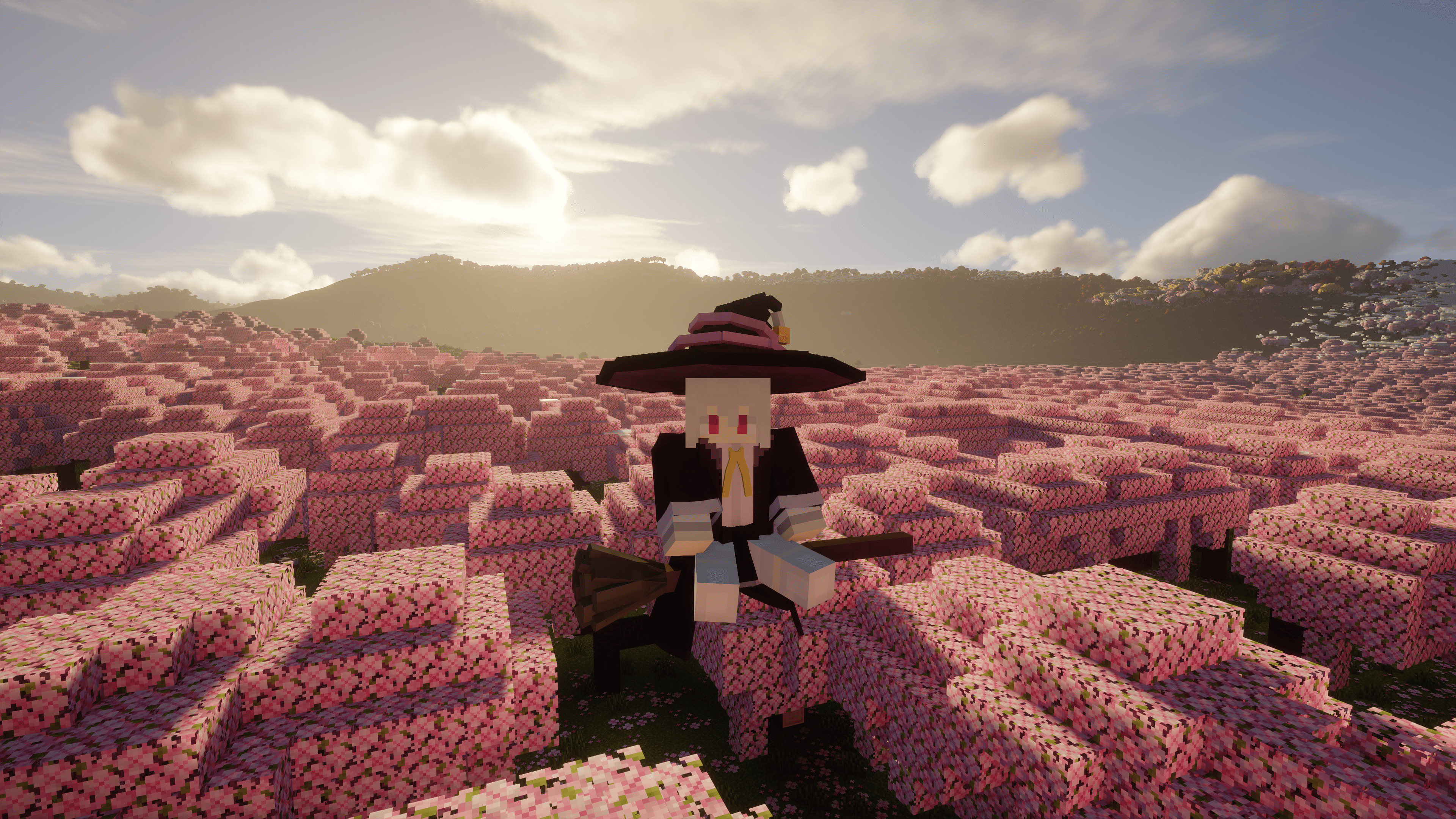
This mod is based on Elaina, adding a rideable and configurable witch's broom, a dyeable hat, and her clothes to the game. Soar through the sky on your magic broom and experience the daily life of a witch!
Screenshots


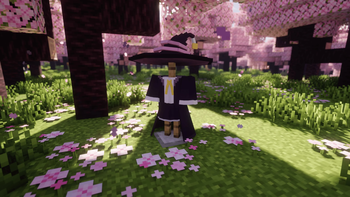
Über diese Mod
Introduction
This mod was born from a burning desire to become a witch in Minecraft 1.21.1, forged through sleepless nights of coding.
This is an unofficial remake of [Witch's Broom]. While it reuses the original assets, the code has been refactored to support NeoForge 1.21.x and above.
(As of Oct. 20, 2025, the original author has also updated the mod to 1.21.1.)
The broom has been epically buffed (how fast you fly is only limited by your conscience!), can be summoned in any dimension, and is fully configurable to your liking.
Additionally, chunk loading commands have been added, allowing you to force-load strong or weak chunks for extended periods and manage them with ease.
Added Items
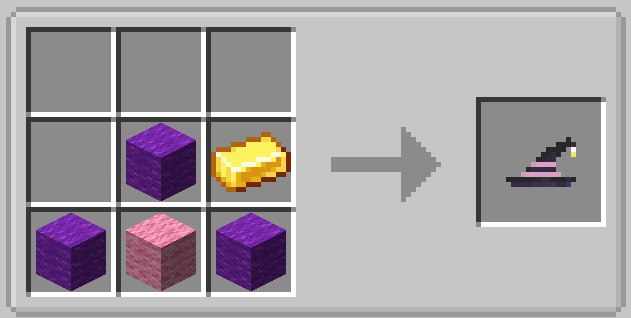
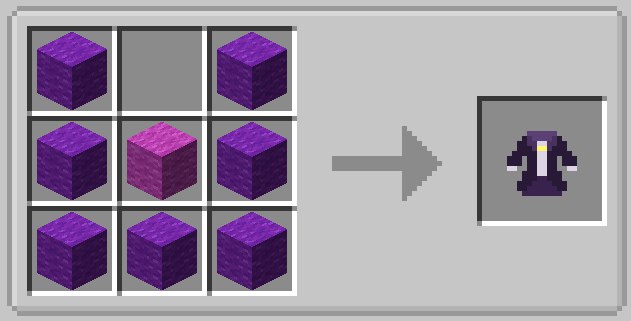
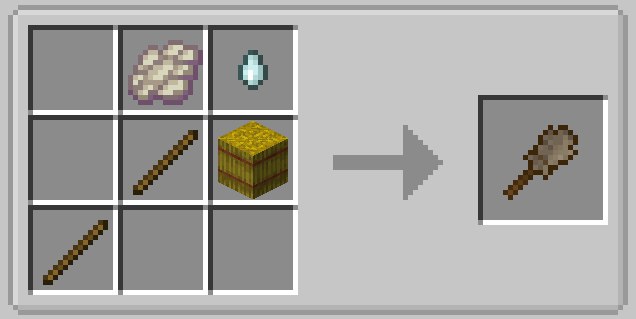
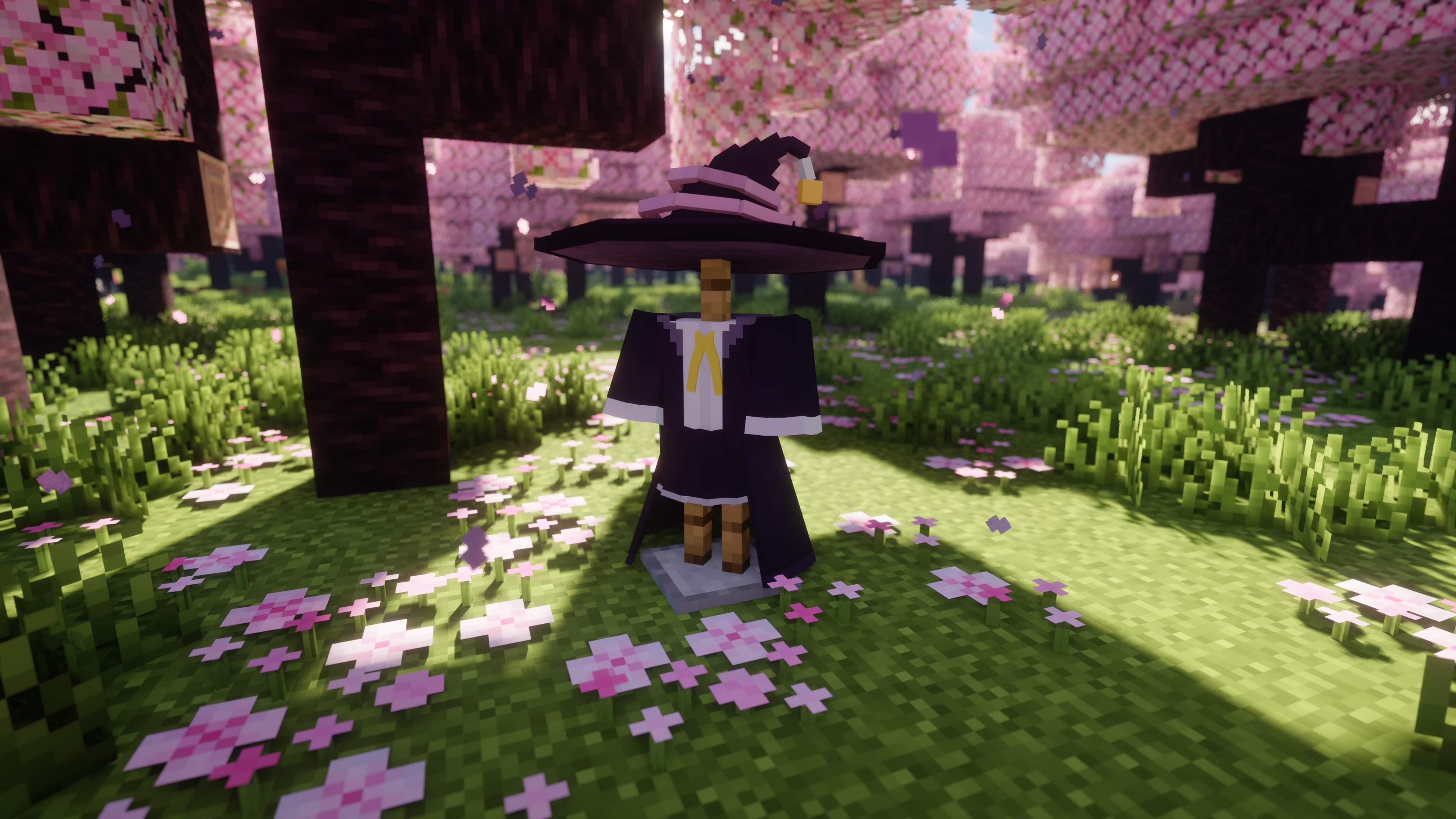
The mod adds a Witch's Broom (both as an item and an entity), as well as a Witch's Hat and a Witch's Outfit.
The design is inspired by Elaina's broom from the anime "Wandering Witch: The Journey of Elaina."
Broom Controls
The controls are intuitive and simple:
- W/S: Forward / Backward
- A/D: Turn Left / Turn Right
- Left Alt: Descend
- Space: Ascend
- Left Ctrl: Sprint (just like running)
Right-click the ground to summon your broom. Sneak + Left-click to dismiss it.
You can also press the R key to summon the broom from a distance. The summoning range can be adjusted in the config menu.
Crafting Recipes
| Hat | Outfit | Broom |
|---|---|---|
 |
 |
 |
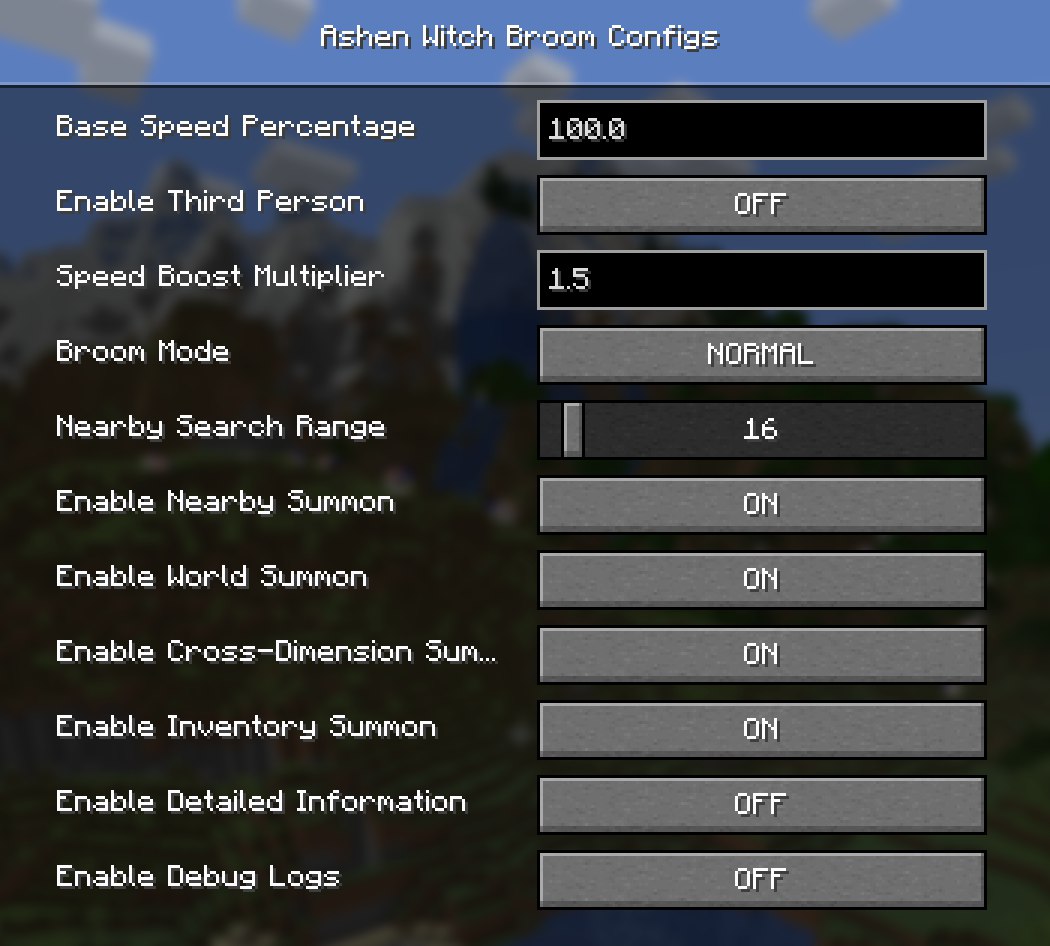
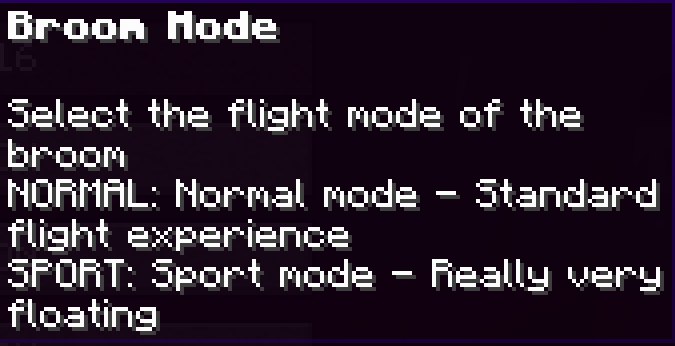
Mod Config Menu
All settings for the broom can be found in-game via:Settings → Mods → Ashen Witch Broom → Config
| Config Menu | Broom Modes |
|---|---|
 |
 |
Mod Commands
The mod provides commands for managing your broom and for force-loading chunks.
Broom Command Usage: /broom detect [player]
player is the target player. If omitted, it defaults to yourself. Targeting other players requires OP permissions.
| Command | Function | Example |
|---|---|---|
/broom detect [player] |
Broom detection command. Displays detailed information about all stored brooms. | 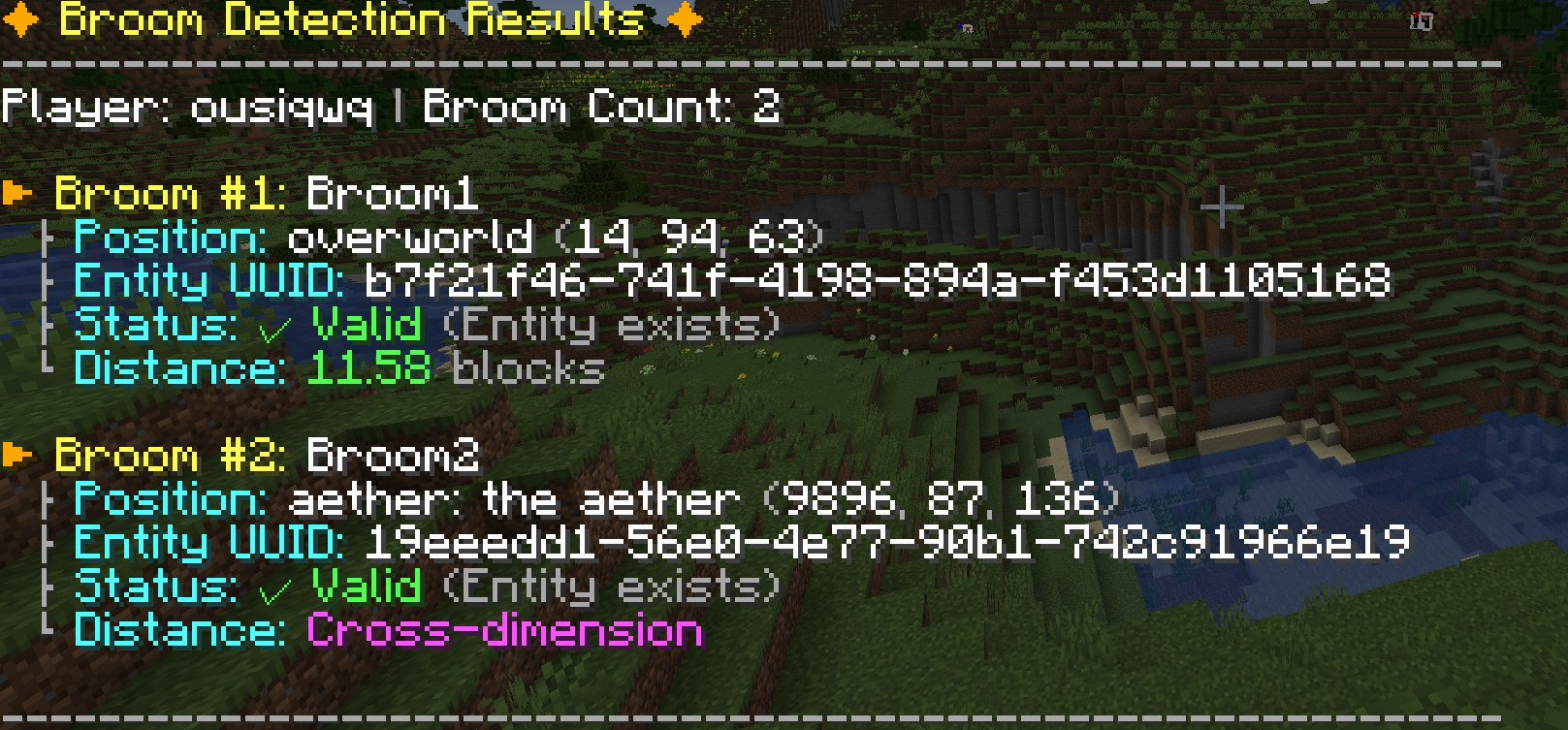 |
/broom stats [player] |
Broom statistics command. Shows broom usage stats. | 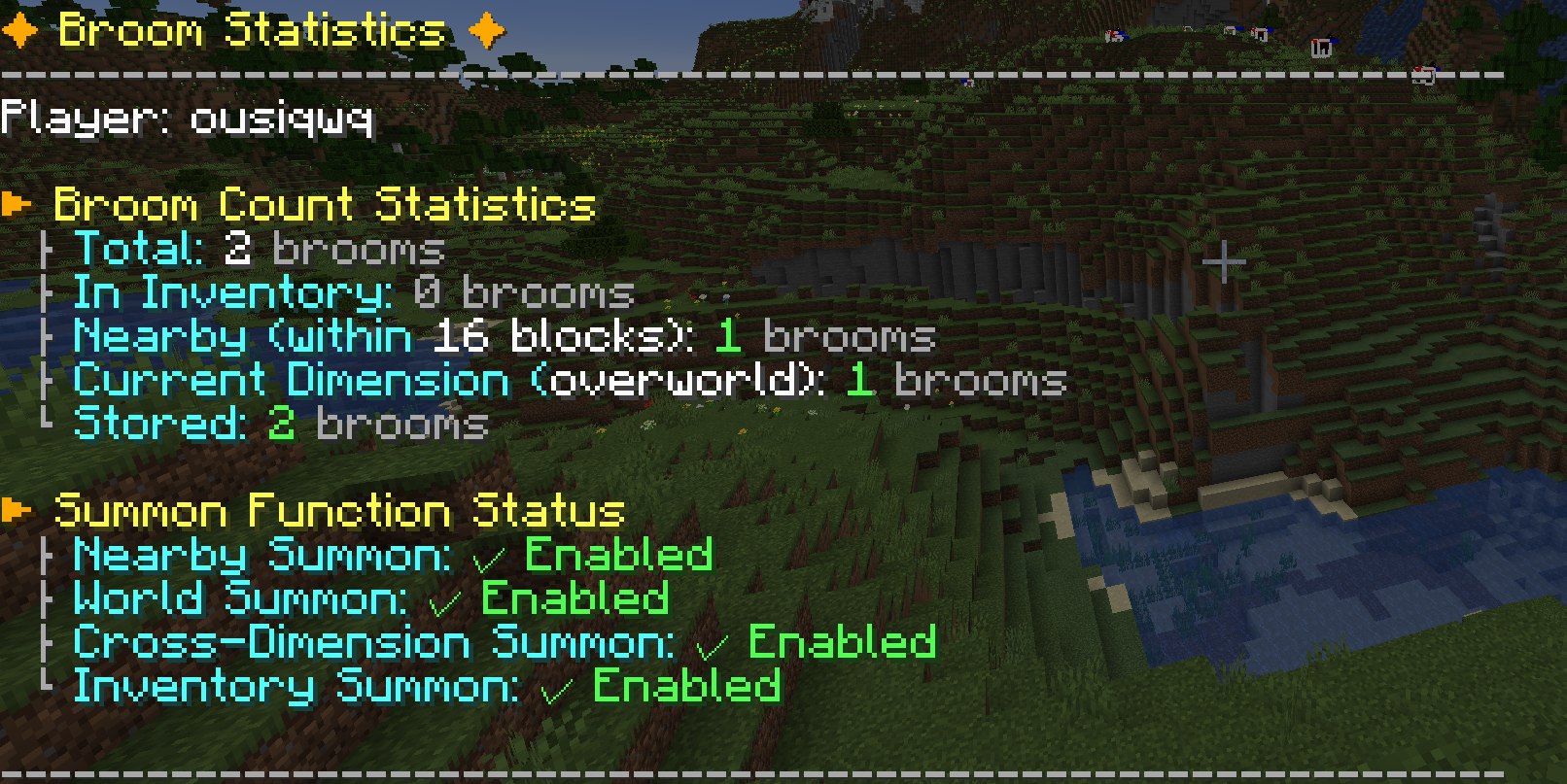 |
/broom cleanup [player] |
Broom cleanup command. Batch validates and removes invalid broom records. | 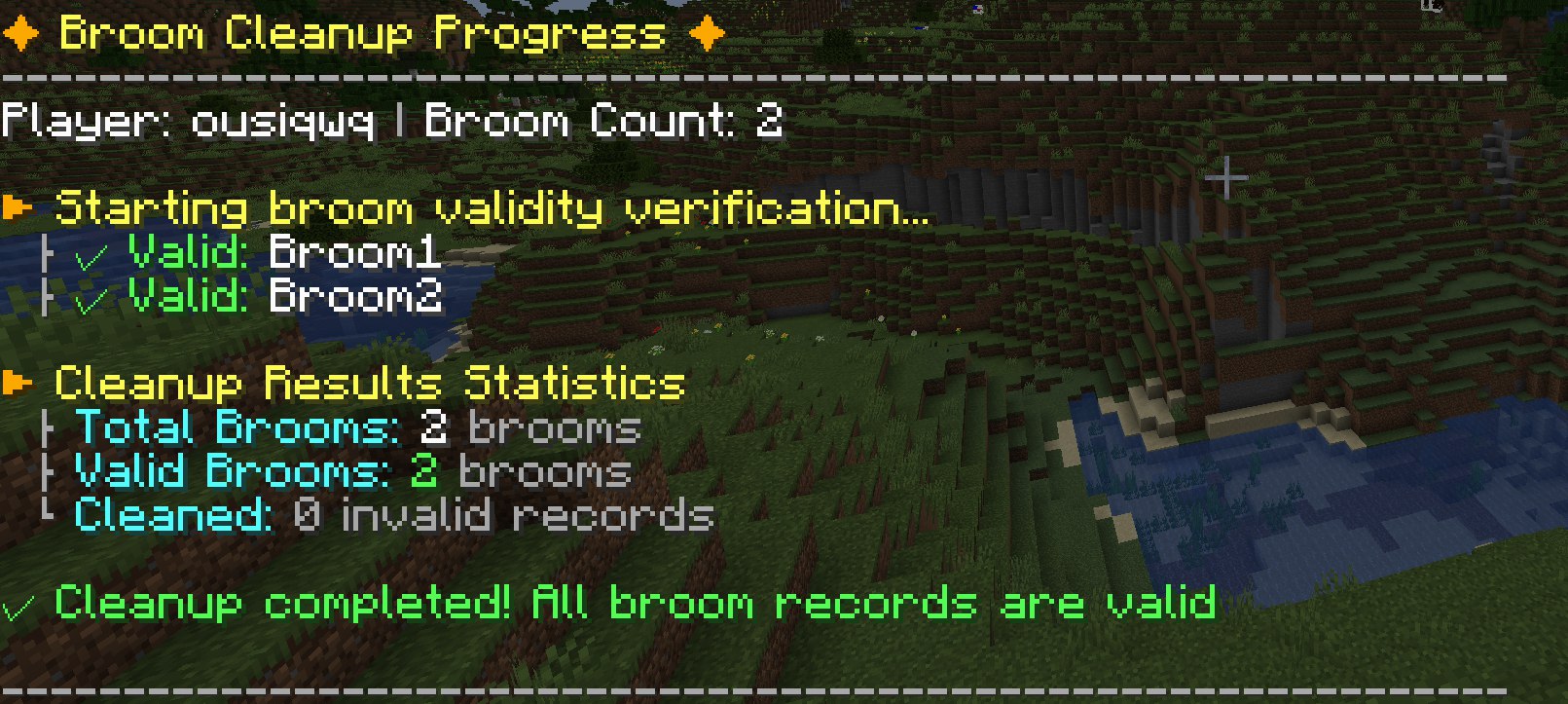 |
/broom help |
Displays the help menu. | 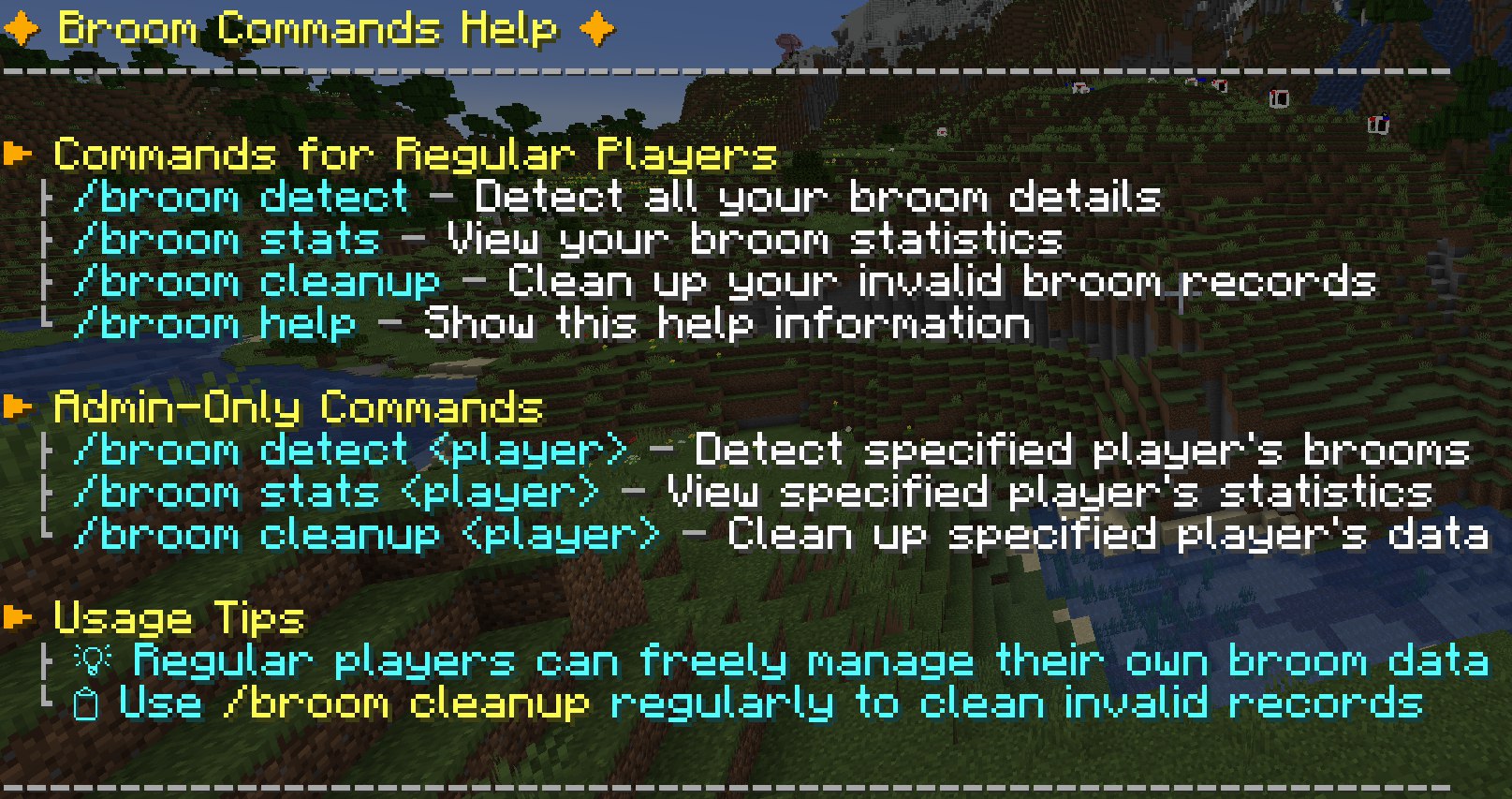 |
Chunk Loading Command Usage: /broom chunks add <lazy|ticking> <x> <z> [width] [height]
x and z are the chunk coordinates (not block coordinates, which are block_coordinate ÷ 16). x and z are required. w (width) and h (height) are optional; if omitted, only the single chunk at x, z will be targeted.
Running this command and its subcommands requires OP permissions.
After a server restart or game exit, the mod will automatically reload any previously set chunks upon startup.
| Command | Function |
|---|---|
/broom chunks add ... |
Adds chunks to the force-load list. Choose between lazy (weak loading) and ticking (strong loading). Re-adding a chunk will not change its type; you must use the del command first. |
/broom chunks del ... |
Removes chunks from the force-load list. Don't worry about errors; it will automatically skip chunks not loaded by this mod. |
/broom chunks list |
Lists all chunks currently being force-loaded by this mod in your current dimension. |
/broom chunks help |
Displays the help menu. |
A Quick Apology
My apologies! I rushed the initial release a bit, and as a result, versions 1.0.0 and 1.0.1 had some major bugs:
- The broom could not be retrieved in unloaded chunks.
- Riding data was not syncing correctly with the server.
These critical issues have now been fixed in version 1.0.2. Thank you for your patience! :)
Gallery

Verfügbare Versionen
Ashen Witch Broom auf dem Server installieren
Server bestellen
Bestelle einen Minecraft Java Server mit mindestens 3 GB RAM (4 GB empfohlen).
neoforge Loader setzen
Wähle im Panel unter "Egg" den neoforge-Loader und die passende Minecraft-Version (1.21.1).
Mod installieren
Öffne den Mod-Browser im Dashboard und suche nach "Ashen Witch Broom". Klicke "Installieren" – fertig! Alternativ: Lade die .jar via SFTP in den /mods Ordner.
Kompatibilität
Mod-Loader
Minecraft-Versionen
1.21.1
Server-seitig
✓ ErforderlichEmpfohlener RAM
4 GB(min. 3 GB)Häufige Fragen
Ashen Witch Broom Server crasht beim Start – was tun?
Häufigste Ursache: falsche neoforge-Version oder zu wenig RAM. Prüfe im Server-Log (latest.log), ob ein "OutOfMemoryError" oder "Mixin"-Fehler auftritt. Bei Mado Hosting: Stelle sicher, dass mindestens 3 GB RAM zugewiesen sind und der Loader zur Mod-Version passt (1.21.1). Über das Panel kannst du den Loader mit einem Klick wechseln.
Ist Ashen Witch Broom mit neoforge kompatibel?
Ashen Witch Broom unterstützt offiziell neoforge für Minecraft 1.21.1. Im Mado Dashboard werden inkompatible Loader-Kombinationen automatisch erkannt.
Server laggt mit Ashen Witch Broom – wie optimiere ich die Performance?
Empfohlener RAM: 4 GB (+1 GB pro 8 Spieler). Prüfe mit /spark profiler, ob Ashen Witch Broom den meisten Tick-Time verbraucht. Häufige Fixes: Server-View-Distance auf 8-10 reduzieren, bei Forge "performant" oder "starlight" als Zusatz-Mod installieren. Bei Mado Hosting läuft dein Server auf NVMe-SSDs mit dedizierten CPU-Kernen für minimale Latenz.
Ähnliche Mods




Modded Server mieten
Installiere Ashen Witch Broom mit nur einem Klick auf deinem Server.
Details
- Lizenz
- GNU Lesser General Public License v3.0 only
- Server-seitig
- Erforderlich