
Asoteria
Explore an astrology based dimension with new gems, biomes, entities, and structures. Discover the latent history and secrets of this vast realm.
Screenshots
Über diese Mod
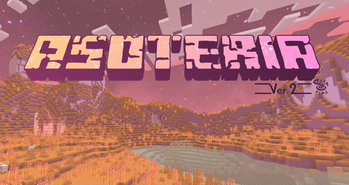
The Asoteria is an astrology based dimension with new gems, biomes, entities, and structures. Discover the latent history and secrets of this vast realm.
How to Enter Dimension
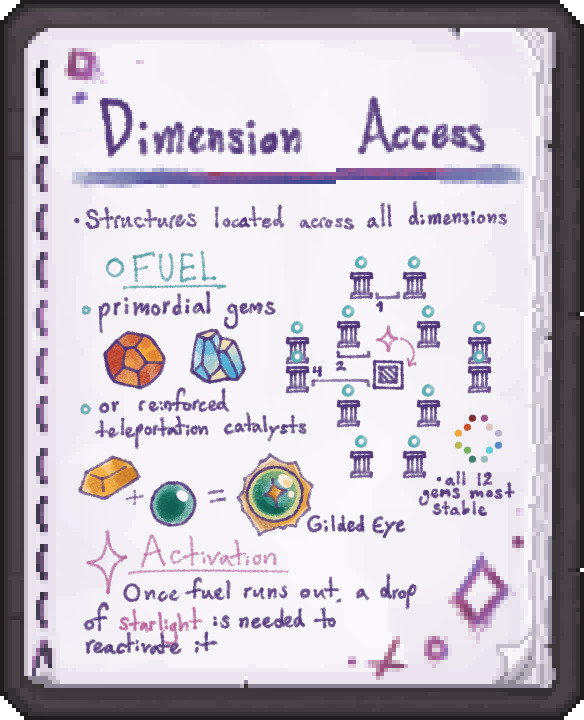
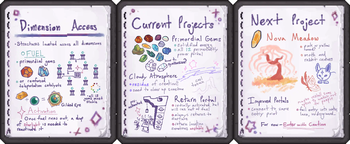
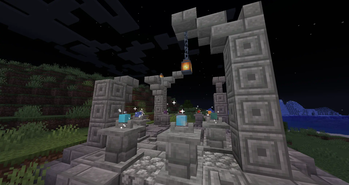
Use the Gilded Eyes to fuel the portal structures found across all dimensions and gain access to Asoteria. A nether star is used on the central portal block to open the gateway.
Contraband Portal
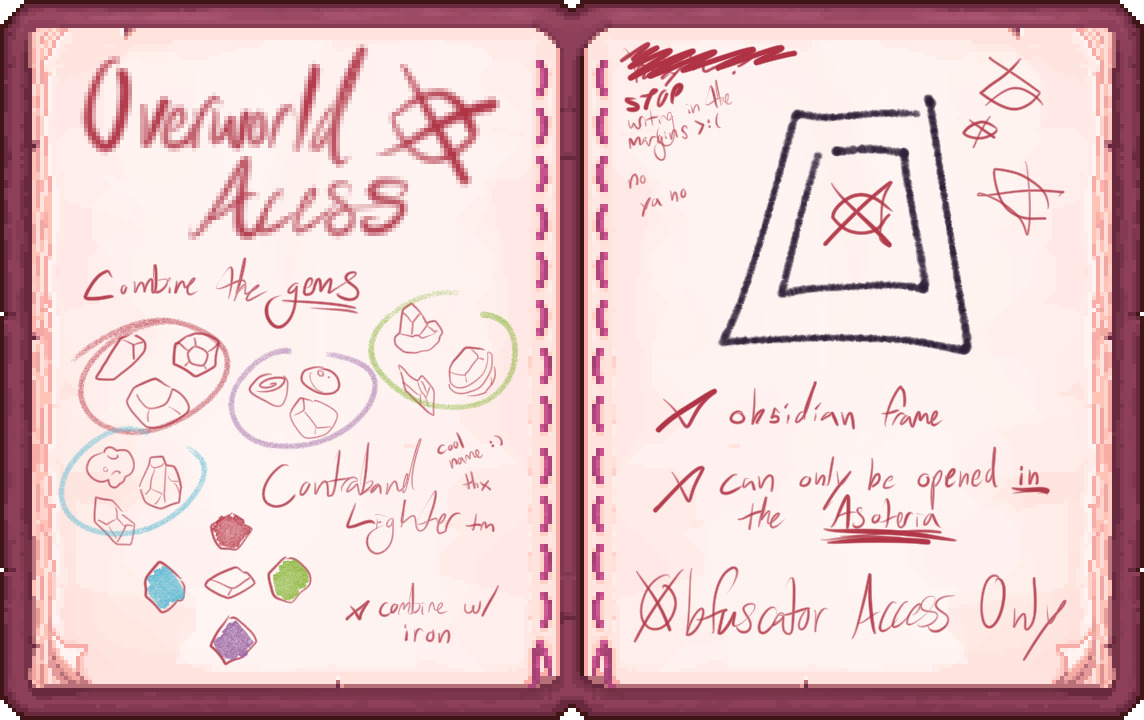
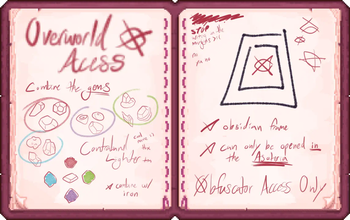
A Contraband Lighter can be crafted from all 12 gems and a piece of iron to light a portal which transports non player entities to and from the dimension.
Current Additions

Pre-activated portals exist in Asoteria to return to the surface, but they will eventually run out of fuel. 12 unique gems can be mined in the Asoteria, which can serve as a permanent source of portal fuel.
Biomes
Nova Meadows
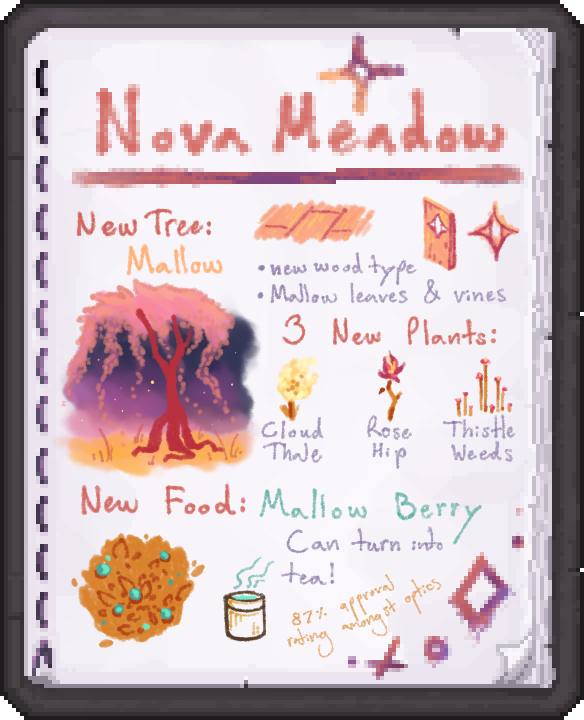
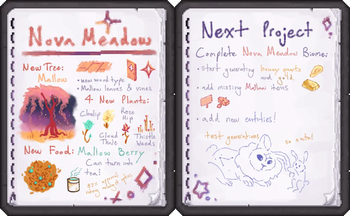
The Nova Meadow biome adds a new wood type, the Mallow tree. 4 new plant types generate here, the Chulip, Cloud Thale, Rose Hip, and Thistle Weeds. A new food grows here, the Mallow Berry, which can be turned into a delicious tea.
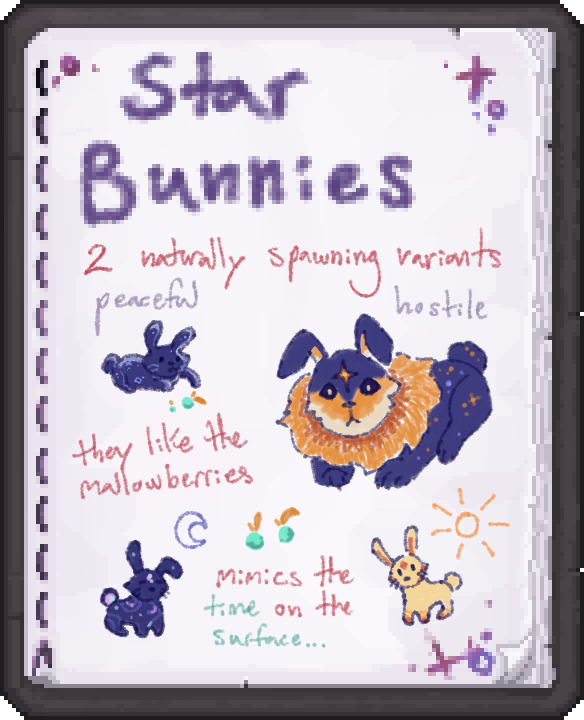
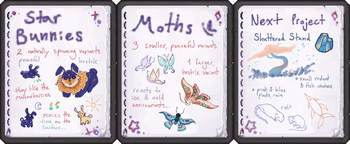
The Star Bunnies populate the Nova Meadows. The larger Celestial Bunnies are hostile and vigilantly watch those around them. The smaller Dust Bunnies are favorable to Mallow Berries, and adapt to the time in the Overworld when fed a Mallow Berry on the surface.
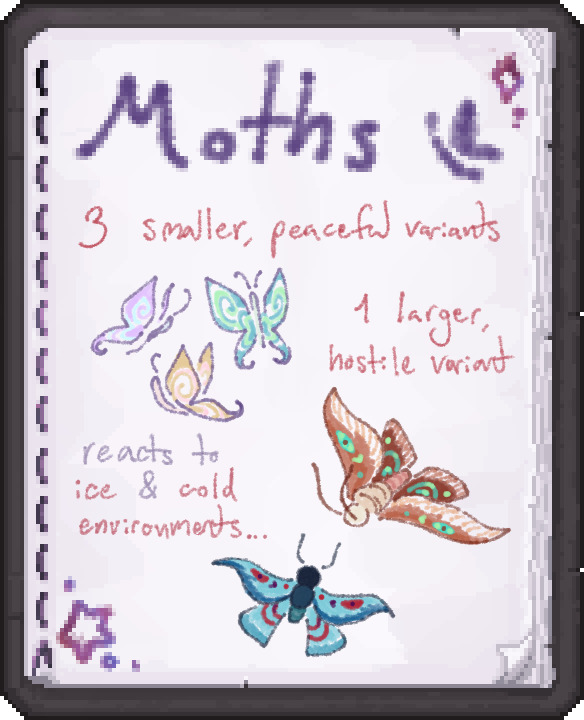
Several moth variants live in the Nova Meadows. The smaller colorful moths are fully peaceful, but the larger Flare Moth will attack any player that gets too close. The Flare Moth reacts strangely to ice and cold environments.
Future Additions
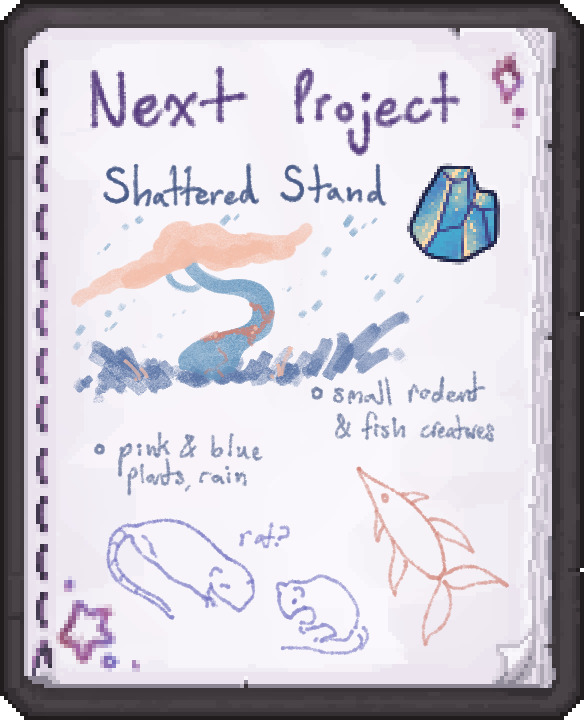
The next update will add the Shattered Stand biome, full of pink and blue vegetation, frequent rain, and small rodent and flying fish creatures.
If you want to stay updated on the progress of the mod, get early access to test the beta versions, or pitch in with your own suggestions, I welcome you to join my discord The Empyr3. We also have a forum channel for feedback about the mod and a #coding-stuff channel if you have a casual question or suggestion you'd like to mention :>
~ Seer
Verfügbare Versionen
Asoteria auf dem Server installieren
Server bestellen
Bestelle einen Minecraft Java Server mit mindestens 4 GB RAM (6 GB empfohlen).
forge Loader setzen
Wähle im Panel unter "Egg" den forge-Loader und die passende Minecraft-Version (1.20.4).
Mod installieren
Öffne den Mod-Browser im Dashboard und suche nach "Asoteria". Klicke "Installieren" – fertig! Alternativ: Lade die .jar via SFTP in den /mods Ordner.
Kompatibilität
Mod-Loader
Minecraft-Versionen
1.20.4, 1.20.1, 1.19.4 (+2 weitere)
Server-seitig
✓ ErforderlichEmpfohlener RAM
6 GB(min. 4 GB)Häufige Fragen
Asoteria Server crasht beim Start – was tun?
Häufigste Ursache: falsche forge-Version oder zu wenig RAM. Prüfe im Server-Log (latest.log), ob ein "OutOfMemoryError" oder "Mixin"-Fehler auftritt. Bei Mado Hosting: Stelle sicher, dass mindestens 4 GB RAM zugewiesen sind und der Loader zur Mod-Version passt (1.20.4). Über das Panel kannst du den Loader mit einem Klick wechseln.
Ist Asoteria mit forge und neoforge kompatibel?
Asoteria unterstützt offiziell forge, neoforge für Minecraft 1.20.4, 1.20.1, 1.19.4. Im Mado Dashboard werden inkompatible Loader-Kombinationen automatisch erkannt.
Server laggt mit Asoteria – wie optimiere ich die Performance?
Empfohlener RAM: 6 GB (+1 GB pro 5 Spieler). Prüfe mit /spark profiler, ob Asoteria den meisten Tick-Time verbraucht. Häufige Fixes: Server-View-Distance auf 8-10 reduzieren, bei Forge "performant" oder "starlight" als Zusatz-Mod installieren. Bei Mado Hosting läuft dein Server auf NVMe-SSDs mit dedizierten CPU-Kernen für minimale Latenz.
Ähnliche Mods




Modded Server mieten
Installiere Asoteria mit nur einem Klick auf deinem Server.