
Beta Nether 2.0
Reverts the Nether back to its original form!
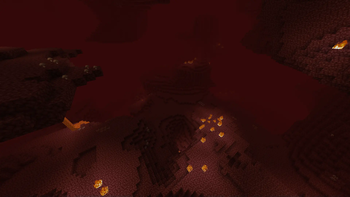
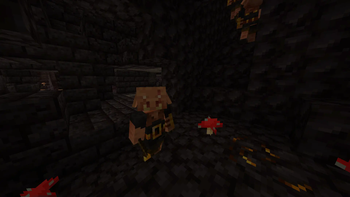
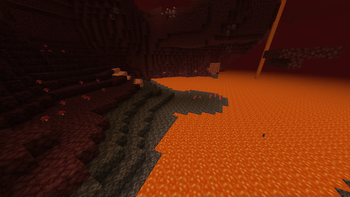
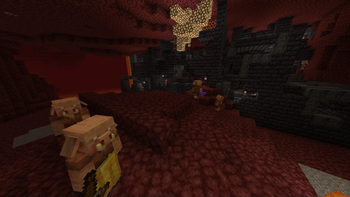
Screenshots
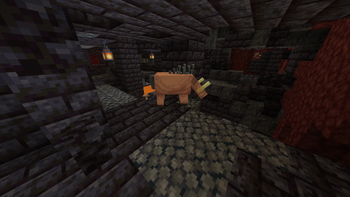
Über diese Mod
Beta Nether 2.0
Update: This mod will no longer be updated, here is a maintained but slightly different version - https://modrinth.com/datapack/legacy-nether-modrinth
Description
Beta Nether is a mod that aims to recreate the Nether terrain that existed before the 1.16 update. This mod is intended for people who want to revisit the old Nether Dimension of Minecraft again.
Features
You can still find and play with the new features such as the Bastion Remnants and the Crimson and Warped fungus spawning inside Nether Fortress chests.
Nostalgia
For the best nostalgic experience, I recommend using the Nostalgic Tweaks mod by Adrenix which includes many faithful recreations of old minecraft features alonside the Golden Days resource pack by PoeticRainbow. Additionally, using the Modern Beta mod by b3spectacled brings back the old nostalgic terrain generation.
Just Beta Nether
Don't want any of the newer minecraft nether features? Check out my other mod, just beta nether, which disables all of the new mobs, structures, and loot tables: https://modrinth.com/mod/just-beta-nether
Datapack
If you would like to use this mod for specific worlds only, I've made a datapack for that: https://modrinth.com/datapack/beta-nether
Support
If you have questions or any issues with the mod, you can report them in our discord server: https://discord.com/invite/mMMm2t227B!
Verfügbare Versionen
Beta Nether 2.0 auf dem Server installieren
Server bestellen
Bestelle einen Minecraft Java Server mit mindestens 4 GB RAM (6 GB empfohlen).
fabric Loader setzen
Wähle im Panel unter "Egg" den fabric-Loader und die passende Minecraft-Version (1.21.1).
Mod installieren
Öffne den Mod-Browser im Dashboard und suche nach "Beta Nether 2.0". Klicke "Installieren" – fertig! Alternativ: Lade die .jar via SFTP in den /mods Ordner.
Kompatibilität
Mod-Loader
Minecraft-Versionen
1.21.1, 1.21, 1.20.6 (+18 weitere)
Server-seitig
✓ ErforderlichEmpfohlener RAM
6 GB(min. 4 GB)Häufige Fragen
Beta Nether 2.0 Server crasht beim Start – was tun?
Häufigste Ursache: falsche fabric-Version oder zu wenig RAM. Prüfe im Server-Log (latest.log), ob ein "OutOfMemoryError" oder "Mixin"-Fehler auftritt. Bei Mado Hosting: Stelle sicher, dass mindestens 4 GB RAM zugewiesen sind und der Loader zur Mod-Version passt (1.21.1). Über das Panel kannst du den Loader mit einem Klick wechseln.
Ist Beta Nether 2.0 mit fabric und forge und neoforge und quilt kompatibel?
Beta Nether 2.0 unterstützt offiziell fabric, forge, neoforge, quilt für Minecraft 1.21.1, 1.21, 1.20.6. Achtung: Forge- und Fabric-Mods sind NICHT untereinander kompatibel – wähle einen Loader und bleibe dabei. Im Mado Dashboard werden inkompatible Loader-Kombinationen automatisch erkannt.
Server laggt mit Beta Nether 2.0 – wie optimiere ich die Performance?
Empfohlener RAM: 6 GB (+1 GB pro 5 Spieler). Prüfe mit /spark profiler, ob Beta Nether 2.0 den meisten Tick-Time verbraucht. Häufige Fixes: Server-View-Distance auf 8-10 reduzieren, bei Forge "performant" oder "starlight" als Zusatz-Mod installieren. Bei Mado Hosting läuft dein Server auf NVMe-SSDs mit dedizierten CPU-Kernen für minimale Latenz.
Ähnliche Mods




Modded Server mieten
Installiere Beta Nether 2.0 mit nur einem Klick auf deinem Server.