
Better Cobblemon Spectation
Improves how battles are spectated in Cobblemon
Screenshots
Über diese Mod
Better Cobblemon Spectation
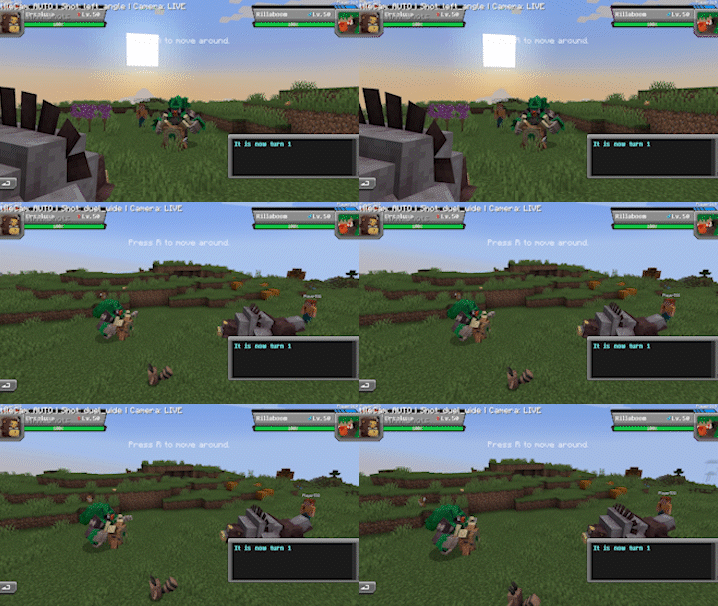
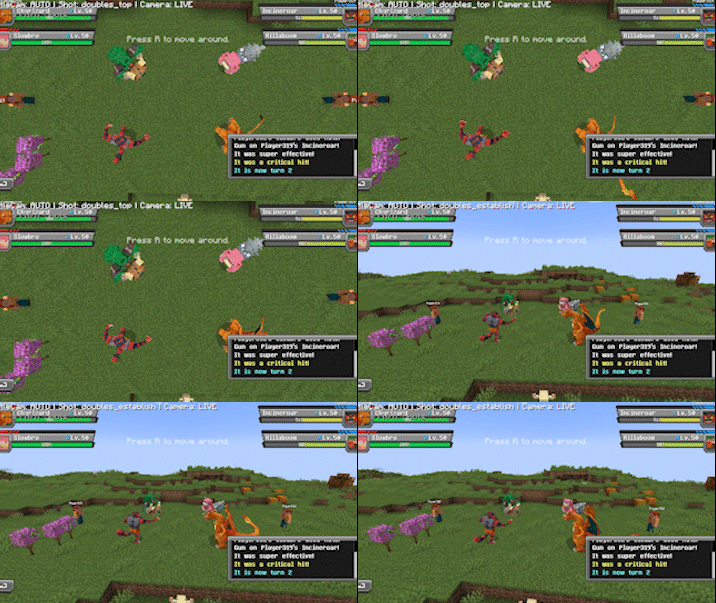
Better Cobblemon Spectation is a client-side Cobblemon addon that makes spectating battles feel more cinematic.
Instead of using the normal player point of view, BattleCam controls the camera during spectating and adds dynamic angles, smooth movement, zooms, and cleaner presentation for singles and doubles battles.
It is designed for tournaments, events, streams, videos, and general spectating, while still letting players choose whether they want the cinematic camera or normal Cobblemon spectating.
Features
- Cinematic Cobblemon battle spectating
- Automatic rotating camera shots
- Manual camera shot control
- Smooth movement, zooms, and transitions
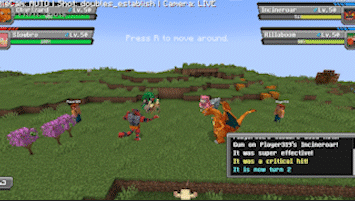
- Singles and doubles battle support
- Cleaner spectator HUD
- Client-side only
How to Use
BattleCam activates when you spectate a Cobblemon battle using Cobblemon’s normal spectate feature.
Press F6 to cycle between camera modes:
- OFF — Normal Cobblemon spectating
- AUTO — Automatically rotates through cinematic shots
- MANUAL — Keeps BattleCam active while you control the shots
Manual Controls
While in MANUAL mode:
- F7 — Next shot
- F8 — Previous shot
Clean Spectator View
While BattleCam is active, normal survival HUD elements are hidden for a cleaner view, including the hotbar, hand render, crosshair, hearts, armor, hunger, XP bar, and level.
A small BattleCam HUD remains visible so you can see the current mode and selected shot.
Verfügbare Versionen
Better Cobblemon Spectation auf deinem Client installieren
Mod-Loader lokal installieren
Installiere fabric für deine lokale Minecraft-Version.
Passende Datei herunterladen
Wähle die Better Cobblemon Spectation-Datei für fabric und Minecraft 1.21.1.
Mod installieren
Lege die .jar-Datei in deinem lokalen .minecraft/mods-Ordner ab und starte Minecraft neu. Eine Installation auf dem Server ist nicht nötig.
Kompatibilität
Mod-Loader
Minecraft-Versionen
1.21.1
Server-seitig
✗ Nicht unterstütztEmpfohlener RAM
4 GB(min. 3 GB)Häufige Fragen
Muss Better Cobblemon Spectation auf dem Minecraft Server installiert werden?
Nein. Modrinth kennzeichnet Better Cobblemon Spectation serverseitig als nicht unterstützt. Installiere die Mod nur im lokalen Minecraft-Mods-Ordner. Dein Server kann unverändert bleiben, sofern die Mod-Seite keine zusätzliche Abhängigkeit nennt.
Welche Version und welchen Loader braucht Better Cobblemon Spectation?
Nutze eine Datei für fabric und exakt deine Minecraft-Version. Unterstützte Versionen sind unter anderem 1.21.1. Loader-Dateien sind nicht untereinander austauschbar.
Better Cobblemon Spectation funktioniert nicht – was kann ich prüfen?
Prüfe zuerst Minecraft-Version, Loader-Version und erforderliche Abhängigkeiten. Lege die .jar-Datei im lokalen .minecraft/mods-Ordner ab und entferne ältere Duplikate. Da die Mod clientseitig ist, löst mehr Server-RAM dieses Problem nicht.
Ähnliche Mods




Minecraft Server für deine Gruppe
Better Cobblemon Spectation bleibt auf deinem Client. Hoste dazu eine kompatible Welt für deine Mitspieler.