
CapeMod
Provides free capes and exclusive perks for creators. Visible for anyone using the mod.
Screenshots
Über diese Mod

Cape Mod 1.8 - 26.1 for Forge and Fabric
Get free capes and exclusive perks for creators!
Visible for anyone using the mod.
https://capemod.net
Supported Versions:
- Fabric: 1.17 - 26.1.2
- Forge: 1.8.9, 1.12.2
How to install / use
- Download and install Forge or Fabric.
- Download and add CapeMod to your mods.
- Register an account and get capes at: https://capemod.net
- Manage and equip your capes at: https://capemod.net/dashboard
Features:
- Transparent and animated capes.
- Free Capes: Earn stylish capes without spending real money.
- Themes: Diffrent themes for the same cape.
- Creator Rewards: Creators can reward their community with custom capes.
- Earning Opportunities: Various ways to earn capes and coins, including gameplay and daily rewards.
- Wide Version Support: Compatible with multiple Minecraft versions.
Creator Benefits:
Creators can distribute capes to their community, for example, by offering them to subscribers on Twitch or as rewards through channel points. They can design and manage their own capes, distributing them directly to their followers. Currently, capes are distributed manually via the dashboard, but we plan to automate this process so players can receive capes instantly upon subscribing.
Manage Your Cape:
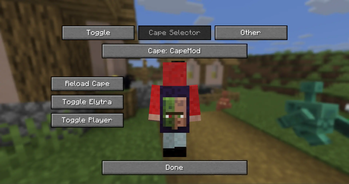
You can view and manage your capes through our dashboard at https://capemod.net/. Additionally, a "Manage Cape" button is available in your skin customization settings.
FAQ:
How do I get capes?
Capes can be purchased using in-game coins, which you earn by playing on specific servers or through daily rewards. Future updates will introduce more earning methods. Note that capes cannot be purchased with real money. Certain capes, such as Twitch or YouTube capes, may require meeting specific follower or subscriber milestones.
How can I manage my cape?
Access our dashboard to view all your owned capes, where you can activate, deactivate, or change them. You can also purchase capes with your earned coins.
Who can see my capes?
Anyone with the mod installed can see your capes, regardless of their Minecraft version.
How can I apply for my own cape as a creator?
Visit our website for the application form and requirements for creating your own cape.
API:
We offer an API that allows you to retrieve information about player capes and enable creators to manage their cosmetics.
CapeMod Integration
If you want to integrate CapeMod into your mod or client, please contact us directly via [email protected]
Useful Links:
Screenshots
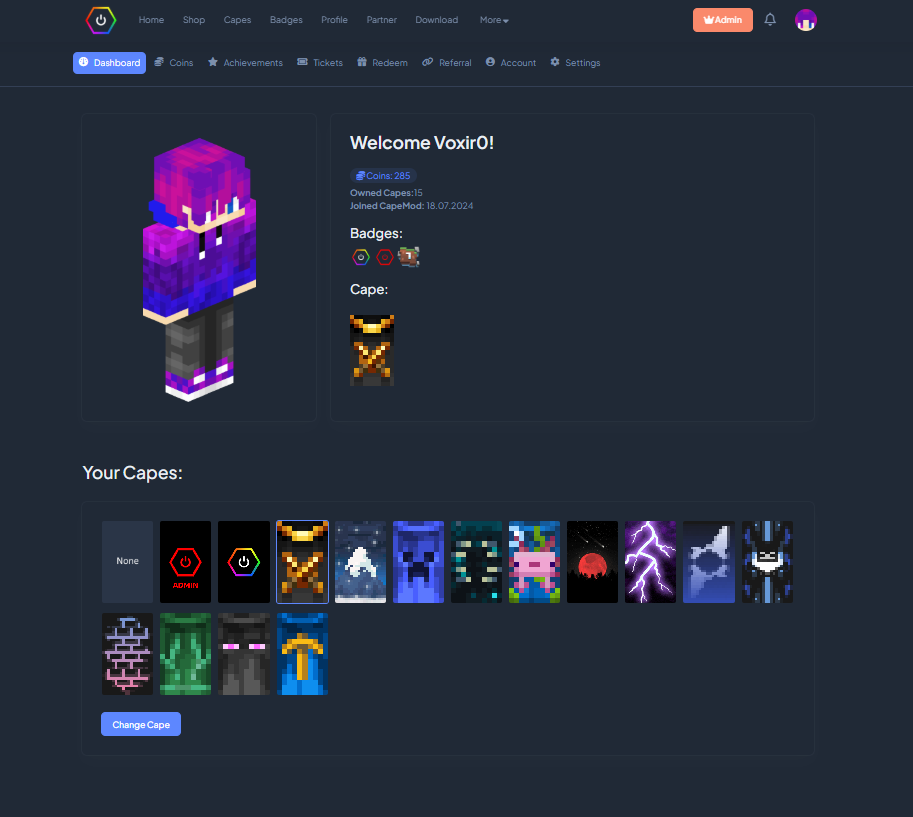
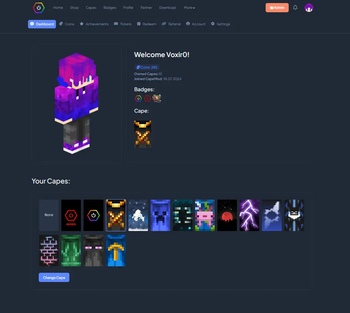
Dashboard to manage Capes, Account.
Support Us
Help us keep our servers running. Your support makes a difference!

Verfügbare Versionen
CapeMod auf deinem Client installieren
Mod-Loader lokal installieren
Installiere fabric für deine lokale Minecraft-Version.
Passende Datei herunterladen
Wähle die CapeMod-Datei für fabric und Minecraft 26.3.
Mod installieren
Lege die .jar-Datei in deinem lokalen .minecraft/mods-Ordner ab und starte Minecraft neu. Eine Installation auf dem Server ist nicht nötig.
Kompatibilität
Mod-Loader
Minecraft-Versionen
26.3, 26.2, 26.1.2 (+33 weitere)
Server-seitig
✗ Nicht unterstütztEmpfohlener RAM
4 GB(min. 3 GB)Häufige Fragen
Muss CapeMod auf dem Minecraft Server installiert werden?
Nein. Modrinth kennzeichnet CapeMod serverseitig als nicht unterstützt. Installiere die Mod nur im lokalen Minecraft-Mods-Ordner. Dein Server kann unverändert bleiben, sofern die Mod-Seite keine zusätzliche Abhängigkeit nennt.
Welche Version und welchen Loader braucht CapeMod?
Nutze eine Datei für fabric, forge, liteloader, neoforge, quilt und exakt deine Minecraft-Version. Unterstützte Versionen sind unter anderem 26.3, 26.2, 26.1.2. Loader-Dateien sind nicht untereinander austauschbar.
CapeMod funktioniert nicht – was kann ich prüfen?
Prüfe zuerst Minecraft-Version, Loader-Version und erforderliche Abhängigkeiten. Lege die .jar-Datei im lokalen .minecraft/mods-Ordner ab und entferne ältere Duplikate. Da die Mod clientseitig ist, löst mehr Server-RAM dieses Problem nicht.
Ähnliche Mods





Minecraft Server für deine Gruppe
CapeMod bleibt auf deinem Client. Hoste dazu eine kompatible Welt für deine Mitspieler.