
Combat Expansion
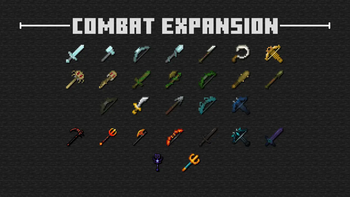
Adds a whole new collection of weapons, armor, and enchantments for PvP
Screenshots
Über diese Mod
⚔️ Combat Expansion ⚔️
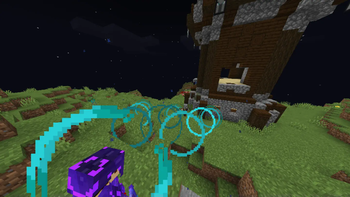
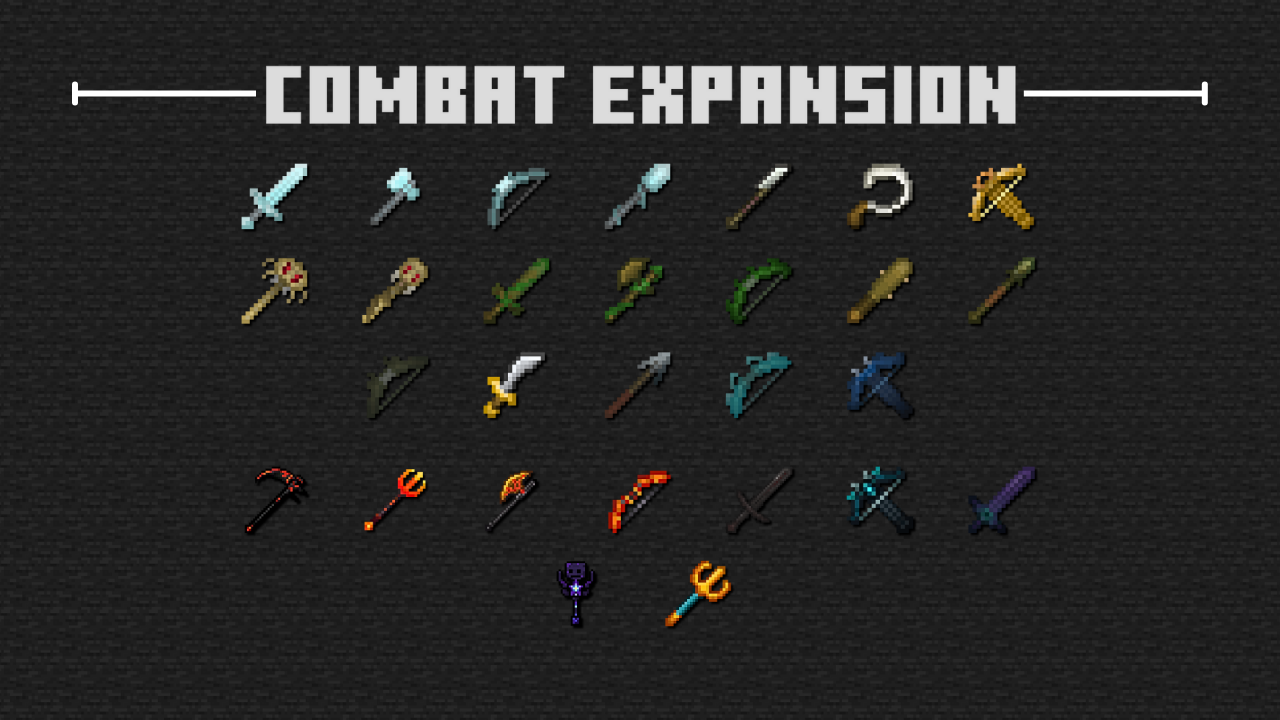
This Minecraft Dungeons-inspired data pack adds many different weapons, armor sets, and even enchantments to enhance your PvP experience!
Below is a list of how many new items/enchantments there are:
- 33 different weapons
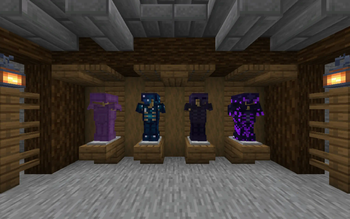
- 4 overpowered armor sets
- 16 enchantments
More items are coming in the future!
🟢 Features
Apart from the equipment and the enchantments, a few features have been implemented to enhance both the adventure and combat parts of Minecraft.
💪 Powerful Mobs
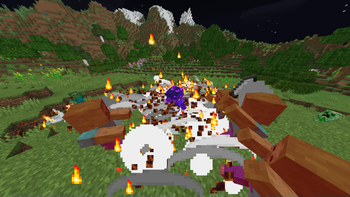
Many of the weapons can easily defeat large numbers of hostile mobs. So, we added Powerful Mobs that have a rare chance of spawning. They are variants of regular hostile mobs who wield strong weapons and wear tanky armor, making them a tough challenge for anyone who comes by.
Below is an example of what a Powerful Zombie looks like at its maximum level.
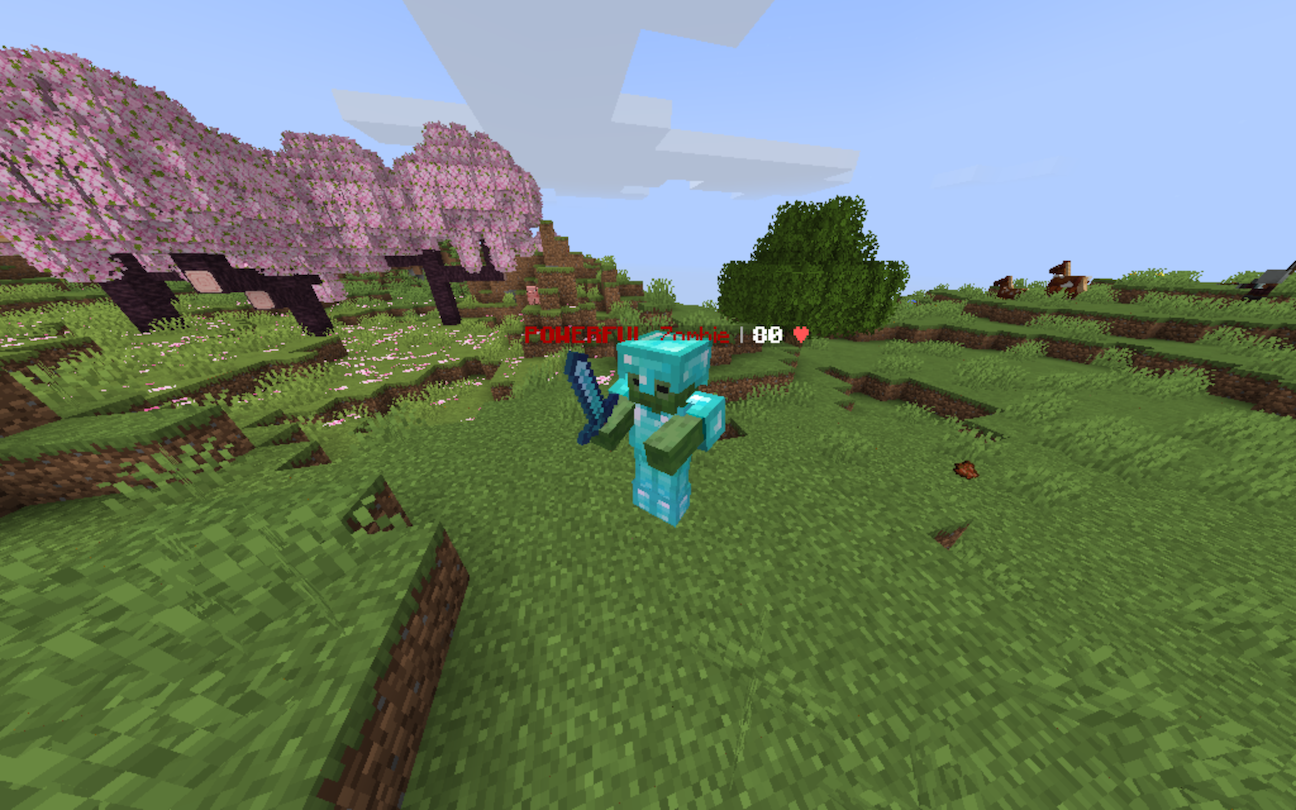
Over time, Powerful Mobs grow stronger. They drop good loot, such as diamonds or even netherite scraps.
The following list contains every mob which has a Powerful variant:
- Zombie
- Husk
- Drowned
- Skeleton
- Stray
- Bogged
- Evoker
- Vindicator
- Piglin
- Piglin Brute
- Zombified Piglin
- Wither Skeleton
- Vex
📖 Reworked Enchantments
Certain vanilla enchantments have been modified to become stronger. The list below includes which enchantments have been changed and how they have been changed.
- Sharpness: Now deals an extra 10% of damage per level rather than +0.5
- Impaling: Deals extra damage to all mobs, not just aquatic mobs
- Thorns: Returns more damage the lower the user is
- Piercing & Multishot: Both enchantments are now compatible
- Channeling: No longer needs a thunderstorm to strike lightning
🛠️ Installation and Usage
When installing any version, make sure you download both the data pack (marked with "[DP]") and the resource pack (marked with "[RP]").
For the data pack to work properly, the resource pack must also be installed; otherwise, all of the custom textures will break.
To apply the data pack to your new world, click on More, then click Datapacks, then you can drag-and-drop the data pack file into your Minecraft window.
To use the data pack, you can type /function combat_expansion:_all_items to view all of the different equipment and to give items to yourself.
If you are downloading the mod version, then there is no need to download the resource pack
🔴 Issues, Questions, and Suggestions
All bugs that you find should be reported on the official GitHub page. If you have any questions or suggestions, they can also be reported there.
❓ Wiki
The wiki for Combat Expansion can be accessed using this link.
Verfügbare Versionen
Combat Expansion auf dem Server installieren
Server bestellen
Bestelle einen Minecraft Java Server mit mindestens 3 GB RAM (4 GB empfohlen).
datapack Loader setzen
Wähle im Panel unter "Egg" den datapack-Loader und die passende Minecraft-Version (1.21.8).
Mod installieren
Öffne den Mod-Browser im Dashboard und suche nach "Combat Expansion". Klicke "Installieren" – fertig! Alternativ: Lade die .jar via SFTP in den /mods Ordner.
Kompatibilität
Mod-Loader
Minecraft-Versionen
1.21.8, 1.21.7, 1.21.6 (+2 weitere)
Server-seitig
✓ ErforderlichEmpfohlener RAM
4 GB(min. 3 GB)Häufige Fragen
Combat Expansion Server crasht beim Start – was tun?
Häufigste Ursache: falsche datapack-Version oder zu wenig RAM. Prüfe im Server-Log (latest.log), ob ein "OutOfMemoryError" oder "Mixin"-Fehler auftritt. Bei Mado Hosting: Stelle sicher, dass mindestens 3 GB RAM zugewiesen sind und der Loader zur Mod-Version passt (1.21.8). Über das Panel kannst du den Loader mit einem Klick wechseln.
Ist Combat Expansion mit datapack und fabric und forge und neoforge und quilt kompatibel?
Combat Expansion unterstützt offiziell datapack, fabric, forge, neoforge, quilt für Minecraft 1.21.8, 1.21.7, 1.21.6. Achtung: Forge- und Fabric-Mods sind NICHT untereinander kompatibel – wähle einen Loader und bleibe dabei. Im Mado Dashboard werden inkompatible Loader-Kombinationen automatisch erkannt.
Server laggt mit Combat Expansion – wie optimiere ich die Performance?
Empfohlener RAM: 4 GB (+1 GB pro 8 Spieler). Prüfe mit /spark profiler, ob Combat Expansion den meisten Tick-Time verbraucht. Häufige Fixes: Server-View-Distance auf 8-10 reduzieren, bei Forge "performant" oder "starlight" als Zusatz-Mod installieren. Bei Mado Hosting läuft dein Server auf NVMe-SSDs mit dedizierten CPU-Kernen für minimale Latenz.
Ähnliche Mods




Modded Server mieten
Installiere Combat Expansion mit nur einem Klick auf deinem Server.
Details
- Lizenz
- Creative Commons Attribution Non Commercial 4.0 International
- Server-seitig
- Erforderlich