
Cobblemon Alatia's Fakemon Pack
An addon for Cobblemon that adds fakemon from the Alatia Region.
Screenshots
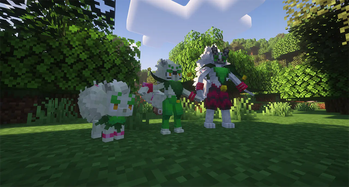
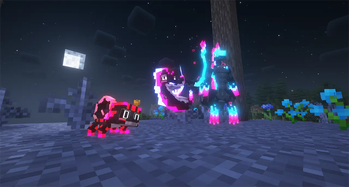
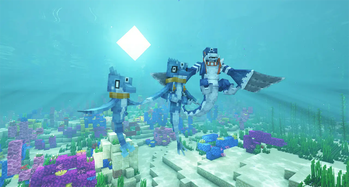
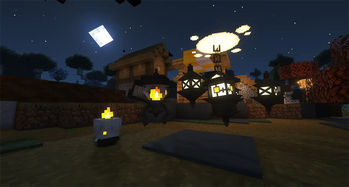
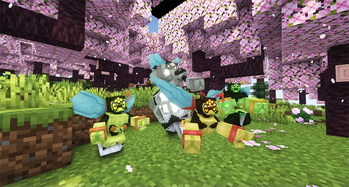
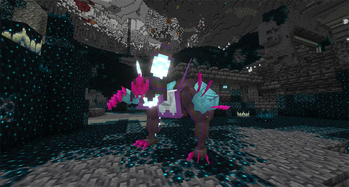
Über diese Mod
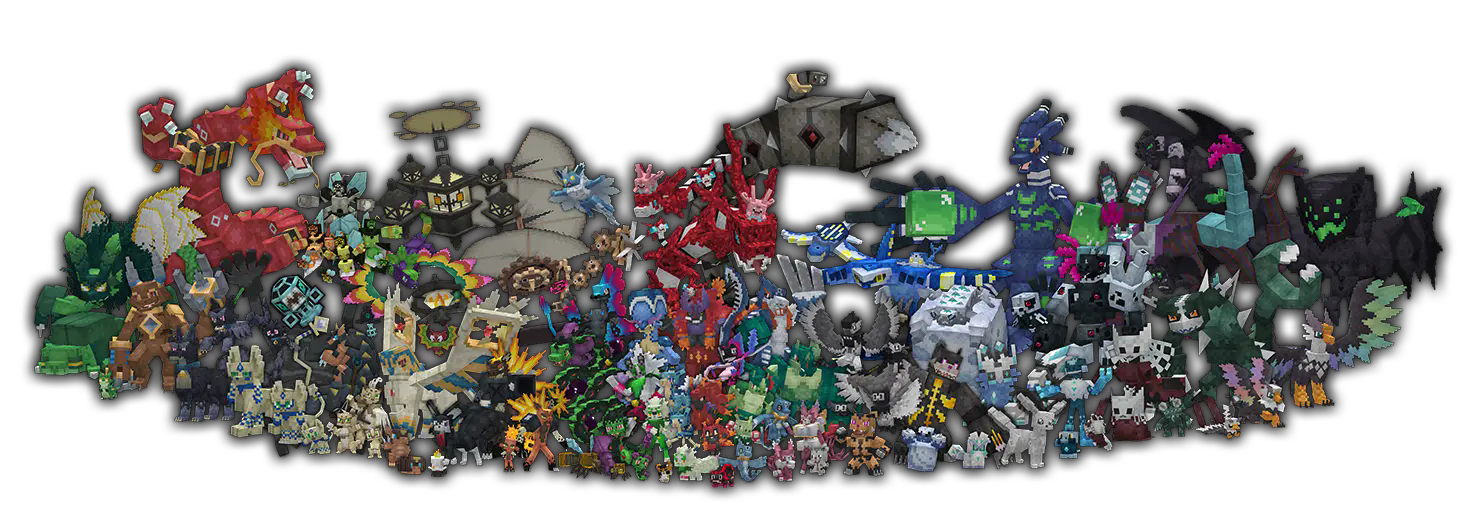

This addon adds new fakemon from the Alatia Region!
How to set custom starters set
- Extract from the .zip file the "starter screen" folder (attached as additional file in each version page), inside it there are two files: main.json and starters.json
- Move your files in ".minecraft\config\cobblemon" (there's already a main.json, replace it with the new one)
- Enjoy it!
NOTE:
- If you are using this addon with other ones with different starter set, you have to manually edit starters.json
- If you are using multiple addons, some evolution could be unavailable due to config conflict
There's a document where you can find every information you need HERE
Common Q&A:
Spoiler
If you need more help you can find me in the official Cobblemon Discord Server.
Q : The world won't start with the addon, what's wrong?
A : If you are using the GEB version of my addon, make sure you also downloaded Gravel's Extended Battles, it's necessary since is used for custom types and moves.
Q : I added the addon in my world but doesn't work, what's wrong?
A : My addon is a mod (basically dapatack + resource pack pagacked as mod), so you just have to add it in your mod folder and it will work fine.
Q : I donwloaded GEB but I don't have any new types, what's wrong?
A : There are two versions of my addon (each of them for Fabric and NeoForge): One where you have the custom types (called "GEB") and one without (called "No GEB") where you don't need Gravel's Extended Battles to play it.
Q : The battle freezes and I can't do anything but run away.
A : This is a common issues caused by Gravel's Extended Battles with Cobblemon: Mega Showdown or Cobblemania used together, please report this issue to the mod authors, my addon is not the issue.
Q : I'm using Xaero's Minimap and I would like to have icons of your fakemon.
A : You can use E19 - Cobblemon Minimap Icons, this icon pack supports my addon.
Q : I have issue with the addon, I'm using -insert modpack name-.
A : I can't help with this because the issue could be anything.
Q : I need some information about a pokemon, can you help me?
A :HERE you can find every information you need
Q : I would like to add this addon in a modpack, can I add to it?
A : Yes, as long as you credit me. And please let me know since I like to look at some good modpacks.
Q : I would like to edit some data of your fakemon, how and can I do it?
A : Yes, you can edit the addon by making a new datapack to change some fakemon properties, such as stats, movepool and spawns. You can find the tutorial in the official Cobblemon Wiki.
Q : Hi, I'm an admin of -insert server name-, we would like to add your addon in -insert some method to earn money from players-
A : This addon is made to be free and no-profit, you can't block my content behind any sort of paywall (specifified in my CC license, NO COMMERCIAL USE) and mostly important: no one is allowed to use this addon in public server without my permission.
Credits:
- Every fakemon from the Alatia Region is designed by Doctor_X_Art (me)
- Aster Region starters by Poke.Nova
- Frinx and Avalinx from the Impetia Region by Cioxmon
- Iron Stalker is designed by Nengland and Aleskiin
- Every cry sound is made by me, Ganbare-Lucifer and FloppaTyann
Cobblemon Alatia's Fakemon Pack © 2024 by Giuseppe D'Antonio (Doctor X) is licensed under CC BY-NC-ND 4.0
Guidelines
My CC license has some information regard what you may and not may do with my addon, but I'll prefer to specify a couple of additional things to avoid some greedy jackals:
You may:
- Include the pack into a private and public modpack WITH explicit permission and credit. (Provide a screenshot of the conversation as proof of my permission)
You may not:
- Use any of this content for profit. This include but not limited to:
- Make server-exclusive skins and/or variant of fakemon inside this project.
- A paywall of skins and distribution of fakemon via loot crates, keys, or any form of gambling and shiny boost. Each fakemon can be found naturally without any limitation.
- Redistribute this pack on different website than Modrinth and CurseForge.
- Create offensive content with my project and designs
- Use my content for GenAI.
Verfügbare Versionen
Cobblemon Alatia's Fakemon Pack auf dem Server installieren
Server bestellen
Bestelle einen Minecraft Java Server mit mindestens 3 GB RAM (4 GB empfohlen).
datapack Loader setzen
Wähle im Panel unter "Egg" den datapack-Loader und die passende Minecraft-Version (1.21.1).
Mod installieren
Öffne den Mod-Browser im Dashboard und suche nach "Cobblemon Alatia's Fakemon Pack". Klicke "Installieren" – fertig! Alternativ: Lade die .jar via SFTP in den /mods Ordner.
Kompatibilität
Mod-Loader
Minecraft-Versionen
1.21.1, 1.20.1, 1.19.2
Server-seitig
✓ ErforderlichEmpfohlener RAM
4 GB(min. 3 GB)Häufige Fragen
Cobblemon Alatia's Fakemon Pack Server crasht beim Start – was tun?
Häufigste Ursache: falsche datapack-Version oder zu wenig RAM. Prüfe im Server-Log (latest.log), ob ein "OutOfMemoryError" oder "Mixin"-Fehler auftritt. Bei Mado Hosting: Stelle sicher, dass mindestens 3 GB RAM zugewiesen sind und der Loader zur Mod-Version passt (1.21.1). Über das Panel kannst du den Loader mit einem Klick wechseln.
Ist Cobblemon Alatia's Fakemon Pack mit datapack und fabric und forge und neoforge kompatibel?
Cobblemon Alatia's Fakemon Pack unterstützt offiziell datapack, fabric, forge, neoforge für Minecraft 1.21.1, 1.20.1, 1.19.2. Achtung: Forge- und Fabric-Mods sind NICHT untereinander kompatibel – wähle einen Loader und bleibe dabei. Im Mado Dashboard werden inkompatible Loader-Kombinationen automatisch erkannt.
Server laggt mit Cobblemon Alatia's Fakemon Pack – wie optimiere ich die Performance?
Empfohlener RAM: 4 GB (+1 GB pro 8 Spieler). Prüfe mit /spark profiler, ob Cobblemon Alatia's Fakemon Pack den meisten Tick-Time verbraucht. Häufige Fixes: Server-View-Distance auf 8-10 reduzieren, bei Forge "performant" oder "starlight" als Zusatz-Mod installieren. Bei Mado Hosting läuft dein Server auf NVMe-SSDs mit dedizierten CPU-Kernen für minimale Latenz.
Ähnliche Mods




Modded Server mieten
Installiere Cobblemon Alatia's Fakemon Pack mit nur einem Klick auf deinem Server.
Details
- Lizenz
- Creative Commons Attribution Non Commercial No Derivatives 4.0 International
- Server-seitig
- Erforderlich