
Colorful Books
Decorate, organize & display your books with colour! Works with Lecterns, Chiseled Bookshelves & Enchanting Tables!
Screenshots
Über diese Mod
📚 Colorful Books

🎨 Dyeing & Undyeing
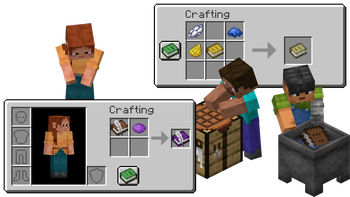
Dye as vanilla does it! Combine dyes with a Book, Book and Quill, Written Book or Enchanted Book in crafting grid to give it a splash of color. Wash off your dye by using a dyed book on a Cauldron with water in it. Don't worry, the ink of your written pages won't come off!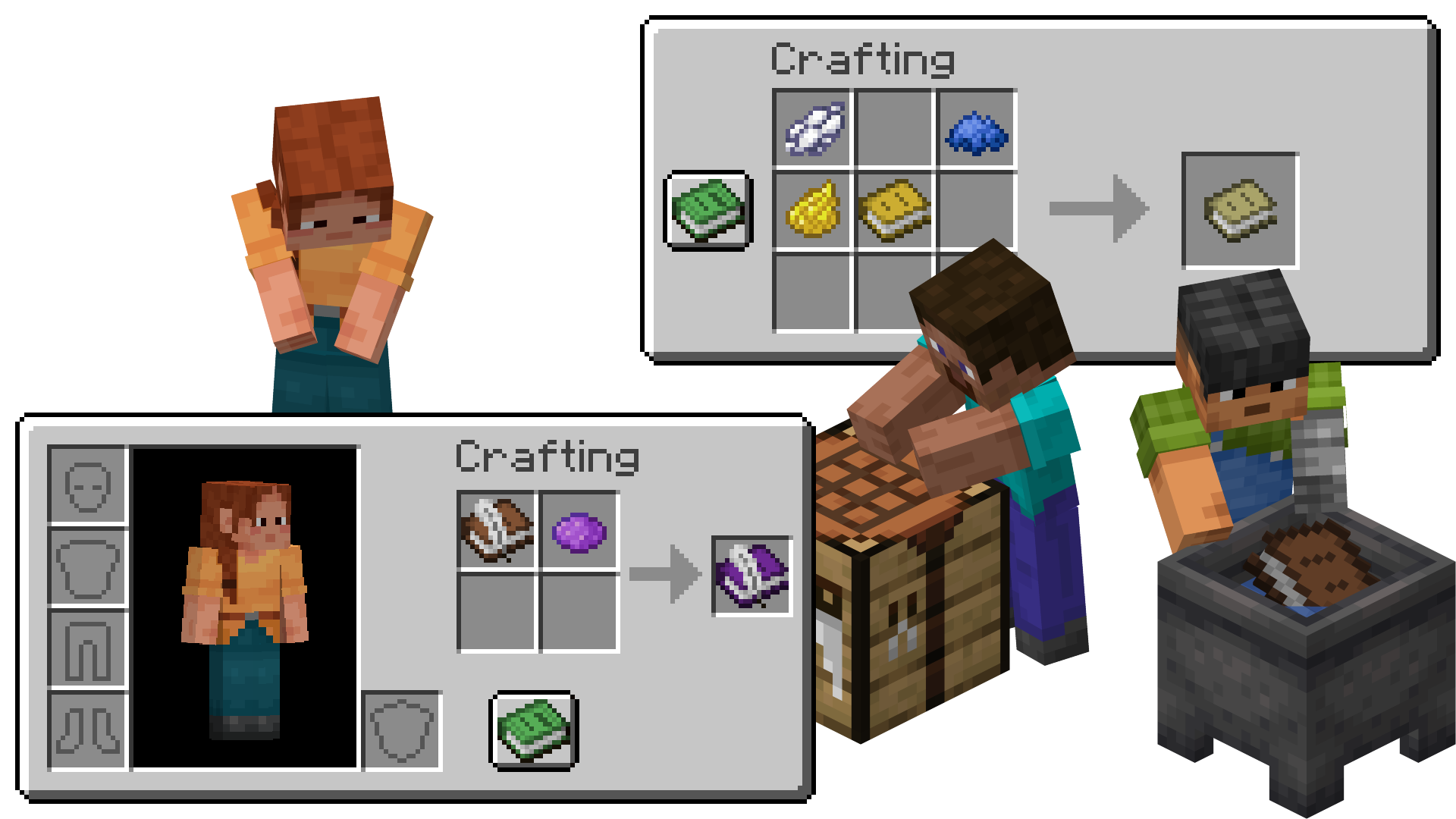
✒️ Lectern, Writing & Librarian
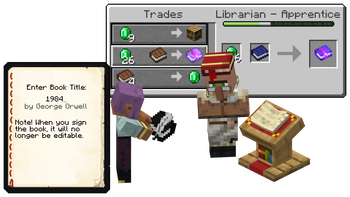
Write with color! Book and Quills & Written Books which are dyed will display their dye on a Lectern or in their respective GUIs for everyone to see. Librarians will still accept dyed books for their Trades, and even keep the dye!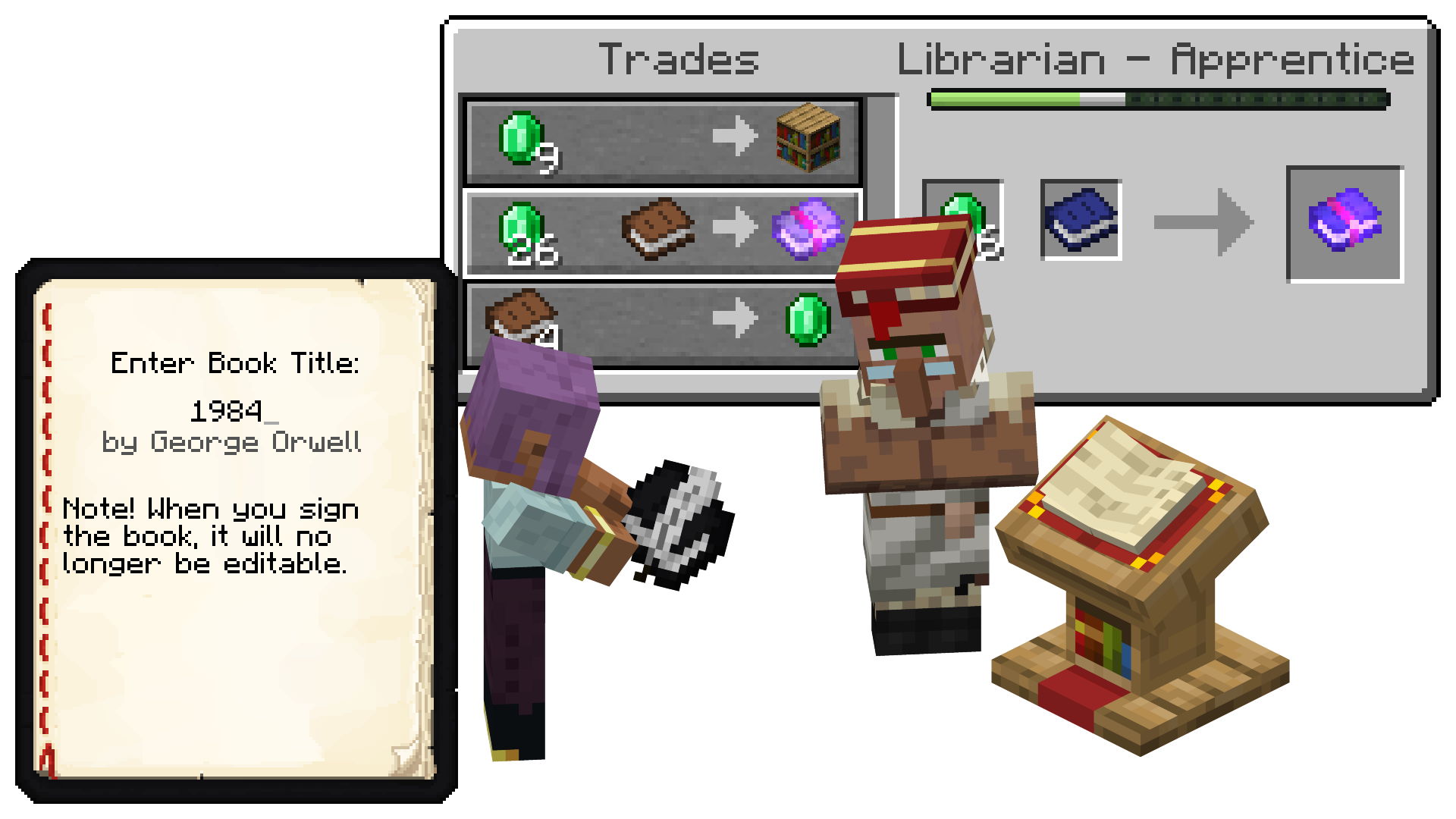
✨ Enchanting Table & Chiseled Bookshelves
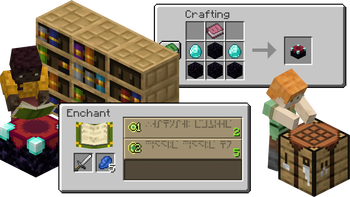
Display with pride! When crafting an Enchanting Table with a dyed book, the Enchanting Table will display a dyed book in the world and in the GUI. Chiseled Bookshelves will also display the color of their books, allowing you to organize and decorate!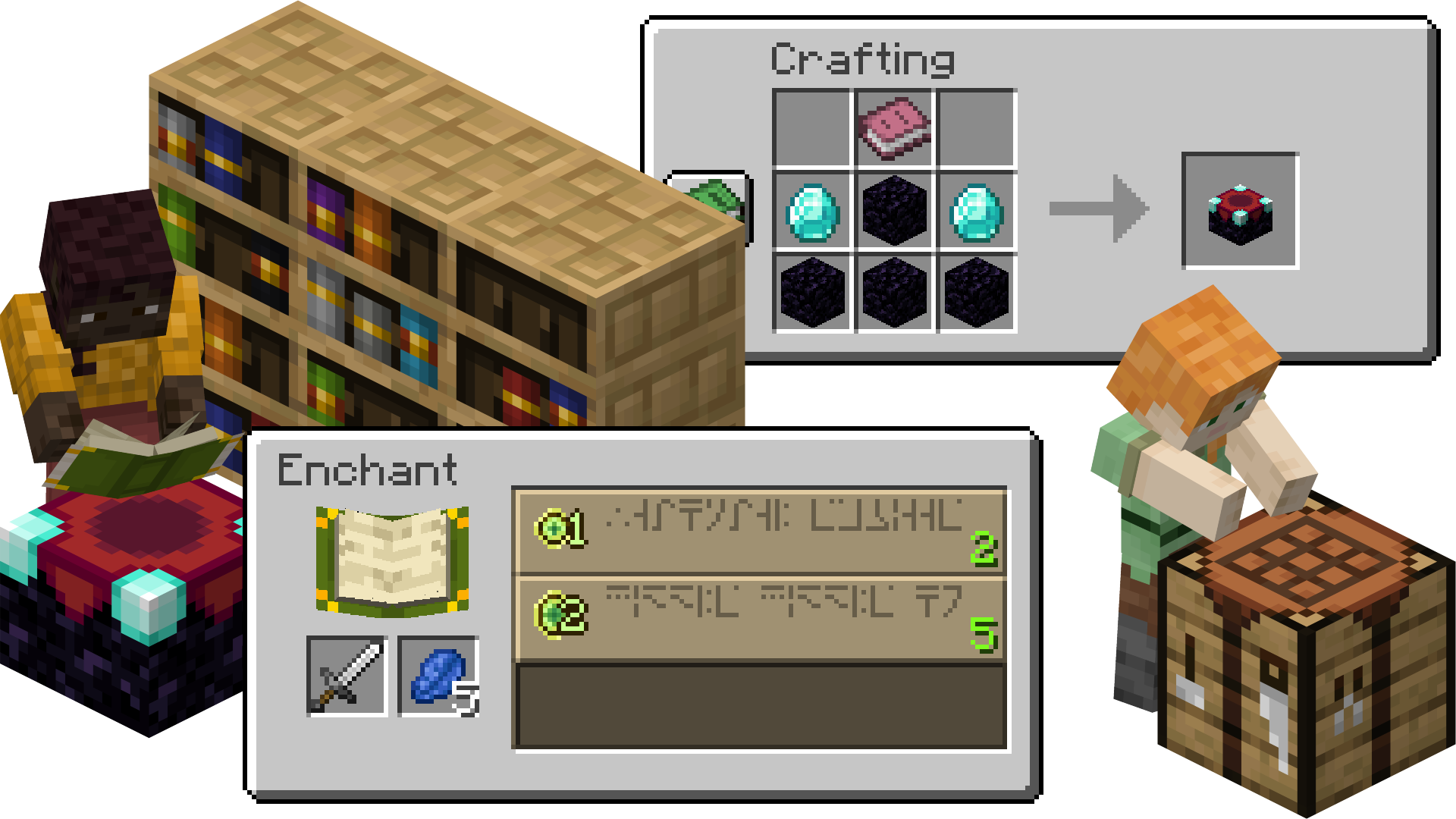
🏦 Enchanted Books & Loot
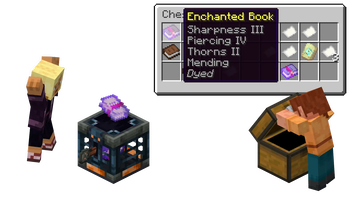
Enchant with mysteriouly colorful books! Enchanted Books found as Loot will be dyed based on their Enchantments. If a book has multiple enchantments, it will blend them!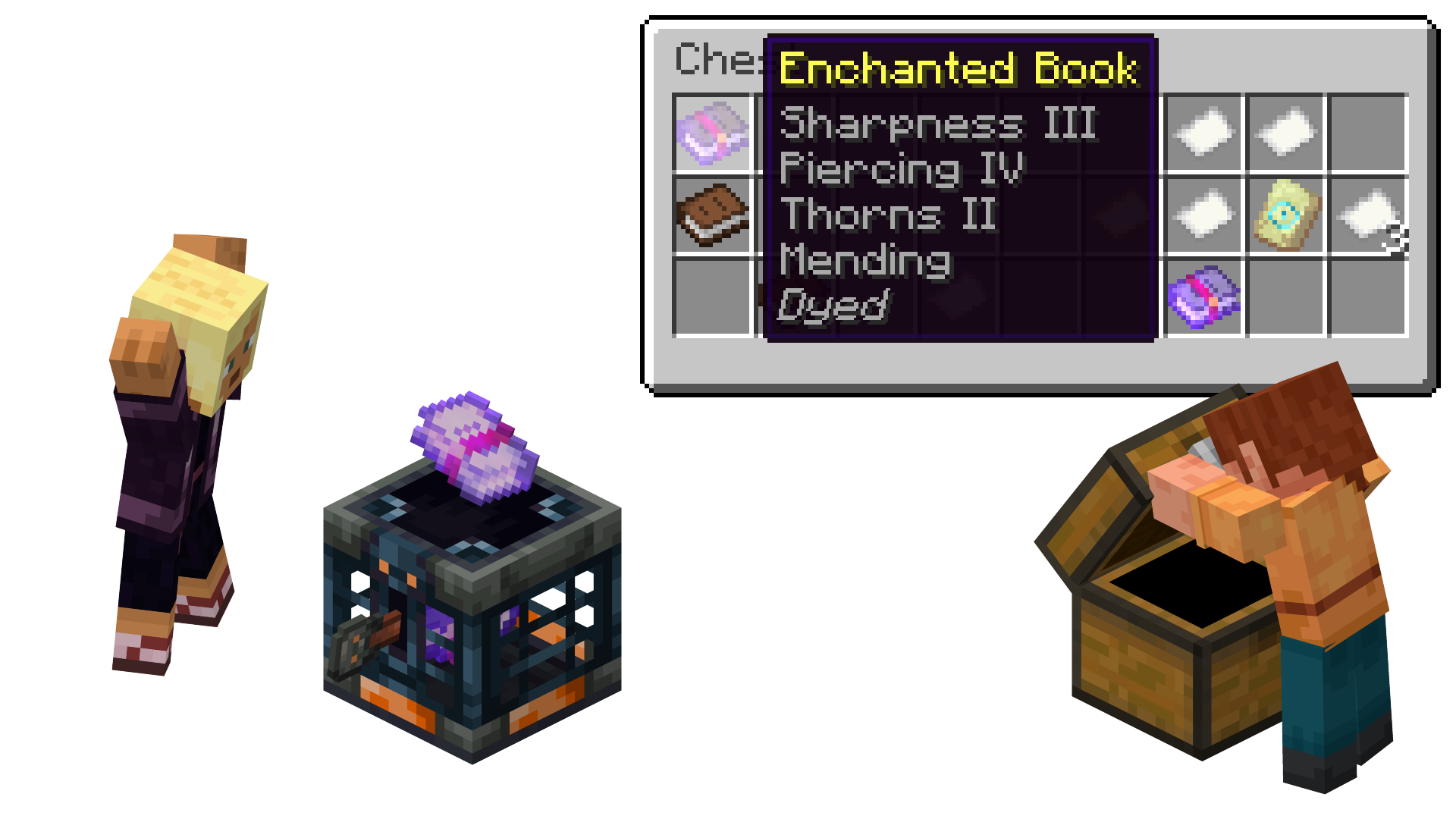
Verfügbare Versionen
Colorful Books auf dem Server installieren
Server bestellen
Bestelle einen Minecraft Java Server mit mindestens 3 GB RAM (4 GB empfohlen).
fabric Loader setzen
Wähle im Panel unter "Egg" den fabric-Loader und die passende Minecraft-Version (26.1.2).
Mod installieren
Öffne den Mod-Browser im Dashboard und suche nach "Colorful Books". Klicke "Installieren" – fertig! Alternativ: Lade die .jar via SFTP in den /mods Ordner.
Kompatibilität
Mod-Loader
Minecraft-Versionen
26.1.2, 1.21.11, 1.21.10 (+10 weitere)
Server-seitig
✓ ErforderlichEmpfohlener RAM
4 GB(min. 3 GB)Häufige Fragen
Colorful Books Server crasht beim Start – was tun?
Häufigste Ursache: falsche fabric-Version oder zu wenig RAM. Prüfe im Server-Log (latest.log), ob ein "OutOfMemoryError" oder "Mixin"-Fehler auftritt. Bei Mado Hosting: Stelle sicher, dass mindestens 3 GB RAM zugewiesen sind und der Loader zur Mod-Version passt (26.1.2). Über das Panel kannst du den Loader mit einem Klick wechseln.
Ist Colorful Books mit fabric kompatibel?
Colorful Books unterstützt offiziell fabric für Minecraft 26.1.2, 1.21.11, 1.21.10. Im Mado Dashboard werden inkompatible Loader-Kombinationen automatisch erkannt.
Server laggt mit Colorful Books – wie optimiere ich die Performance?
Empfohlener RAM: 4 GB (+1 GB pro 8 Spieler). Prüfe mit /spark profiler, ob Colorful Books den meisten Tick-Time verbraucht. Häufige Fixes: Server-View-Distance auf 8-10 reduzieren, bei Forge "performant" oder "starlight" als Zusatz-Mod installieren. Bei Mado Hosting läuft dein Server auf NVMe-SSDs mit dedizierten CPU-Kernen für minimale Latenz.
Ähnliche Mods




Modded Server mieten
Installiere Colorful Books mit nur einem Klick auf deinem Server.