Cozy Cafe
Run a cafe, restaurant, or bistro in Minecraft! Cozy Cafe adds mechanics based off food service games like Plate Up! Overcooked, and Diner Dash.
Screenshots
Über diese Mod
Cozy Cafe
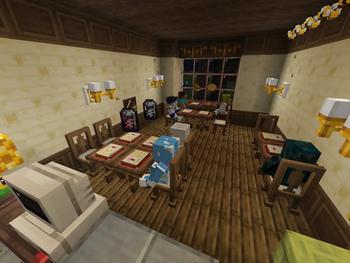
Cozy Cafe adds mechanics based off food service games like Plate Up! Overcooked, and Diner Dash. Customize your cafe's menu and serve customers every day! Build up your reputation and attract a wider audience to make a lucrative dining experience!
Mechanics
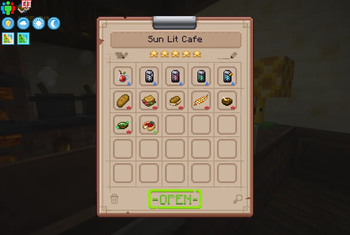
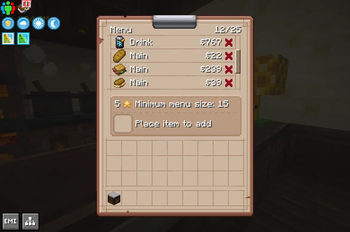
- Design your menu, with each food item being either a drink, main, or dessert.
- Manage the service of customers! Better service will result in higher tips from customers!
- Build up a cafe in any layout you please!
- Earn Reputation, which attracts more customers every day and also increases the max size of your cafe!
- Granular configuration and data-driven menu items! This is designed for modpack makers to integrate into their own packs or to make a cooking pack centered around the mod!
Future Updates
More mechanics planned for future updates! In the 1.1 release, certain decor blocks will raise different stats of your cafe, like increased/decreased wait times and even increased tips! There may also be a flavor and theme system, where certain bonuses can be gained from either customer taste or certain decor.
More information
Learn all about Cozy Cafe through the wiki! There is also an in-depth configuration in config\cozycafe-common.toml to tweak things like currency drops and difficulty.
Mod Compatibility
- Quality Food - Higher quality increases sell value and reputation gain
- Create Numismatics & Create Numismatics Utils - Pay directly to bank account
For the above it is reccomended to use this for the currency configuration:
#The item to use as a 1 denomination of currency (e.g.: minecraft:emerald)
currency_1 = "numismatics:spur"
#The item to use as a 8 denomination of currency (e.g.: minecraft:emerald)
currency_8 = "numismatics:bevel"
#The item to use as a 16 denomination of currency (e.g.: minecraft:emerald)
currency_16 = "numismatics:sprocket"
#The item to use as a 64 denomination of currency (e.g.: minecraft:diamond)
currency_64 = "numismatics:cog"
#The item to use as a 512 denomination of currency (e.g.: minecraft:emerald)
currency_512 = "numismatics:crown"
#The item to use as a 4096 denomination of currency (e.g.: minecraft:emerald)
currency_4096 = "numismatics:sun"
Modded Menu Items
The following mods have built in menu item support (by mod id, too many to link:
Mod compat
- aquaculture - atmospheric - autumnity - bakery - beachparty - brewery - buzzier_bees - candlelight - crabbersdelight - create - farmersdelight - farmlife - farm_and_charm - herbalbrews - meadow - netherdepthsupgrade - nethervinery - quark - refurbished_furniture - snowyspirit - species - supplementaries - untitledduckmod - unusualfishmod - veggiesdelight - vinery - vintagedelight - wildernature - windsweptDependencies
Support
Questions? Comments? Suggestions? Join our Discord!
Verfügbare Versionen
Cozy Cafe auf dem Server installieren
Server bestellen
Bestelle einen Minecraft Java Server mit mindestens 3 GB RAM (4 GB empfohlen).
forge Loader setzen
Wähle im Panel unter "Egg" den forge-Loader und die passende Minecraft-Version (1.20.1).
Mod installieren
Öffne den Mod-Browser im Dashboard und suche nach "Cozy Cafe". Klicke "Installieren" – fertig! Alternativ: Lade die .jar via SFTP in den /mods Ordner.
Kompatibilität
Mod-Loader
Minecraft-Versionen
1.20.1
Server-seitig
✓ ErforderlichEmpfohlener RAM
4 GB(min. 3 GB)Häufige Fragen
Cozy Cafe Server crasht beim Start – was tun?
Häufigste Ursache: falsche forge-Version oder zu wenig RAM. Prüfe im Server-Log (latest.log), ob ein "OutOfMemoryError" oder "Mixin"-Fehler auftritt. Bei Mado Hosting: Stelle sicher, dass mindestens 3 GB RAM zugewiesen sind und der Loader zur Mod-Version passt (1.20.1). Über das Panel kannst du den Loader mit einem Klick wechseln.
Ist Cozy Cafe mit forge kompatibel?
Cozy Cafe unterstützt offiziell forge für Minecraft 1.20.1. Im Mado Dashboard werden inkompatible Loader-Kombinationen automatisch erkannt.
Server laggt mit Cozy Cafe – wie optimiere ich die Performance?
Empfohlener RAM: 4 GB (+1 GB pro 8 Spieler). Prüfe mit /spark profiler, ob Cozy Cafe den meisten Tick-Time verbraucht. Häufige Fixes: Server-View-Distance auf 8-10 reduzieren, bei Forge "performant" oder "starlight" als Zusatz-Mod installieren. Bei Mado Hosting läuft dein Server auf NVMe-SSDs mit dedizierten CPU-Kernen für minimale Latenz.
Ähnliche Mods


![CobbleDollars [Cobblemon Addon]](https://cdn.modrinth.com/data/s7N7AsqL/684040a264fc1d7f9b856ec5d2da39767398c7ad.png)

Modded Server mieten
Installiere Cozy Cafe mit nur einem Klick auf deinem Server.