
Create: Templates & Gears
Allows you to create Smithing Templates using the machines from the Create mod.
Screenshots
Über diese Mod
IMPORTANT
- This mod requires Create and Create Enchantment Industry.
- This mod is compatible with More Armor Trims.
Description
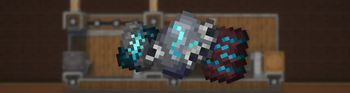
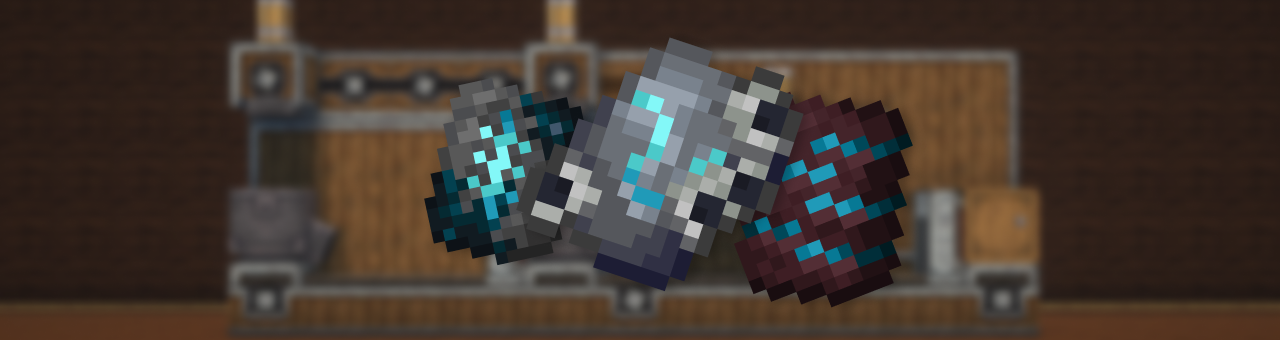
This mod adds a complex, immersive, and fully automated way to craft Armor Trim Smithing Templates using Create machines and experience fluid.
Forget vanilla loot tables — now you build your trims like an engineer.
🔨 Making the Shards
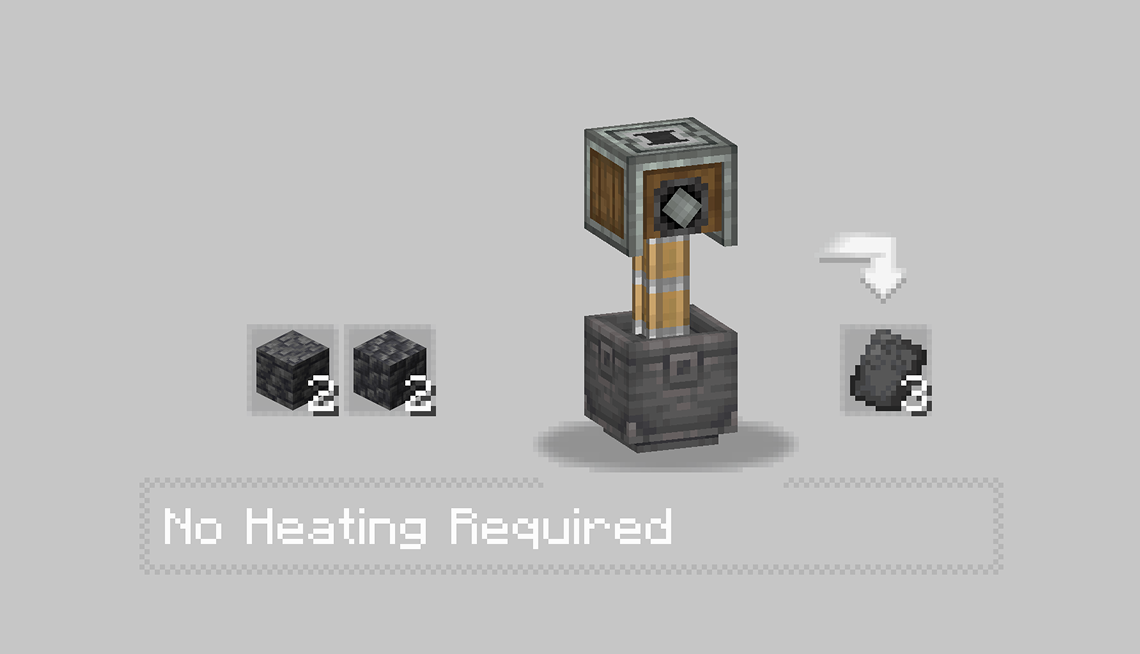
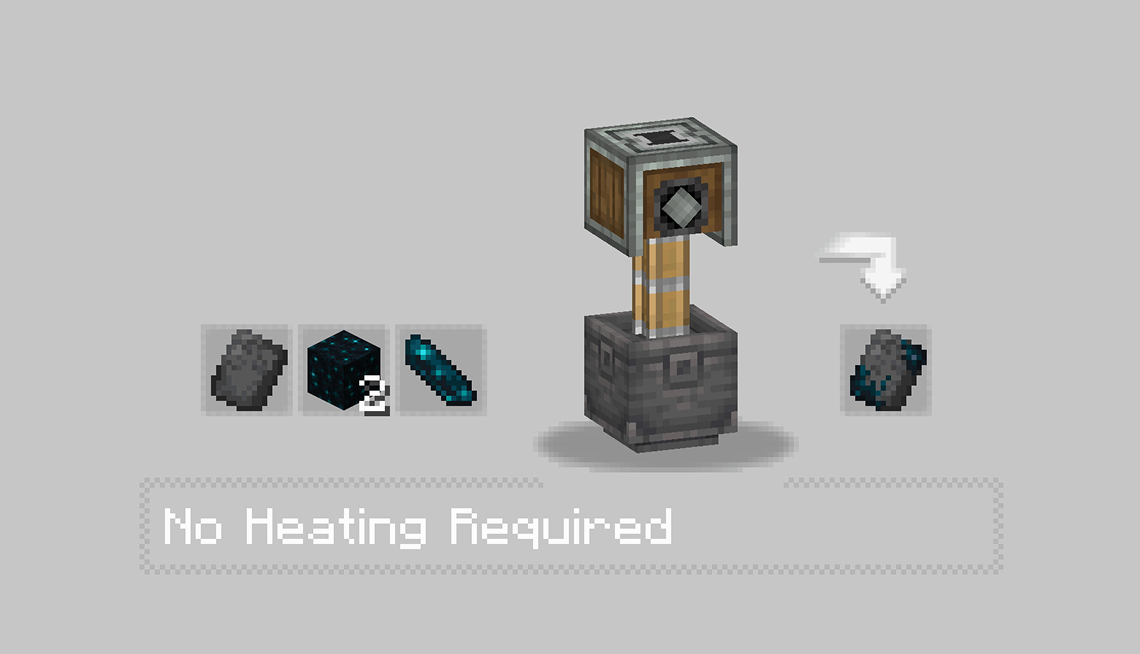
The first step is to craft a base shard using various Create machines like the Press and the Basin. Each trim starts its journey as a raw material processed with care.
 |
 |
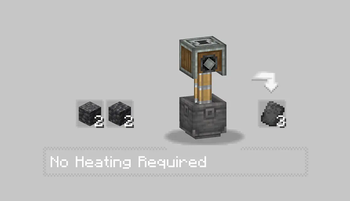
- In the first recipe, Some Stones is pressed into a flat sheet, forming the basis of the trim’s structure.
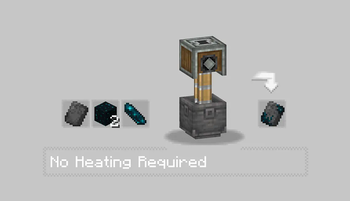
- Then, some item like echo or moss is added inside a basin and pressed, producing a charged and purified core shard.
- Each Trim got there personnal recipe check it with JEI mod.
⚙️ Assembling the Shard
With the base shards ready, the real process begins.
You’ll need to:
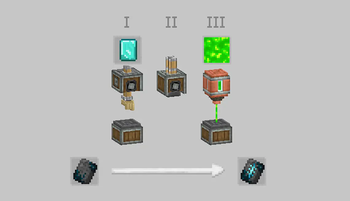
- Use Mechanical Arms to deploy Diamond Shard.
- Run them through Sequenced Assembly, where each action upgrades the item step by step.
- Finally, inject XP fluid into the item using a Spout to awaken its full potential.
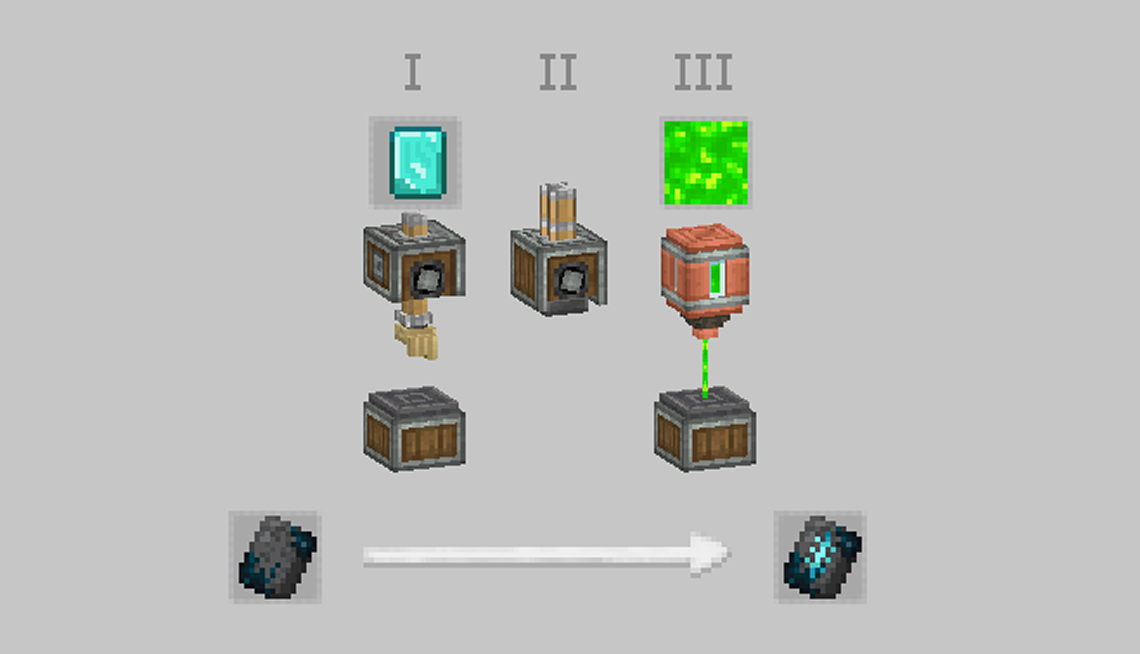
Every trim has a different flavor — some require specific coral types, others need rare materials like diamonds or nether components.
The XP injection is what activates the shard, making it usable as a Smithing Template.
✅ Result
After these steps, you’ll have a fully functional Armor Trim Template — obtained through automation, logic, and style.
Perfect for tech-based survival worlds or modpacks aiming to reduce RNG and promote player-driven progression.
Verfügbare Versionen
Create: Templates & Gears auf dem Server installieren
Server bestellen
Bestelle einen Minecraft Java Server mit mindestens 4 GB RAM (6 GB empfohlen).
fabric Loader setzen
Wähle im Panel unter "Egg" den fabric-Loader und die passende Minecraft-Version (1.21.1).
Mod installieren
Öffne den Mod-Browser im Dashboard und suche nach "Create: Templates & Gears". Klicke "Installieren" – fertig! Alternativ: Lade die .jar via SFTP in den /mods Ordner.
Kompatibilität
Mod-Loader
Minecraft-Versionen
1.21.1, 1.20.6, 1.20.5 (+5 weitere)
Server-seitig
✓ ErforderlichEmpfohlener RAM
6 GB(min. 4 GB)Häufige Fragen
Create: Templates & Gears Server crasht beim Start – was tun?
Häufigste Ursache: falsche fabric-Version oder zu wenig RAM. Prüfe im Server-Log (latest.log), ob ein "OutOfMemoryError" oder "Mixin"-Fehler auftritt. Bei Mado Hosting: Stelle sicher, dass mindestens 4 GB RAM zugewiesen sind und der Loader zur Mod-Version passt (1.21.1). Über das Panel kannst du den Loader mit einem Klick wechseln.
Ist Create: Templates & Gears mit fabric und forge und neoforge kompatibel?
Create: Templates & Gears unterstützt offiziell fabric, forge, neoforge für Minecraft 1.21.1, 1.20.6, 1.20.5. Achtung: Forge- und Fabric-Mods sind NICHT untereinander kompatibel – wähle einen Loader und bleibe dabei. Im Mado Dashboard werden inkompatible Loader-Kombinationen automatisch erkannt.
Server laggt mit Create: Templates & Gears – wie optimiere ich die Performance?
Empfohlener RAM: 6 GB (+1 GB pro 5 Spieler). Prüfe mit /spark profiler, ob Create: Templates & Gears den meisten Tick-Time verbraucht. Häufige Fixes: Server-View-Distance auf 8-10 reduzieren, bei Forge "performant" oder "starlight" als Zusatz-Mod installieren. Bei Mado Hosting läuft dein Server auf NVMe-SSDs mit dedizierten CPU-Kernen für minimale Latenz.
Ähnliche Mods



![[TaCZ] Timeless and Classics Zero](https://cdn.modrinth.com/data/SzzJttH8/fd27766d2bb8390d284696b1dbd358f87e081439_96.webp)


Modded Server mieten
Installiere Create: Templates & Gears mit nur einem Klick auf deinem Server.