CreRaces Classic
Welcome to CreRaces, this mod is all about different races and how these different races take on different environments. Main page on CurseForge: https://legacy.curseforge.com/minecraft/mc-mods/creraces
Screenshots
Über diese Mod
Main page on CurseForge: https://www.curseforge.com/minecraft/mc-mods/creraces
Remember Pehkui is required for the mod to work correctly!
(Also remember that you need to use the FORGE version of Pehkui!)
Ever wanted to be more then just a human?
Welcome to CreRaces, this mod is all about different races and how these different races take on various environments, using unique abilities to either change or enhance everyday aspects of Minecraft – all while learning to overcome challenges along the way!
The Race Selection Crystal is used to change your race if you didn't like the one you initially selected on startup. However, note that it won’t work if you’ve already locked in a race, so be sure to use the Race Reset Crystal first (Creative Only).
Join the Discord Server! https://discord.gg/jwAeWYyGug
Active polls:
Favorite Race: Coming Soon...
Races as of 1.1.9:
- Undead
- Dwarf
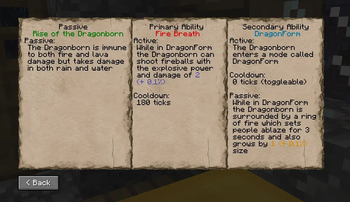
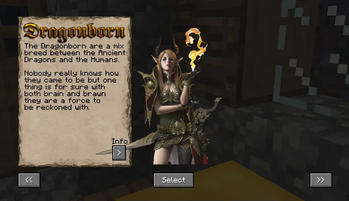
- Dragonborn
- Harpy
- Fairy
- Mermaid
- Elementalist
- Golem
- Dryad
- Lycanthrope
- Giant
- Elf
- Velox
- Pixie
- Troll
- Orc
- Kitsune
- Ratkin
- Slime
- Goblin
Supported Versions:
1.7.10: N/A: None
1.12.2: N/A: None
1.14.4: N/A: None
1.15.2: AWS: "Abandonware Support"
1.16.5: LTS: "Long Term Support"
1.17.1: AWS: "Abandonware Support"
1.18.2: ADS: "Active Dev Support"
1.19.2: ADS: "Active Dev Support"
1.19.4: STS: "Short Term Support"
1.20.1: ADS: "Active Dev Support"
Do note that this is the plan but things may change overtime!
FAQ:
How do I change race? - You can reset your race by either entering the command "/creraces reset
" or by using a "Race changer" item.
(Cheats does need to be enabled to use the "/creraces" command however)Will a config be added to the mod? - Yes, the individual race configs are located in the "creraces" sub-folder in the config folder.
Backporting? - Not at the moment but when the mod is finished there is a chance of that happening but a lot of things that CreRaces use like for example Attributes didn't exist in versions prior to 1.16.5.
Will you add physical features to the races? - Yes, at some point in the future a custom renderer for Twilight Lib is planned, what it will be capable of I don't yet know for sure.
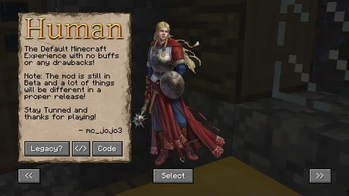
I can't find some races in the SelectionGUI? - Some races are sub-races of other races like the Velox is a sub-race of the Elves so you will find them under the Elves tab.
What is AP / AD and what does it do? - It's different kinds of scaling options. (Check the pins in the Discord's general chat for more info)
Porting? Not at the moment, all supported version are listed on the CurseForge & Modrinth pages.
Fabric port? - Kinda? As there are a lot of good race mods for Fabric already so I don't see the need for a full port but, for a somewhat experimental port of CreRaces called CreOrigins you can find that on it's own page under that name.
How does runes work? - If you're playing as either the Elementalist or Elf you can right-click with any elemental rune to gain its enhancement. You can craft them using the Runic Altar, I recommend using JEI for the recipes.
How does Coins work? - Coins are dropped by either Undead or Illager mobs which are automatically added to your Wallet which can be spent inside of the Item Shop block.
How does Skillpoints work? - You gain Skillpoints by converting Coins into Skillpoints inside the Item Shop block, Skillpoints are used by some races to level-up certain abilities like the Golem.
How do I move the RaceHUD? - In versions prior to 1.1.9 it scaled with your GUI size meaning if it's in the middle of the screen the odds are that you're on a smaller GUI scale. So to fix it you have 2 options, either change your GUI scale or type "/racegui" to hide it.
The Runic Ritual doesn't work! - The Runic Ritual is very sensitive and will only work if everything is set up correctly, make sure to check the Runic Handbook for information on this.
The Runic Ritual code doesn't work! - There was a bug in 1.1.9 that caused the Ritual Lab to generate with the same code all the time (8006) so if that's the number on your wall it's wrong, contact me about information on how to fix it.
Credits:
Developers:
mc_jojo3
Textures:
Items/Blocks/Misc: mc_jojo3, MooseGoneMad & others
Splash Art: Qrow & Unknown
Sound:
Sound Effects: mc_jojo3 & others
Lore:
Azeroth76
HolyKnight1996
LunarMoon
mc_jojo3
Translations: (Currently broken)
English – mc_jojo3
Swedish – intnet1_ & mc_jojo3
Russian – Destroyer4ik & Semandir
Ideas:
mc_jojo3
Azeroth76
Beari
Shubble
Nely
TeyTey
The Error
LunafeyLazuli🌸
SukiDoodles
Pepeba Peba
HolyKnight1996
LunarMoon
Duck Overlord
MooseGoneMad
Topothetop
Xexas
A more detailed explanation is only available in-game at the moment.
Keep in mind that everything is subject to change!!!
Made by: mc_jojo3
Verfügbare Versionen
CreRaces Classic auf dem Server installieren
Server bestellen
Bestelle einen Minecraft Java Server mit mindestens 3 GB RAM (4 GB empfohlen).
forge Loader setzen
Wähle im Panel unter "Egg" den forge-Loader und die passende Minecraft-Version (1.21.1).
Mod installieren
Öffne den Mod-Browser im Dashboard und suche nach "CreRaces Classic". Klicke "Installieren" – fertig! Alternativ: Lade die .jar via SFTP in den /mods Ordner.
Kompatibilität
Mod-Loader
Minecraft-Versionen
1.21.1, 1.20.6, 1.20.4 (+5 weitere)
Server-seitig
✓ ErforderlichEmpfohlener RAM
4 GB(min. 3 GB)Häufige Fragen
CreRaces Classic Server crasht beim Start – was tun?
Häufigste Ursache: falsche forge-Version oder zu wenig RAM. Prüfe im Server-Log (latest.log), ob ein "OutOfMemoryError" oder "Mixin"-Fehler auftritt. Bei Mado Hosting: Stelle sicher, dass mindestens 3 GB RAM zugewiesen sind und der Loader zur Mod-Version passt (1.21.1). Über das Panel kannst du den Loader mit einem Klick wechseln.
Ist CreRaces Classic mit forge und neoforge kompatibel?
CreRaces Classic unterstützt offiziell forge, neoforge für Minecraft 1.21.1, 1.20.6, 1.20.4. Im Mado Dashboard werden inkompatible Loader-Kombinationen automatisch erkannt.
Server laggt mit CreRaces Classic – wie optimiere ich die Performance?
Empfohlener RAM: 4 GB (+1 GB pro 8 Spieler). Prüfe mit /spark profiler, ob CreRaces Classic den meisten Tick-Time verbraucht. Häufige Fixes: Server-View-Distance auf 8-10 reduzieren, bei Forge "performant" oder "starlight" als Zusatz-Mod installieren. Bei Mado Hosting läuft dein Server auf NVMe-SSDs mit dedizierten CPU-Kernen für minimale Latenz.
Ähnliche Mods




Modded Server mieten
Installiere CreRaces Classic mit nur einem Klick auf deinem Server.