
DaiChangCraft
A Minecraft adventure mod that adds many props and several entities to the game.
Screenshots

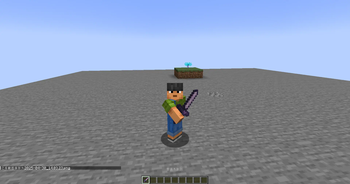
![Seraphina[Incomplete]](https://cdn.modrinth.com/data/vsQUVfVT/images/12931299ccd0cf13b63ccbb9a7c90a3d656ef41a_350.webp)

Über diese Mod
DCCraft
DCCraft is a Minecraft Forge mod that adds a variety of new features and content to the game.
Features
Custom Entities
- Seraphina: A powerful boss entity with complex AI and multiple attack patterns
- DCSteve: A custom Steve entity with special abilities
- Various custom project entities (arrows, projectiles, etc.)
Custom Items
- Forever Oath Sword: A powerful weapon with unique effects
- Mace: A melee weapon that deals area-of-effect damage
- Hexahedron and Regular Dodecahedron: Special tools
- Music Player: Built-in music playback functionality supporting NetEase Cloud Music
Custom Blocks
- BedRockGlass: A special glass block
- DCCraftingTable: An enhanced crafting table
Client-Side Features
- Dynamic Island HUD: A dynamic notification system similar to iPhone
- Module System: Enable or disable various client-side features
- Music Player: Play music directly within the game
- Notification System: Visually appealing notifications
- Target HUD: Displays information about targeted entities
Other Features
- Custom dimension: "Horizon of Existence"
- Multiple custom enchantments
- Custom potion effects
- Advanced rendering effects and shaders
Installation
- Ensure the correct version of Minecraft Forge is installed
- Place the DCCraft-RE mod file into the mods folder
- Launch the game
Usage
Music Player
- Press the designated key to open the music player interface
- Search and play music from NetEase Cloud Music
- Supports account login
Module System
- Press the designated key to open the module management interface
- Enable or disable various feature modules
- Each module may have independent settings
Dynamic Island HUD
- Automatically displays when important events occur
- Shows notifications for module enable/disable actions
- Displays system announcements
Configuration
The mod provides several configuration options; relevant configuration files can be found and modified in the config folder.
Dependencies
- GeckoLib 1.20.1
- Minecraft Forge (specific version)
Developer Information
This project is maintained by daichangs_mc, with source code hosted on Gitee.
License
Please refer to the LICENSE file in the project for detailed licensing information.
this description is made with deepseek

Verfügbare Versionen
DaiChangCraft auf dem Server installieren
Server bestellen
Bestelle einen Minecraft Java Server mit mindestens 3 GB RAM (4 GB empfohlen).
forge Loader setzen
Wähle im Panel unter "Egg" den forge-Loader und die passende Minecraft-Version (1.20.1).
Mod installieren
Öffne den Mod-Browser im Dashboard und suche nach "DaiChangCraft". Klicke "Installieren" – fertig! Alternativ: Lade die .jar via SFTP in den /mods Ordner.
Kompatibilität
Mod-Loader
Minecraft-Versionen
1.20.1
Server-seitig
✓ ErforderlichEmpfohlener RAM
4 GB(min. 3 GB)Häufige Fragen
DaiChangCraft Server crasht beim Start – was tun?
Häufigste Ursache: falsche forge-Version oder zu wenig RAM. Prüfe im Server-Log (latest.log), ob ein "OutOfMemoryError" oder "Mixin"-Fehler auftritt. Bei Mado Hosting: Stelle sicher, dass mindestens 3 GB RAM zugewiesen sind und der Loader zur Mod-Version passt (1.20.1). Über das Panel kannst du den Loader mit einem Klick wechseln.
Ist DaiChangCraft mit forge kompatibel?
DaiChangCraft unterstützt offiziell forge für Minecraft 1.20.1. Im Mado Dashboard werden inkompatible Loader-Kombinationen automatisch erkannt.
Server laggt mit DaiChangCraft – wie optimiere ich die Performance?
Empfohlener RAM: 4 GB (+1 GB pro 8 Spieler). Prüfe mit /spark profiler, ob DaiChangCraft den meisten Tick-Time verbraucht. Häufige Fixes: Server-View-Distance auf 8-10 reduzieren, bei Forge "performant" oder "starlight" als Zusatz-Mod installieren. Bei Mado Hosting läuft dein Server auf NVMe-SSDs mit dedizierten CPU-Kernen für minimale Latenz.
Ähnliche Mods



![[TaCZ] Timeless and Classics Zero](https://cdn.modrinth.com/data/SzzJttH8/fd27766d2bb8390d284696b1dbd358f87e081439_96.webp)


Modded Server mieten
Installiere DaiChangCraft mit nur einem Klick auf deinem Server.