
Dragon Mounts
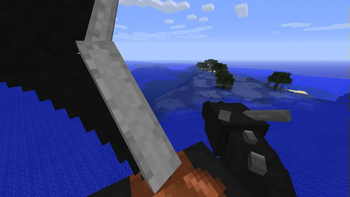
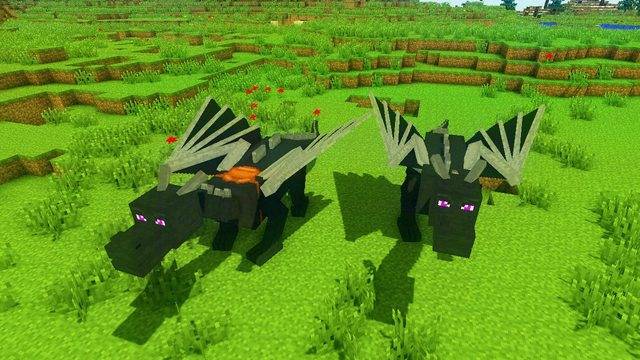
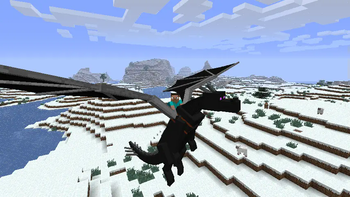
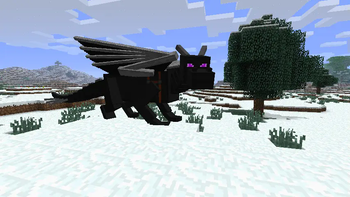
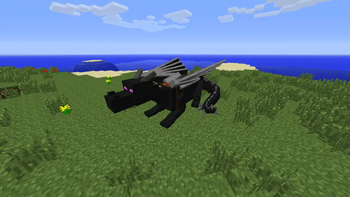
Dragon Mounts is a mod that adds 8 ridable dragons into your worlds. The true reward after beating the Ender Dragon!
Screenshots

Über diese Mod

Recommended to include the recipe viewer: Just Enough Items (1.8 to 1.12) or Not Enough Items (1.1 to 1.12)
***⋆ Dragon Mounts 2 - Modrinth Page**
Support Dragon Mounts
Discord: https://discord.gg/Ewm8aTTJ3K
YouTube: https://youtube.com/@dragonmounts
About Dragon Mounts
Dragon Mounts is a mod that allows to hatch eight different dragons and ride them, when they are grown up. The player needs a Dragon Egg to get started and later on Raw Fish and a Saddle to ride it. The Dragon Egg can be obtained after killing the Ender Dragon or can be found in dungeon chests (however, this is disabled by default).
Getting Started
- To hatch a dragon egg, you'll need to find a good place for it first. If you found one, place the egg block and simply right click it. The egg will then start to hatch, which will take a while.
- Once grown up, you can tame the dragon with raw fish. It will then follow and protect you like other pets.
- You can command tamed dragons to lay down or stand up with the bone item.
- To ride a tamed dragon, use a saddle on it, then right click it without holding an action item.
- To heal injured dragons, feed it with raw fish, chicken, beef or porkchop (four hearts) or with rotten flesh (two hearts).
- You can control the dragon with the Carrot On A Stick while riding it.
Cheats
The Dragon Mounts mod offers two cheats, the player can use when cheats are enabled:
/dragon state <State>: This will set the dragon the player is looking at to a different state. "egg", "hatchling", "juvenile" or "adult" can be used on the dragon the player is looking at./dragon tame: This will claim the dragon the player is looking at to tame it.
Mod Configuration
You can enable chest spawning in the DragonMounts.cfg file. Open it with a text editor and change "B:eggsInChests=false" to "B:eggsInChests=true".
Modern Versions
- Dragon Mounts 2 - by Tomanex & The Dragon Mounts Team
- Dragon Mounts: Legacy - by Kay9
- Dragon Mounts Remastered - by Horeaki
- Dragon Mounts (1.12.2 Fork) - by sunconure11
Dracopedia - The Dragon Mounts Encyclopedia
For the full comprehensive guide of the mod and frequently asked questions, head over to our official Dragon Mounts Wiki.
Issues / Bug Reports
If you found something that doesn't look right, is probably a bug, please head over to our Github to report it! Your bugs are most likely to be seen there versus our Discord server.
Credits
Dragon Mounts: Legacy - since 1.16
- Kay9Unit - Lead Developer
- Kingdomall - Artist; Updated Textures
- 13SunRaes - Artist; Updated Textures
- BarracudaATA - Original author; code, textures, ideas
Dragon Mounts: Forks - 1.11 and 1.12
- Sunconure11 - Developer (1.12.2 Fork)
- HyperSpeeed - Developer (1.11.2 Fork)
- BarracudaATA - Original Author of the mod
Dragon Mounts - 1.1 and 1.10
- BarracudaATA - Lead Developer
- Venomari245 - Forest dragon textures
- Alexxx999 - Nether dragon texture and suggestions
- Gon009 - Testing and feedback
- Thaliviel - Testing, ideas and coding help
- Wulf_Oman - Ghost and Aether dragon textures
- leoslake9 - Fire dragon texture updates
- TheGreyGhost - Port of the code to 1.8
- TheOnlySilverClaw - Code improvements
- BrisingrAerowing - Port of the code to 1.10.2
Verfügbare Versionen
Dragon Mounts auf dem Server installieren
Server bestellen
Bestelle einen Minecraft Java Server mit mindestens 3 GB RAM (4 GB empfohlen).
forge Loader setzen
Wähle im Panel unter "Egg" den forge-Loader und die passende Minecraft-Version (1.11.2).
Mod installieren
Öffne den Mod-Browser im Dashboard und suche nach "Dragon Mounts". Klicke "Installieren" – fertig! Alternativ: Lade die .jar via SFTP in den /mods Ordner.
Kompatibilität
Mod-Loader
Minecraft-Versionen
1.11.2, 1.10.2, 1.9.4 (+19 weitere)
Server-seitig
✓ ErforderlichEmpfohlener RAM
4 GB(min. 3 GB)Häufige Fragen
Dragon Mounts Server crasht beim Start – was tun?
Häufigste Ursache: falsche forge-Version oder zu wenig RAM. Prüfe im Server-Log (latest.log), ob ein "OutOfMemoryError" oder "Mixin"-Fehler auftritt. Bei Mado Hosting: Stelle sicher, dass mindestens 3 GB RAM zugewiesen sind und der Loader zur Mod-Version passt (1.11.2). Über das Panel kannst du den Loader mit einem Klick wechseln.
Ist Dragon Mounts mit forge und modloader kompatibel?
Dragon Mounts unterstützt offiziell forge, modloader für Minecraft 1.11.2, 1.10.2, 1.9.4. Im Mado Dashboard werden inkompatible Loader-Kombinationen automatisch erkannt.
Server laggt mit Dragon Mounts – wie optimiere ich die Performance?
Empfohlener RAM: 4 GB (+1 GB pro 8 Spieler). Prüfe mit /spark profiler, ob Dragon Mounts den meisten Tick-Time verbraucht. Häufige Fixes: Server-View-Distance auf 8-10 reduzieren, bei Forge "performant" oder "starlight" als Zusatz-Mod installieren. Bei Mado Hosting läuft dein Server auf NVMe-SSDs mit dedizierten CPU-Kernen für minimale Latenz.
Ähnliche Mods





Modded Server mieten
Installiere Dragon Mounts mit nur einem Klick auf deinem Server.