
Durability Reduction Limit
Server-side NeoForge 1.21.1 mod that caps durability loss per damage cycle, defaulting tools and armor to losing at most 1 durability point.
Screenshots
Über diese Mod
Durability Reduction Limit
Durability Reduction Limit is a lightweight server-side NeoForge 1.21.1 mod that lets you control how much durability an item can lose from a single damage cycle.
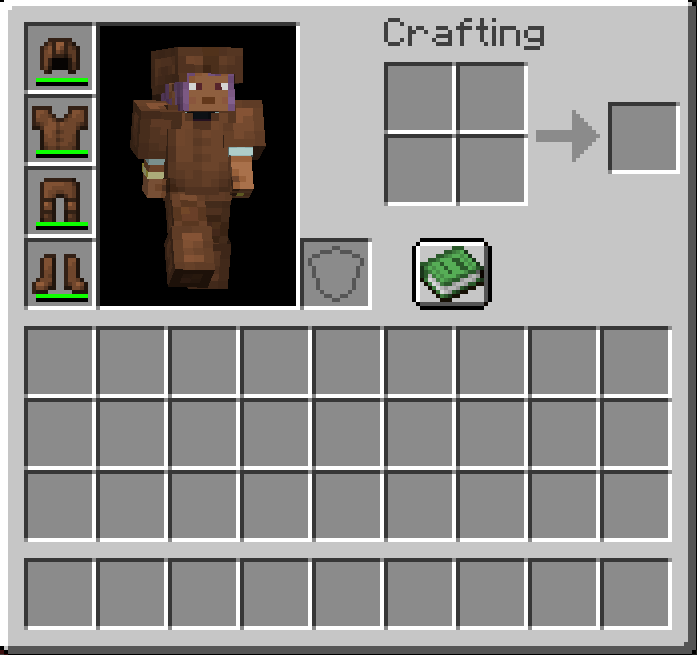
By default, durability loss is capped at 1 point, meaning tools, weapons, and armor cannot lose more than one durability point at a time, even when the original damage value would be higher.
Features
- Caps durability reduction from item damage cycles.
- Default cap is 1 durability point.
- Works with tools, weapons, armor, and other damageable items that use Minecraft's normal durability path.
- Fully configurable through NeoForge common config.
- Can be disabled without removing the mod.
- Server-side focused and compatible with SinglePlayer.
- Does not add items, blocks, commands, or client UI.
Configuration
The generated common config includes:
enabled- turns the durability cap on or off.maxDurabilityReduction- sets the maximum durability points an item can lose from one damage application.
Defaults
enabled = truemaxDurabilityReduction = 1
How It Works
When Minecraft calculates durability damage for an item, the mod limits the final durability reduction before it is applied. This keeps heavy durability hits from instantly consuming multiple points while still allowing normal item damage, breaking behavior, and configuration control.
Verfügbare Versionen
Durability Reduction Limit auf dem Server installieren
Server bestellen
Bestelle einen Minecraft Java Server mit mindestens 3 GB RAM (4 GB empfohlen).
neoforge Loader setzen
Wähle im Panel unter "Egg" den neoforge-Loader und die passende Minecraft-Version (1.21.11).
Mod installieren
Öffne den Mod-Browser im Dashboard und suche nach "Durability Reduction Limit". Klicke "Installieren" – fertig! Alternativ: Lade die .jar via SFTP in den /mods Ordner.
Kompatibilität
Mod-Loader
Minecraft-Versionen
1.21.11, 1.21.10, 1.21.9 (+8 weitere)
Server-seitig
✓ ErforderlichEmpfohlener RAM
4 GB(min. 3 GB)Häufige Fragen
Durability Reduction Limit Server crasht beim Start – was tun?
Häufigste Ursache: falsche neoforge-Version oder zu wenig RAM. Prüfe im Server-Log (latest.log), ob ein "OutOfMemoryError" oder "Mixin"-Fehler auftritt. Bei Mado Hosting: Stelle sicher, dass mindestens 3 GB RAM zugewiesen sind und der Loader zur Mod-Version passt (1.21.11). Über das Panel kannst du den Loader mit einem Klick wechseln.
Ist Durability Reduction Limit mit neoforge kompatibel?
Durability Reduction Limit unterstützt offiziell neoforge für Minecraft 1.21.11, 1.21.10, 1.21.9. Im Mado Dashboard werden inkompatible Loader-Kombinationen automatisch erkannt.
Server laggt mit Durability Reduction Limit – wie optimiere ich die Performance?
Empfohlener RAM: 4 GB (+1 GB pro 8 Spieler). Prüfe mit /spark profiler, ob Durability Reduction Limit den meisten Tick-Time verbraucht. Häufige Fixes: Server-View-Distance auf 8-10 reduzieren, bei Forge "performant" oder "starlight" als Zusatz-Mod installieren. Bei Mado Hosting läuft dein Server auf NVMe-SSDs mit dedizierten CPU-Kernen für minimale Latenz.
Ähnliche Mods



![[TaCZ] Timeless and Classics Zero](https://cdn.modrinth.com/data/SzzJttH8/fd27766d2bb8390d284696b1dbd358f87e081439_96.webp)


Modded Server mieten
Installiere Durability Reduction Limit mit nur einem Klick auf deinem Server.