
Enhanced Multitools
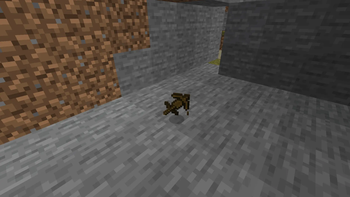
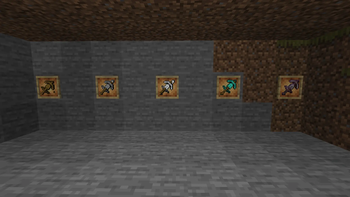
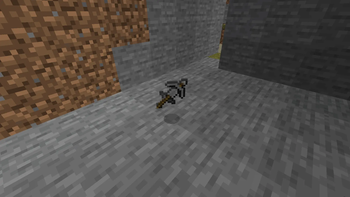
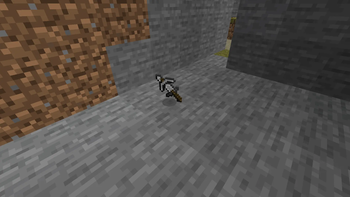
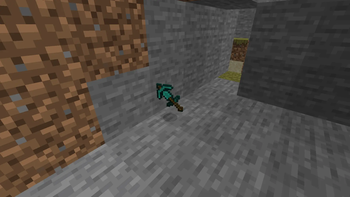
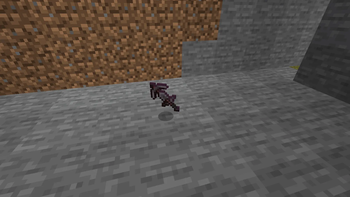
Enhanced MultiTools adds a variety of MultiTools that combine the functionality of a pickaxe, axe, shovel, and hoe into a single item. Designed to streamline gameplay and reduce inventory clutter, these tools allow you to mine, chop, dig, and farm without
Screenshots
Über diese Mod
Enhanced MultiTools
Take convenience and efficiency to the next level with Enhanced MultiTools.
Enhanced MultiTools adds a collection of powerful all-in-one tools that combine the functionality of multiple vanilla tools into a single item. Instead of carrying a pickaxe, axe, shovel, and hoe separately, you can use a MultiTool to handle all of these tasks with ease. Whether you're mining deep underground, clearing large areas, gathering wood, or preparing farmland, Enhanced MultiTools helps streamline your gameplay and reduce unnecessary inventory management.
Designed to fit naturally within Minecraft's progression system, MultiTools are available in multiple material tiers, allowing you to upgrade as you advance through the game. Each tool is carefully balanced to provide convenience without feeling overpowered, making them a perfect addition to both casual and long-term survival worlds.
Features
Adds versatile all-in-one MultiTools
Functions as a pickaxe, axe, shovel, and hoe
Available in multiple material tiers
Reduces inventory clutter by replacing several tools with one
Makes resource gathering and exploration more efficient
Balanced to fit naturally into vanilla Minecraft gameplay
Survival-friendly crafting recipes
Multiplayer compatible
Why Use MultiTools?
Managing multiple tools can take up valuable inventory space and slow down gameplay. Enhanced MultiTools solves this problem by giving players a single tool capable of handling most everyday tasks. Spend less time swapping items in your hotbar and more time building, exploring, and surviving.
Whether you're a builder clearing terrain, an adventurer exploring caves, or a survival player looking for a more streamlined experience, Enhanced MultiTools provides a simple but powerful quality-of-life improvement.
Requirements
This mod requires the appropriate mod loader and any listed dependencies to be installed.
Support & Community
Join the Discord server for support, updates, sneak peeks, bug reports, and community discussions:
Verfügbare Versionen
Enhanced Multitools auf dem Server installieren
Server bestellen
Bestelle einen Minecraft Java Server mit mindestens 3 GB RAM (4 GB empfohlen).
fabric Loader setzen
Wähle im Panel unter "Egg" den fabric-Loader und die passende Minecraft-Version (1.21.11).
Mod installieren
Öffne den Mod-Browser im Dashboard und suche nach "Enhanced Multitools". Klicke "Installieren" – fertig! Alternativ: Lade die .jar via SFTP in den /mods Ordner.
Kompatibilität
Mod-Loader
Minecraft-Versionen
1.21.11, 1.21.10, 1.21.9 (+1 weitere)
Server-seitig
✗ Nicht unterstütztEmpfohlener RAM
4 GB(min. 3 GB)Häufige Fragen
Enhanced Multitools Server crasht beim Start – was tun?
Häufigste Ursache: falsche fabric-Version oder zu wenig RAM. Prüfe im Server-Log (latest.log), ob ein "OutOfMemoryError" oder "Mixin"-Fehler auftritt. Bei Mado Hosting: Stelle sicher, dass mindestens 3 GB RAM zugewiesen sind und der Loader zur Mod-Version passt (1.21.11). Über das Panel kannst du den Loader mit einem Klick wechseln.
Ist Enhanced Multitools mit fabric kompatibel?
Enhanced Multitools unterstützt offiziell fabric für Minecraft 1.21.11, 1.21.10, 1.21.9. Im Mado Dashboard werden inkompatible Loader-Kombinationen automatisch erkannt.
Server laggt mit Enhanced Multitools – wie optimiere ich die Performance?
Empfohlener RAM: 4 GB (+1 GB pro 8 Spieler). Prüfe mit /spark profiler, ob Enhanced Multitools den meisten Tick-Time verbraucht. Häufige Fixes: Server-View-Distance auf 8-10 reduzieren, bei Forge "performant" oder "starlight" als Zusatz-Mod installieren. Bei Mado Hosting läuft dein Server auf NVMe-SSDs mit dedizierten CPU-Kernen für minimale Latenz.
Ähnliche Mods




Modded Server mieten
Installiere Enhanced Multitools mit nur einem Klick auf deinem Server.