Even Better Archeology
A fork of Better Archeology with compatibility for more mods
Über diese Mod
Even Better Archeology
This mod is still in alpha stage, expect frequent updates and potential problems
If you notice something wrong just open a github issue and make sure you have the latest version.
The Archeology features introduced in 1.20 are a bit lacking.
This adds a lot more features that the regular Archeology in minecraft.
The following things are added:
- More ruins
- lost enchantments
- better brushes
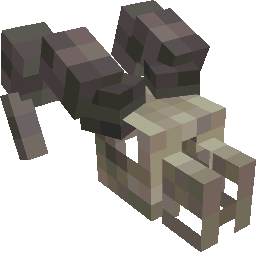
- fossils of prehistoric mobs
This is a fork https://github.com/Pandarix/BetterArcheology updated with better integration in other mods and some QOL updates.
FAQ
Q: Is this a drop in replacement for BetterArcheology
A: No! You will have to get the stuff again. This is done on purpose to allow deeper changes and updates in the future. If possible I want to create an updater for the final release but it does not exist atm.
Q: What are the advantages of using this over BetterArcheology
A: The following things differ from BetterArcheology atm:
- allow changing the configs at runtime using modmenu
- compatibility with the trinkets API (needed to use the soaring winds enchantment in an elytra slot)
- compatibility with numismatic overhaul
- compatibility with artifacts
- more (balanced) villager trades
- generating structures in mod biomes
Q: Will this mod get a forge port?
A: No! I don't have time for that and am not interested in learning another API. In addition to that the dependencies I rely on don't have a forge version either. Adding forge compatibility would need a whole new rewrite of the code.
Q: Can I use this in my modpack?
A: Do whatever you want with the mod. Its license allows basically anything as long as you don't remove the License notice.
Verfügbare Versionen
Even Better Archeology auf dem Server installieren
Server bestellen
Bestelle einen Minecraft Java Server mit mindestens 4 GB RAM (6 GB empfohlen).
fabric Loader setzen
Wähle im Panel unter "Egg" den fabric-Loader und die passende Minecraft-Version (1.20.2).
Mod installieren
Öffne den Mod-Browser im Dashboard und suche nach "Even Better Archeology". Klicke "Installieren" – fertig! Alternativ: Lade die .jar via SFTP in den /mods Ordner.
Kompatibilität
Mod-Loader
Minecraft-Versionen
1.20.2, 1.20.2-rc2, 1.20.2-rc1 (+7 weitere)
Server-seitig
✓ ErforderlichEmpfohlener RAM
6 GB(min. 4 GB)Häufige Fragen
Even Better Archeology Server crasht beim Start – was tun?
Häufigste Ursache: falsche fabric-Version oder zu wenig RAM. Prüfe im Server-Log (latest.log), ob ein "OutOfMemoryError" oder "Mixin"-Fehler auftritt. Bei Mado Hosting: Stelle sicher, dass mindestens 4 GB RAM zugewiesen sind und der Loader zur Mod-Version passt (1.20.2). Über das Panel kannst du den Loader mit einem Klick wechseln.
Ist Even Better Archeology mit fabric kompatibel?
Even Better Archeology unterstützt offiziell fabric für Minecraft 1.20.2, 1.20.2-rc2, 1.20.2-rc1. Im Mado Dashboard werden inkompatible Loader-Kombinationen automatisch erkannt.
Server laggt mit Even Better Archeology – wie optimiere ich die Performance?
Empfohlener RAM: 6 GB (+1 GB pro 5 Spieler). Prüfe mit /spark profiler, ob Even Better Archeology den meisten Tick-Time verbraucht. Häufige Fixes: Server-View-Distance auf 8-10 reduzieren, bei Forge "performant" oder "starlight" als Zusatz-Mod installieren. Bei Mado Hosting läuft dein Server auf NVMe-SSDs mit dedizierten CPU-Kernen für minimale Latenz.
Ähnliche Mods




Modded Server mieten
Installiere Even Better Archeology mit nur einem Klick auf deinem Server.