
Experiment: Determination
Brings Undertale's iconic save points, time rollbacks, and action consequences directly into Minecraft.
Screenshots
Über diese Mod
🌟 Key Features
💾 True Saves
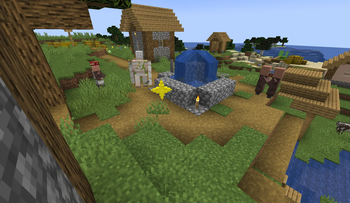
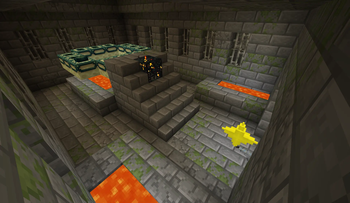
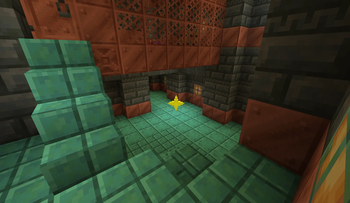
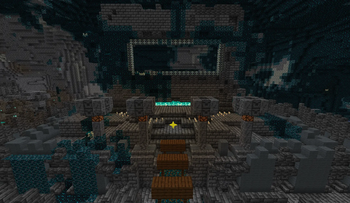
As you travel the world, you will find Save Points across various structures (Villages, Pillager Outposts, Ancient Cities, Woodland Mansions, Strongholds, and many more). Interacting with them fully restores your health and opens the classic save interface. But be careful: saving acts as a full time backup. If you die, the world will roll back to that exact moment! Your resources, destroyed blocks, killed mobs, and even raid progress - everything will revert to the state it was in at the time
💬 Unique Texts and Atmosphere
A unique save text is written for every biome and structure, conveying the atmosphere of the surroundings and filling you with Determination. Experience the familiar design, sounds, and fonts that will make you feel like you are in a completely different game.
🔪 Genocide System
Your actions have consequences. The mod tracks how you interact with the world. If you ruthlessly and purposefully exterminate a specific type of creature, their population will run dry. Available progression paths: Neutral and Genocide.
⚠️ Important Note
Since the mod physically "rolls back" the world and time when a save is loaded, it is intended strictly for Singleplayer, and it is highly not recommended for use in modpacks.
Verfügbare Versionen
Experiment: Determination auf dem Server installieren
Server bestellen
Bestelle einen Minecraft Java Server mit mindestens 4 GB RAM (6 GB empfohlen).
fabric Loader setzen
Wähle im Panel unter "Egg" den fabric-Loader und die passende Minecraft-Version (1.21.1).
Mod installieren
Öffne den Mod-Browser im Dashboard und suche nach "Experiment: Determination". Klicke "Installieren" – fertig! Alternativ: Lade die .jar via SFTP in den /mods Ordner.
Kompatibilität
Mod-Loader
Minecraft-Versionen
1.21.1
Server-seitig
✓ ErforderlichEmpfohlener RAM
6 GB(min. 4 GB)Häufige Fragen
Experiment: Determination Server crasht beim Start – was tun?
Häufigste Ursache: falsche fabric-Version oder zu wenig RAM. Prüfe im Server-Log (latest.log), ob ein "OutOfMemoryError" oder "Mixin"-Fehler auftritt. Bei Mado Hosting: Stelle sicher, dass mindestens 4 GB RAM zugewiesen sind und der Loader zur Mod-Version passt (1.21.1). Über das Panel kannst du den Loader mit einem Klick wechseln.
Ist Experiment: Determination mit fabric kompatibel?
Experiment: Determination unterstützt offiziell fabric für Minecraft 1.21.1. Im Mado Dashboard werden inkompatible Loader-Kombinationen automatisch erkannt.
Server laggt mit Experiment: Determination – wie optimiere ich die Performance?
Empfohlener RAM: 6 GB (+1 GB pro 5 Spieler). Prüfe mit /spark profiler, ob Experiment: Determination den meisten Tick-Time verbraucht. Häufige Fixes: Server-View-Distance auf 8-10 reduzieren, bei Forge "performant" oder "starlight" als Zusatz-Mod installieren. Bei Mado Hosting läuft dein Server auf NVMe-SSDs mit dedizierten CPU-Kernen für minimale Latenz.
Ähnliche Mods




Modded Server mieten
Installiere Experiment: Determination mit nur einem Klick auf deinem Server.