
Exposure: Expanded
Addon for Exposure that adds new lenses, filters and films.
Screenshots
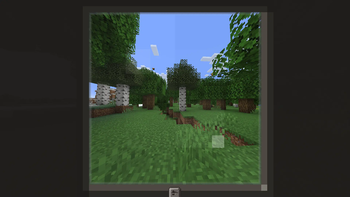
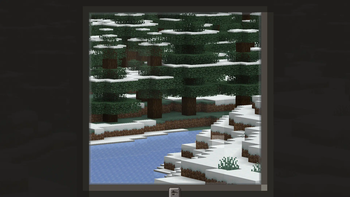
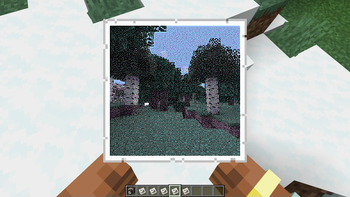
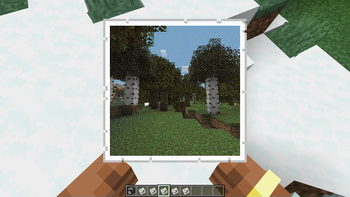
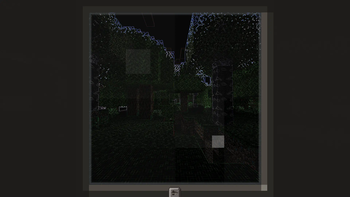
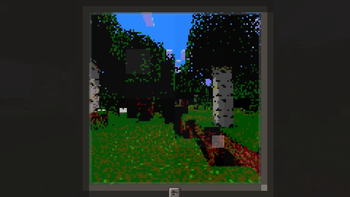
Über diese Mod
A companion mod for Exposure that adds things that make the mod feel more complete.
Telescopic & Panoramic Lens


Craftable from a spyglass and amethyst, the Telescopic Lens lets you zoom in even further, and the Panoramic Lens lets you zoom out to capture a greater area.
Vanity Films


Gameboy, NES, Commodore 64 and CGA color palette films found in village chests or craftable just like any other film.
High Capacity & High Resolution Films


Films with doubled capacity for photos, as well as ones with doubled resolution of photos. They work in any camera like normal films. Available both in color and black & white.
Vanity Filters
16 different fancy camera filters based on Super Secret Settings shaders, found in various different structures in chests.
Exposure Polaroid Integration


Vanity slides and high-resolution slides are both available and work with any Instant Camera if Exposure Polaroid is installed.
Visit the wiki for more info, or join the Discord server to ask questions or suggest things.
Verfügbare Versionen
Exposure: Expanded auf dem Server installieren
Server bestellen
Bestelle einen Minecraft Java Server mit mindestens 3 GB RAM (4 GB empfohlen).
fabric Loader setzen
Wähle im Panel unter "Egg" den fabric-Loader und die passende Minecraft-Version (1.21.1).
Mod installieren
Öffne den Mod-Browser im Dashboard und suche nach "Exposure: Expanded". Klicke "Installieren" – fertig! Alternativ: Lade die .jar via SFTP in den /mods Ordner.
Kompatibilität
Mod-Loader
Minecraft-Versionen
1.21.1, 1.20.1, 1.20
Server-seitig
✓ ErforderlichEmpfohlener RAM
4 GB(min. 3 GB)Häufige Fragen
Exposure: Expanded Server crasht beim Start – was tun?
Häufigste Ursache: falsche fabric-Version oder zu wenig RAM. Prüfe im Server-Log (latest.log), ob ein "OutOfMemoryError" oder "Mixin"-Fehler auftritt. Bei Mado Hosting: Stelle sicher, dass mindestens 3 GB RAM zugewiesen sind und der Loader zur Mod-Version passt (1.21.1). Über das Panel kannst du den Loader mit einem Klick wechseln.
Ist Exposure: Expanded mit fabric und forge und neoforge kompatibel?
Exposure: Expanded unterstützt offiziell fabric, forge, neoforge für Minecraft 1.21.1, 1.20.1, 1.20. Achtung: Forge- und Fabric-Mods sind NICHT untereinander kompatibel – wähle einen Loader und bleibe dabei. Im Mado Dashboard werden inkompatible Loader-Kombinationen automatisch erkannt.
Server laggt mit Exposure: Expanded – wie optimiere ich die Performance?
Empfohlener RAM: 4 GB (+1 GB pro 8 Spieler). Prüfe mit /spark profiler, ob Exposure: Expanded den meisten Tick-Time verbraucht. Häufige Fixes: Server-View-Distance auf 8-10 reduzieren, bei Forge "performant" oder "starlight" als Zusatz-Mod installieren. Bei Mado Hosting läuft dein Server auf NVMe-SSDs mit dedizierten CPU-Kernen für minimale Latenz.
Ähnliche Mods




Modded Server mieten
Installiere Exposure: Expanded mit nur einem Klick auf deinem Server.