
Extinction Z
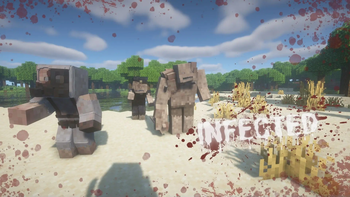
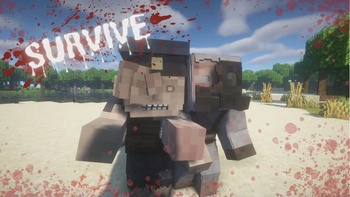
The world has been invaded by a merciless zombie plague. Cities lie in ruins, forests echo with undead wails, and survivors struggle every day to find safe shelter and scarce resources. This mod adds a wide variety of melee weapons, variety of enemies
Screenshots
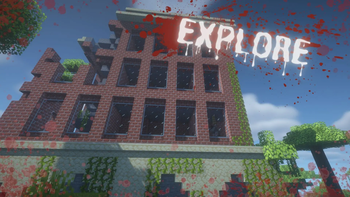
Über diese Mod
The Extinction Z mod for Minecraft is an addition that transforms the game into an apocalyptic survival environment, where players must face hordes of zombies and survive in a post-apocalyptic world. This mod introduces new gameplay mechanics, enemies, and resources that challenge players to adapt to a much more hostile and dynamic environment.
Key Features:
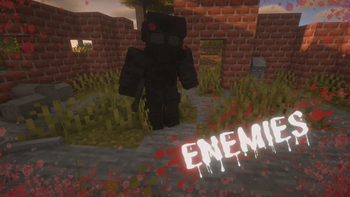
- New Zombie Types: The mod adds a variety of zombies, each with unique abilities and varying levels of difficulty, increasing the challenge and strategy needed to survive.
- Improved Survival Mechanics: Players must manage resources such as food, weapons, and ammunition more carefully, as they are more limited and essential for survival.
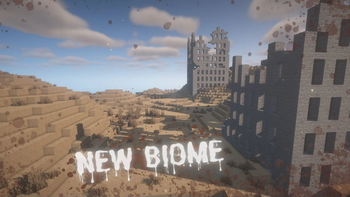
- New Structures and Locations: New locations are included that can be explored, some of which contain valuable resources, but also pose considerable risk due to the presence of enemies or traps.
- Progression System: A progression system is introduced that allows players to improve their skills and tools to face the increasing threats.
- Dynamic Events: The mod adds random events that can occur at any time, such as massive zombie attacks, that keep players always on their toes.
In short, Extinction Z turns Minecraft into an intense survival game where strategic planning, resource management, and the ability to react to unexpected events are crucial to staying alive.
Verfügbare Versionen
Extinction Z auf dem Server installieren
Server bestellen
Bestelle einen Minecraft Java Server mit mindestens 3 GB RAM (4 GB empfohlen).
forge Loader setzen
Wähle im Panel unter "Egg" den forge-Loader und die passende Minecraft-Version (1.20.1).
Mod installieren
Öffne den Mod-Browser im Dashboard und suche nach "Extinction Z". Klicke "Installieren" – fertig! Alternativ: Lade die .jar via SFTP in den /mods Ordner.
Kompatibilität
Mod-Loader
Minecraft-Versionen
1.20.1
Server-seitig
✓ ErforderlichEmpfohlener RAM
4 GB(min. 3 GB)Häufige Fragen
Extinction Z Server crasht beim Start – was tun?
Häufigste Ursache: falsche forge-Version oder zu wenig RAM. Prüfe im Server-Log (latest.log), ob ein "OutOfMemoryError" oder "Mixin"-Fehler auftritt. Bei Mado Hosting: Stelle sicher, dass mindestens 3 GB RAM zugewiesen sind und der Loader zur Mod-Version passt (1.20.1). Über das Panel kannst du den Loader mit einem Klick wechseln.
Ist Extinction Z mit forge kompatibel?
Extinction Z unterstützt offiziell forge für Minecraft 1.20.1. Im Mado Dashboard werden inkompatible Loader-Kombinationen automatisch erkannt.
Server laggt mit Extinction Z – wie optimiere ich die Performance?
Empfohlener RAM: 4 GB (+1 GB pro 8 Spieler). Prüfe mit /spark profiler, ob Extinction Z den meisten Tick-Time verbraucht. Häufige Fixes: Server-View-Distance auf 8-10 reduzieren, bei Forge "performant" oder "starlight" als Zusatz-Mod installieren. Bei Mado Hosting läuft dein Server auf NVMe-SSDs mit dedizierten CPU-Kernen für minimale Latenz.
Ähnliche Mods




Modded Server mieten
Installiere Extinction Z mit nur einem Klick auf deinem Server.